Navigation-based Smart Cruise Control Operation
Navigation-based Smart Cruise Control is ready to operate if all of the following conditions are satisfied:
-
Select Auto motorway speed change from the infotainment system.
-
Smart Cruise Control is operating
-
Driving on main roads of highways
For more information on how to operate Smart Cruise Control, refer to the "Smart Cruise Control (SCC)" section in this chapter.
When Navigation-based Smart Cruise Control operates, it will be displayed on the instrument cluster as follows:
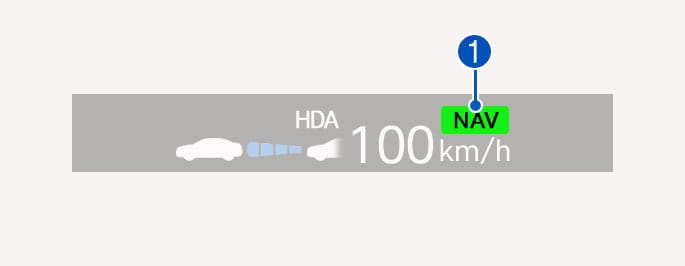
2C_NSCCStandbyInfo
Navigation-based Smart Cruise Control standby
If the operating conditions are satisfied, the green
Navigation-based Smart Cruise Control operating
While the speed is being controlled, the green
Temporarily canceled or interrupted by the driver
If Navigation-based Smart Cruise Control cannot control the vehicle, such as when Smart Cruise Control is temporarily canceled or the navigation system is searching for a route, the gray
When the driver depresses the accelerator pedal, the white
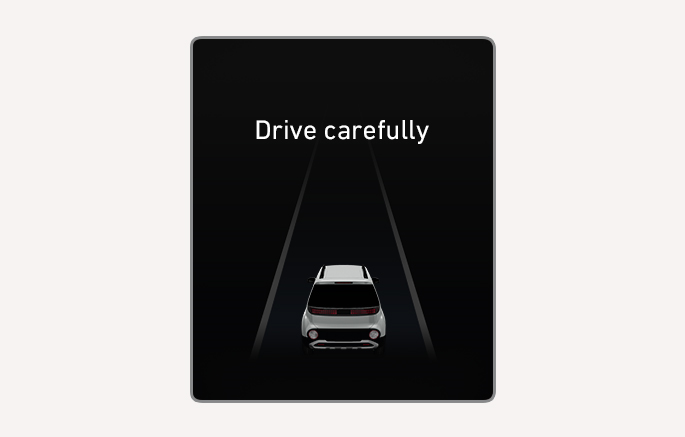
2C_FCABasicCollisionWarningInfo
"Drive carefully" warning message will appear in the following circumstances:
-
Navigation-based Smart Cruise Control is not able to slow down your vehicle to a safe speed
The images and colors in the instrument cluster may differ depending on the instrument cluster type or theme selected from the infotainment system.
Highway Curve Zone Auto Slowdown
Depending on the curve ahead on the highway, the vehicle will decelerate, and after passing the curve, the vehicle will accelerate to Smart Cruise Control set speed.
Vehicle deceleration time may differ depending on the vehicle speed and the degree of the curve on the road. The higher the driving speed, deceleration will start faster.