Smart Cruise Control Settings
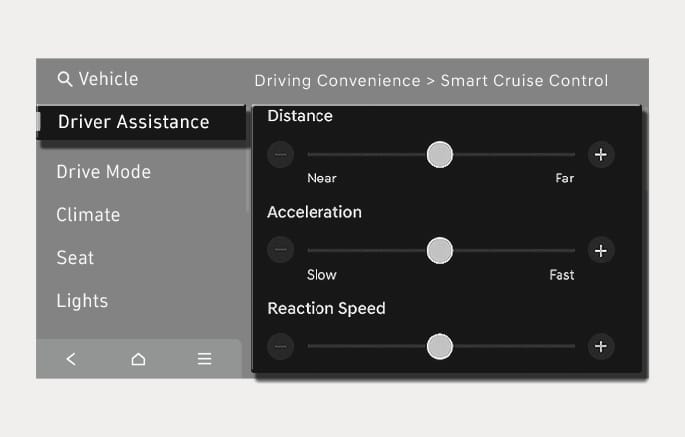
2C_SCCSettings
With the vehicle on, press the
2C_WarningTypeSetInfo_6
With the vehicle on, press the
-
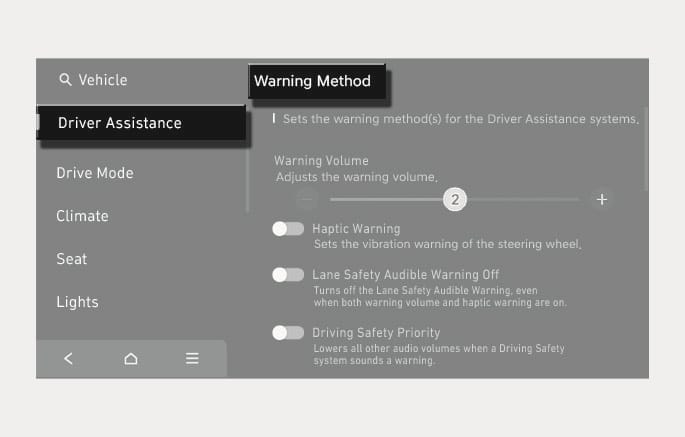
Warning Volume: The warning volume can be adjusted. If you turn off the Warning Volume, for your safety, the function may warn you with a low volume.
-
Haptic Warning: The steering wheel vibration can be set.
-
Driving Safety Priority: Your vehicle lowers all other audio volumes when the Driver Assistance system warning sounds.
-
If you change the Warning Method, the Warning Method of other Driver Assistance systems may change.
-
Warning Method will maintain the last setting even if the vehicle is restarted.
-
The setting menu may not be available for your vehicle depending on the vehicle features and specifications.
-
The Warning Volume and Haptic Warning cannot be turned off at the same time. When one of the warnings are turned off the other is activated.