Setting electric vehicle specialized functions
You can set various EV specialized functions such as battery conditioning mode and utility mode.
You can set the target battery charge level when charged with an AC charger or a DC charger.
-
You can check the status of high voltage battery, estimated distance to empty, and the time required for charging the target battery level.
-
The distance to empty is estimated based on the energy economy and temperatures. It may vary according to your driving style.
-
The distance to empty may vary even with the same target level according to changes of your driving style.
-
On the infotainment screen, move to Home screen and select Electric vehicle > EV settings.
-
Set each of the target battery charge level for AC charger and DC charger.
-
The charging level can be changed by 10 %.
-
If the target battery charge level is lower than the current high voltage battery charge level, the battery is not charged.
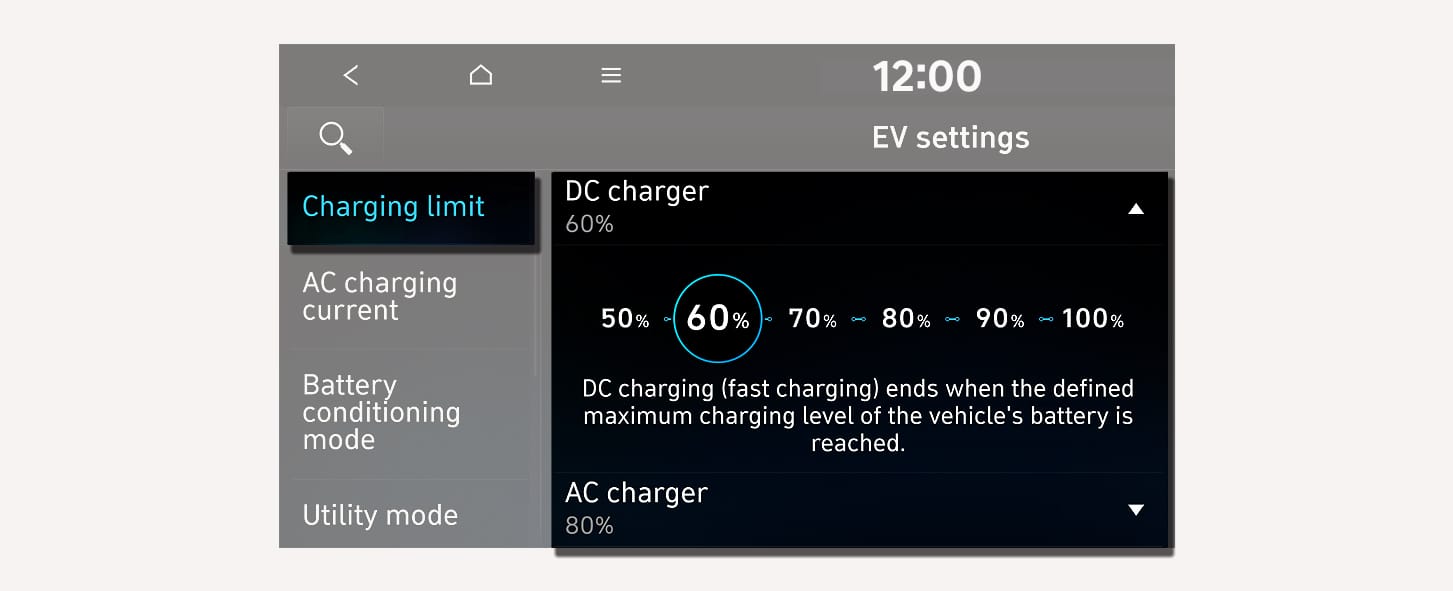
1C_ChargingLimit
-
The battery conditioning mode is efficient during the wintertime when the high voltage battery temperature is low. This mode works with the navigation to charge the vehicle fast and maintain the battery temperature to an adequate level. Set a charging station equipped with a fast charger as your destination in the navigation. Then, the battery conditioning mode is operated to maintain the adequate battery temperature until you arrive at the preset charging station.
On the infotainment screen, move to Home screen and select EV > Battery conditioning mode to set the function.
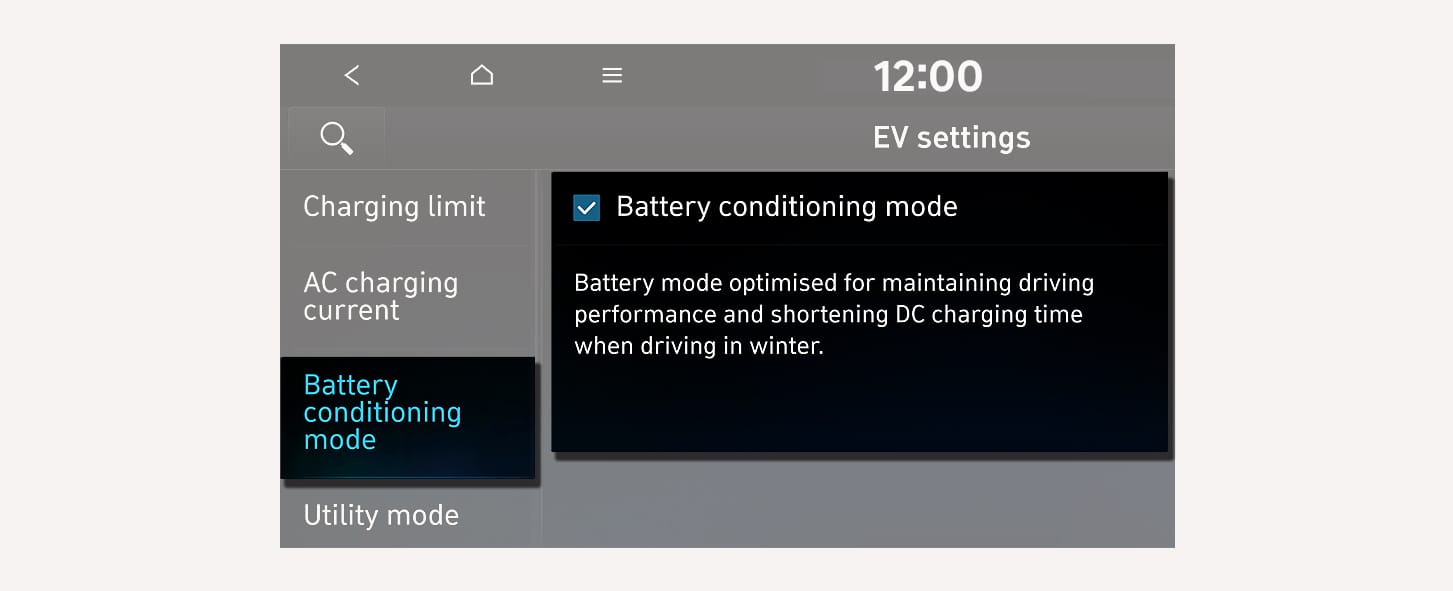
1C_BatteryConditioning
-
Battery Conditioning function operates only in a vehicle equipped with a battery heater.
-
Battery Conditioning function does not operate to ensure driving distance when the battery charge level is low. The function also does not operate if the temperature of the battery is ideal for driving and charging.
-
The charged power used to raise the temperature of a battery may shorten the driving distance. Reaching the optimal temperature of a battery requires time.
-
When you are a member of Bluelink, you can control the battery Conditioning function remotely whilst parking from the Bluelink app. For more information on Bluelink, refer to the separately supplied manual.
-
The indicator light turns on to show that the battery conditioning is operating.
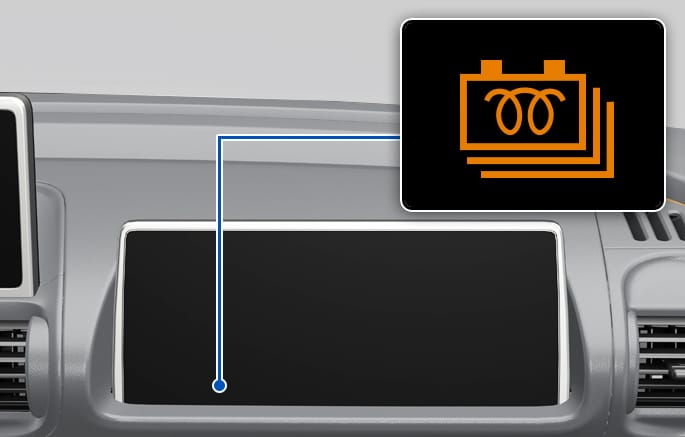
2C_BatteryConditioning_2_RHD
Utility mode allows the high voltage battery to be used instead of the 12 V battery for purposes other than driving. You can use the audio and lights of the vehicle without worrying about discharging the battery and even use the indoor V2L feature.
-
You cannot drive the vehicle whilst the utility mode is activated, and the gear can only be shifted to P (Park).
-
You can use every electric device in the vehicle whilst the utility mode is activated.
-
When the utility mode is activated, the Electronic Parking Brake (EPB) is applied automatically and you can release EPB by pressing the EPB switch if necessary.
Follow the instructions below to set the utility mode.
-
Check the operation conditions of the utility mode.
-
Check if the
¢ indicator is displayed on the instrument cluster. -
Check if the reducer is shifted to P (Park).
-
-
On the infotainment screen, move to Home screen and select EV> Utility mode, and then select Activate utility mode to activate the function (Utility mode: ON).
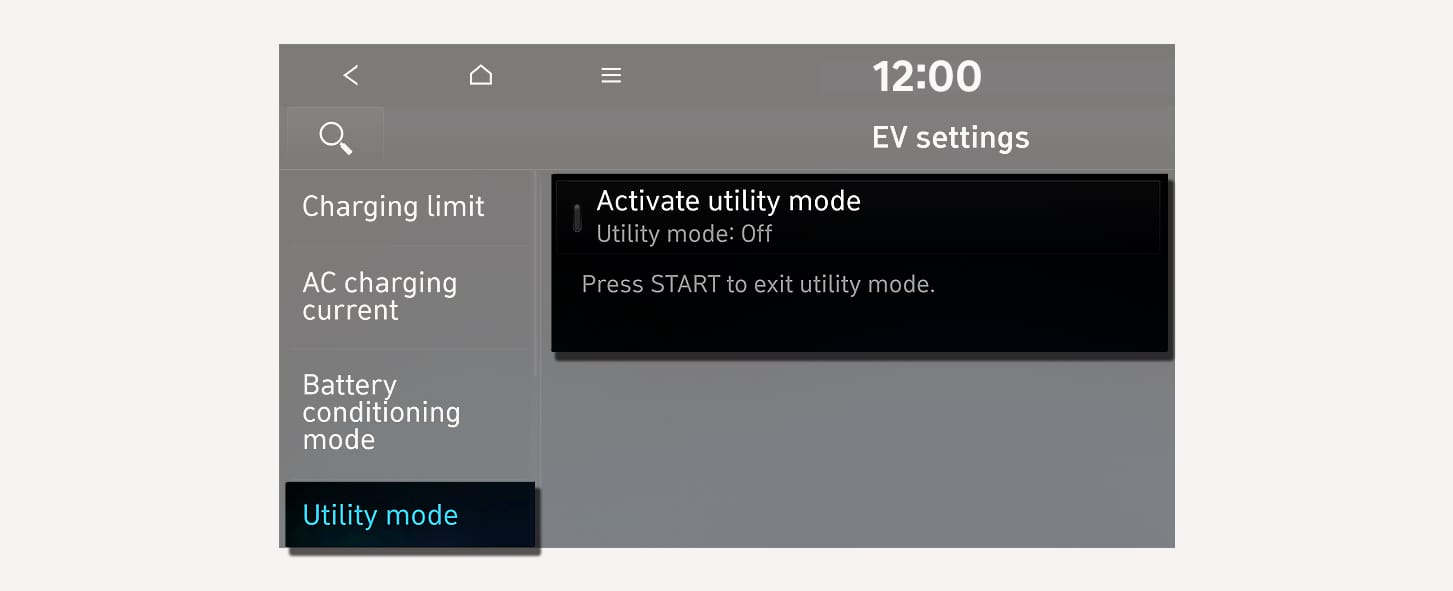
1C_UtilityMode
-
The
¢ indicator turns off and theų indicator illuminates on the instrument cluster and the EPB is applied. -
The utility mode can be deactivated by pressing the Start/Stop button to the OFF position.
-
If you want to utilize the V2L feature in the vehicle whilst the utility mode is activated, refer to the "Using electricity inside the vehicle" in this chapter.
-
If the utility mode is not activated when the vehicle is in the ready mode (