Resetting TPMS
To reset TPMS:
-
Adjust all tyre pressure to the recommended tyre inflation pressures.
-
Press the
ô button on the steering wheel with the vehicle parked.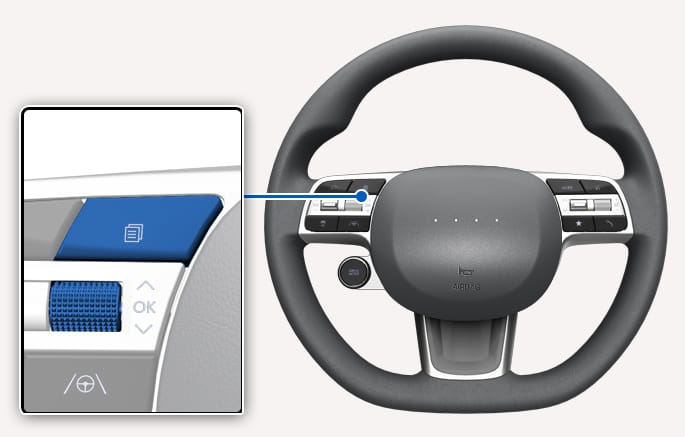
2C_TPMSsetButton_1
-
Select Tyre Pressure on the cluster by using the
ñ ,ò (UP, DOWN) switch. -
Press and hold the OK button on the steering wheel, and select Set.
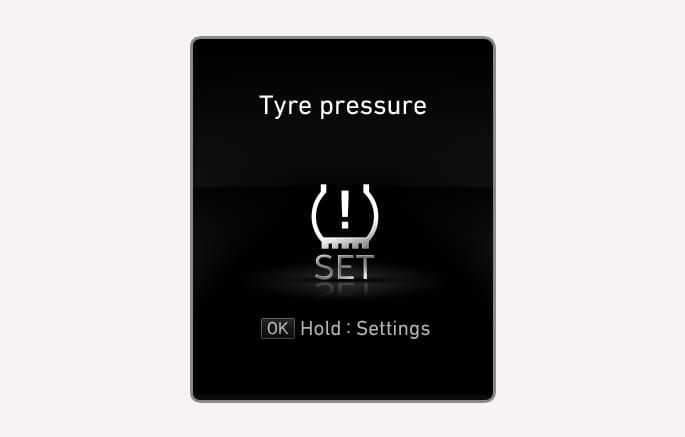
2C_TireLowPressureInfo_RHD
-
Check whether the
L warning light blinks for about 4 seconds.
-
If the "Tyre pressure" message on the cluster does not appear or the
L warning light does not blink, try again from Step 2. -
For more information on the recommended inflation pressure for your vehicle, refer to the "Tyres and wheels" section in chapter 2.
For normal operation of the TPMS, be sure to reset in the following situations:
-
After repairing or replacing a tyre or wheel.
-
After rotating the position of a tyre or wheel.
-
After adjusting the tyre inflation pressure.
-
When the Low Tyre Pressure warning light is on.
-
After replacing the suspension or ABS/ESC.
-
Be sure to reset after the inflation pressure of all four tyres are set to the recommended inflation pressure. If you reset without adjusting the inflation pressure, the warning sound may not activate or may activate improperly.
-
If the inflation pressure of the four tyres are adjusted, be sure to perform reset. Otherwise, the system may malfunction and the warning sound may not activate or may activate improperly.
-
Adjust the inflation pressure when the tyres are cold. A cold tyre means the vehicle has not been driven for 3 hours or has been driven for less than 1 mi. (1.6 km).