Exterior Lights
To operate the lights, turn the knob at the end of the control lever to one of the following positions:
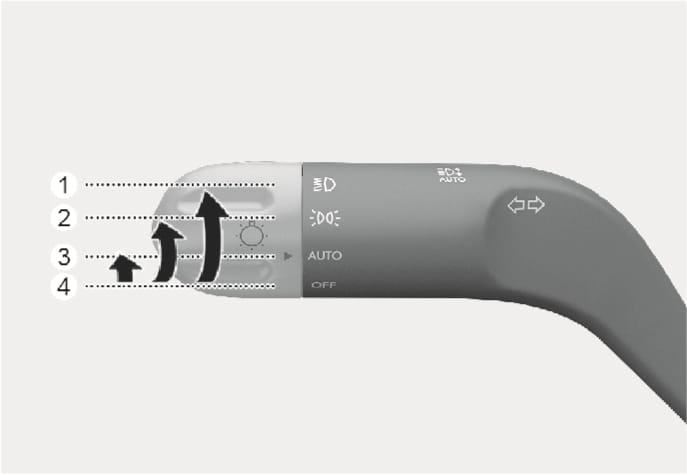
B5015601
-
OFF
-
AUTO headlight
-
Parking light
-
Headlight
Daytime Running Light (DRL)
The Daytime Running Lights (DRL) can make it easier for others to see the front of your vehicle during the day, especially after dawn and before sunset.
The DRL system will turn the dedicated light OFF when:
-
The headlights are ON.
-
The parking brake is applied.
-
The vehicle is turned off.
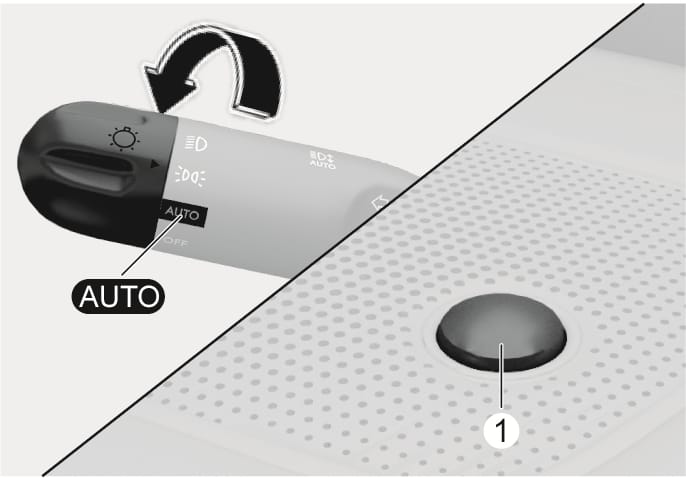
B5015602
AUTO headlight
The parking light and headlight will be turned ON or OFF automatically depending on the amount of daylight as measured by the ambient light sensor (1) at the upper end of the windshield glass.
Even with the AUTO headlight feature in operation, it is recommended to manually turn ON the headlights when driving at night or in a fog, driving in the rain, or when you enter dark areas, such as tunnels and parking facilities.
-
Do not cover or spill anything on the sensor (1) located at the upper end of the windshield glass.
-
Do not clean the sensor using a window cleaner, the cleanser may leave a light film which could interfere with sensor operation.
-
If your vehicle window is tinted or other types of metallic coating are on the front windshield, the AUTO headlight system may not work properly.
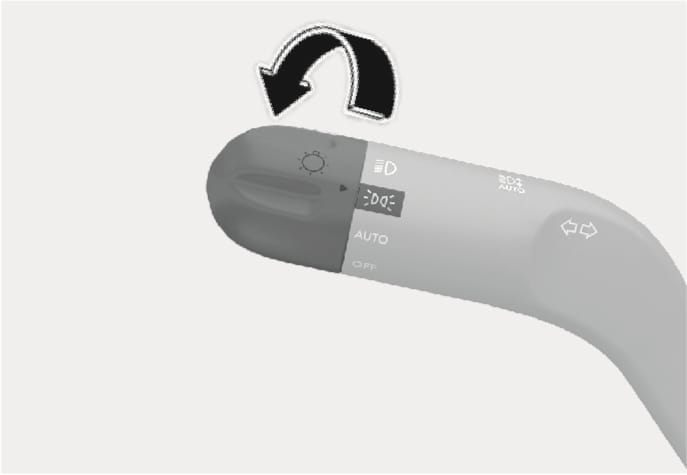
B5015603
Parking light ( )
)
The parking light, license plate light and instrument panel lamp are turned ON.
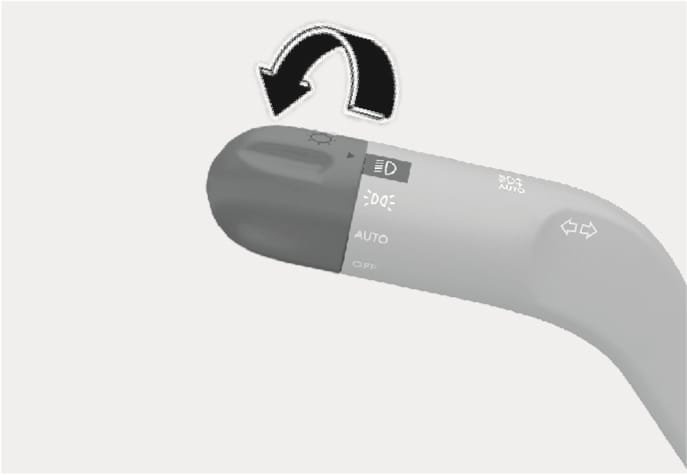
B5015604
Headlight ( )
)
The headlight, parking light, license plate light and instrument panel lamp are turned ON.
The Start/Stop button must be in the ON position to turn on the headlight.
B5015702
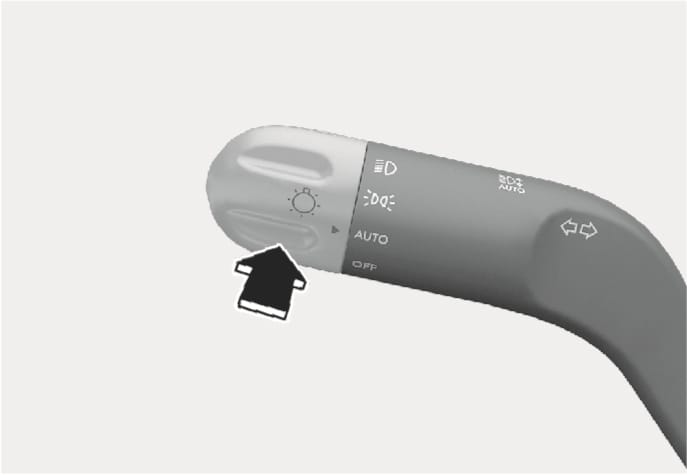
To turn on the high beam headlight, push the lever away from you. The lever will return to its original position.
The high beam indicator will light when the headlight high beams are switched on.
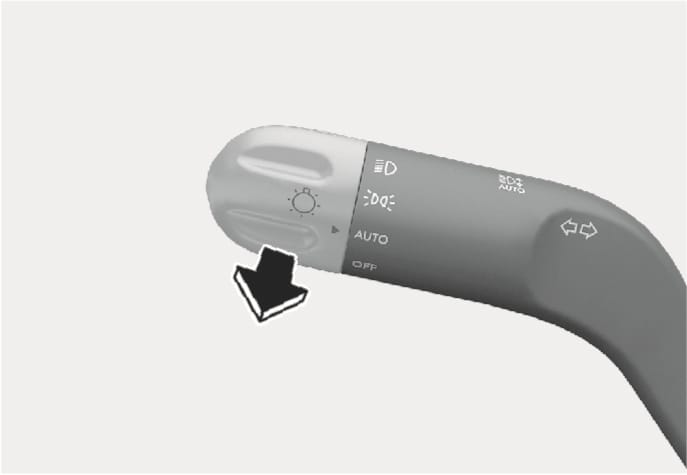
To turn off the high beam headlight, pull the lever towards you. The low beams will turn on.
B5015701
To flash the high beam headlight, pull the lever towards you, then release the lever. The high beams will remain ON as long as you hold the lever towards you.
B5015801
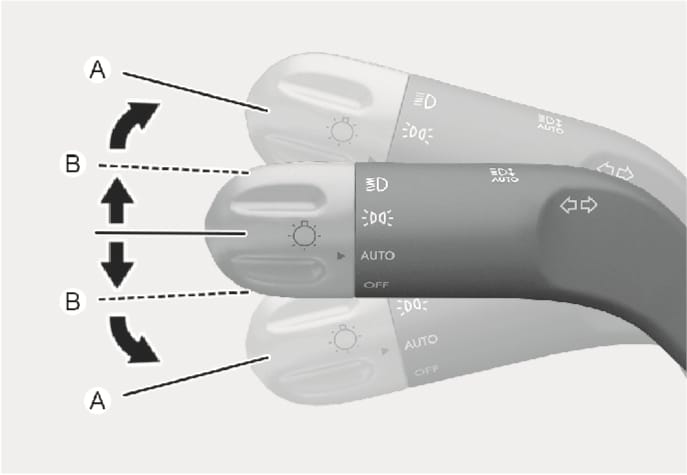
To signal a turn, push down on the lever for a left turn or up for a right turn in position (A).
If an indicator stays on and does not flash or if it flashes abnormally, one of the turn signal bulbs may be burned out and will require replacement.
One touch turn signal
To use One Touch Turn Signal push the turn signal lever up or down to position (B) and then release it.
The lane change signals will blink 3, 5 or 7 times.
You can enable the One Touch Turn Signal function or choose the number of blinking by selecting Setup > Vehicle > Lights> One Touch Turn Signal (or One-touch indicator) > 3 flashes/5 flashes/7 flashes/Off in the infotainment system.
The infotainment system may change after software updates. For more information, refer to the user's manual provided in the infotainment system and the quick reference guide.
To prevent the battery from being discharging, the system automatically turns off the parking lights when the driver turns the vehicle off and opens the driver's door.
To keep the lights on when the vehicle is turned off:
-
Open the driver's door.
-
Turn the parking lights OFF and ON again using the headlight switch.
If the Start/Stop button is in the ACC position or the OFF position with the headlights ON, the headlights (and/or Parking lights) remain on for about 5 minutes. However, if the driver's door is opened and closed, the headlights are turned off after 15 seconds. Also, with the vehicle off if the driver's door is opened and closed, the headlights (and/or Parking lights) are turned off after 15 seconds.
The headlights (and/or Parking lights) can be turned off by pressing the lock button on the smart key twice or turning the headlight switch to the OFF or AUTO position.
You can enable the headlight delay function by selecting Setup > Vehicle > Lights > Headlight Delay (or Headlight time-out) in the infotainment system.
The infotainment system may change after software updates. For more information, refer to the user's manual provided in the infotainment system and the quick reference guide.
If the driver exits the vehicle through another door besides the driver door, the battery saver function does not operate and the headlight delay function does not turn OFF automatically. This may cause the battery to discharge. To avoid battery discharge, turn OFF the headlights manually from the headlight switch before exiting the vehicle.