Heated Steering Wheel
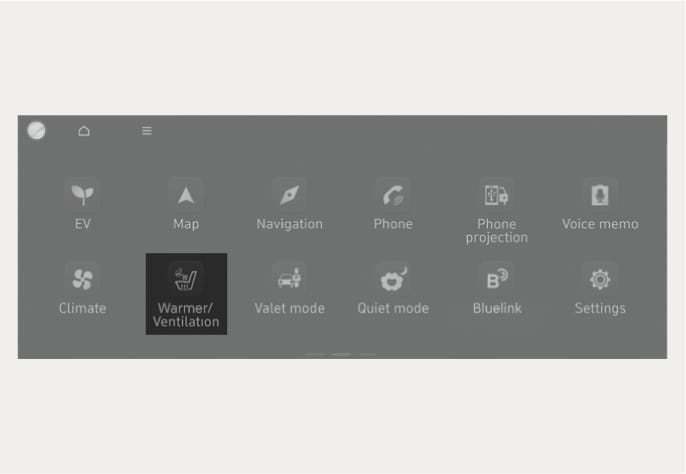
ONE1031085L
While the vehicle is running, touch Heating/Ventilation icon in the infotainment system.
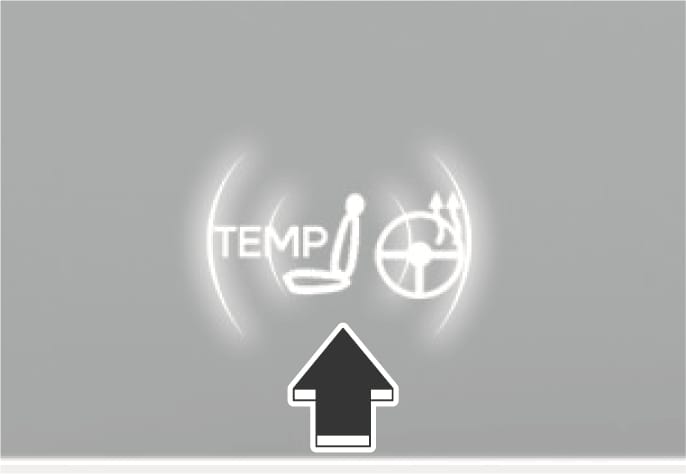
B5006402
Press  in the front climate control panel.
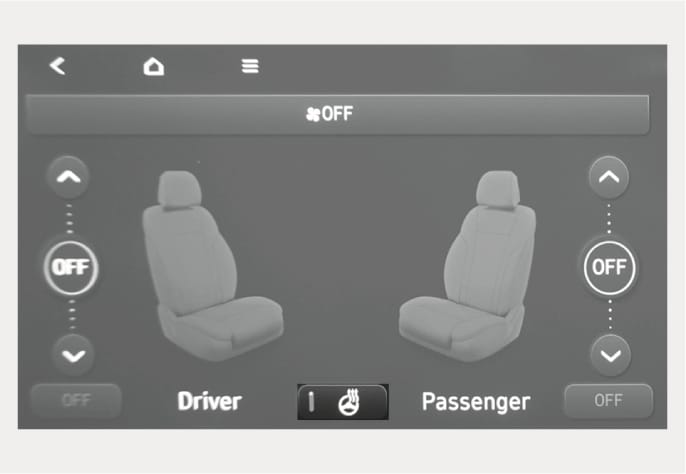
ONE1051216L
While the vehicle is running, touch the heated steering wheel icon to warm the steering wheel.
-
To warm the steering wheel, touch the heated steering wheel icon in the Heating/Ventilation seats.
-
Auto. Controls That Use Climate Control Settings (for driver's seat)
The heated steering wheel automatically controls the steering wheel temperature depending on the ambient temperature when the vehicle is running.
To use this function, it must be enabled from the Settings menu in the infotainment system.
Select Setup > Vehicle > Seat > Warmer/Ventilation Features > Link to Climate Settings for Auto-Adjustment > Steering Wheel Warmer.
The infotainment system may change after software updates. For more information, refer to the user's manual provided in the infotainment system and the quick reference guide.
-
The heated steering wheel defaults to the OFF position whenever the Start/Stop button is pressed to the ON position. However, if the Auto. Controls That Use Climate Control Settings function is ON, the heated steering wheel will turn on and off depending on the outside temperature.
-
Do not install any cover or accessories on the steering wheel to prevent damage to the steering wheel heater system.
-
Do not strike the steering wheel surface with a sharp-pointed object. This may damage the heating element in the steering wheel.
-
Do not clean the steering wheel surface using the following products.
-
Organic solvents such as thinner, alcohol and gasoline
-
Chemical products such as leather cleaner, coating agent, and wax
-