Removing and Inserting the SD Memory
2C_BuiltInCamUSBPort
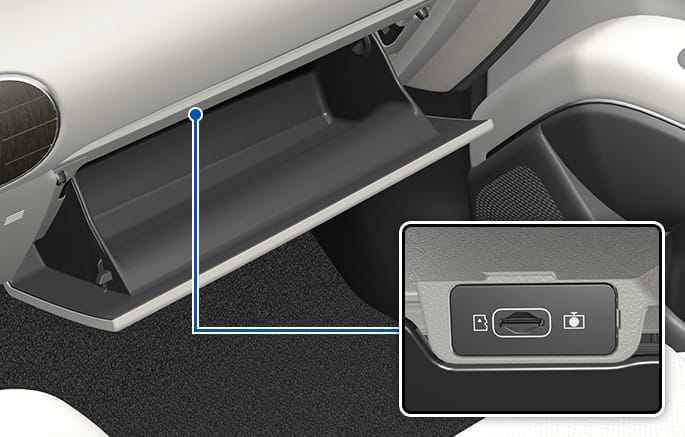
New vehicles are delivered with an SD memory inserted into the memory card slot. Check how to safely remove and insert the SD memory before removing and inserting it.
Removing the SD memory
To remove the SD memory, navigate to Setup > Vehicle > Dash Cam > SD Card, press the Disconnect button, and then use your fingernail to push and remove the memory from the memory card slot.
If you remove the memory while it is in use, instead of safely removing it, stored files or the file system may be damaged.
Inserting the SD memory
Insert the SD memory into the memory card slot in the correct direction, and push you hear a "click" sound. If it is inserted in an incorrect direction, the memory card slot or the memory may be damaged.
-
If the SD memory card is removed, recording does not work, and the memory card slot's status indicator blinks.
-
If the SD memory is inserted correctly but is not recognized, format the memory (exFAT) and try again.
-
If a problem occurs due to incorrect use, we do not provide warranty repairs even within the warranty period.
-
If you use an SD memory not provided by HYUNDAI, we do not guarantee the compatibility or normal operation of the memory.