Using the Mechanical Key
If the smart key does not operate normally, you can lock or unlock the driver's door by using the mechanical key.
-
Pull the door handle and press the hook located inside the cover with a mechanical key. Carefully pull out the cover and expose the key cylinder.
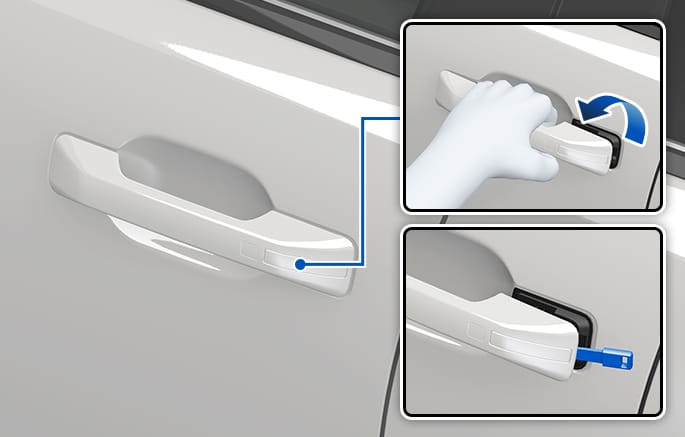
2C_UsingEmerengcyKey_A1
-
Push the cover by using the mechanical key.
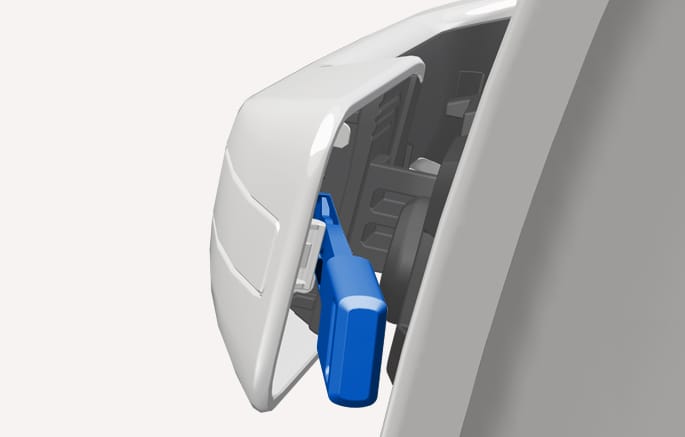
2C_UsingEmerengcyKey_A2
-
Remove the cover and lower the cover downward not to be damaged.
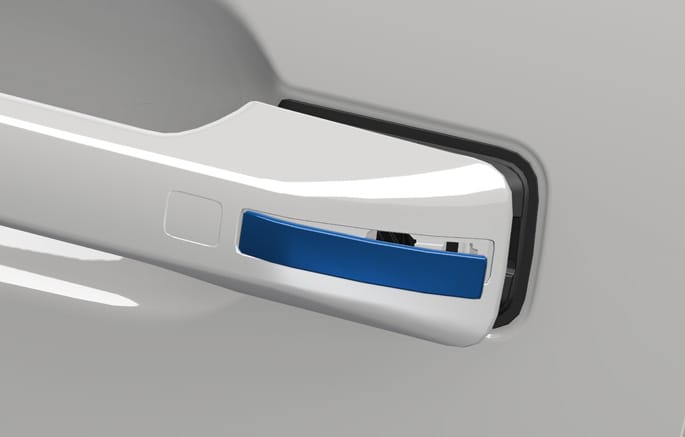
2C_UsingEmerengcyKey_A3
-
Insert the mechanical key into the key cylinder, and turn the key clockwise to unlock the vehicle (direction 2) or counterclockwise to lock the vehicle (direction 1).
Once the doors are unlocked, pull the door handle.
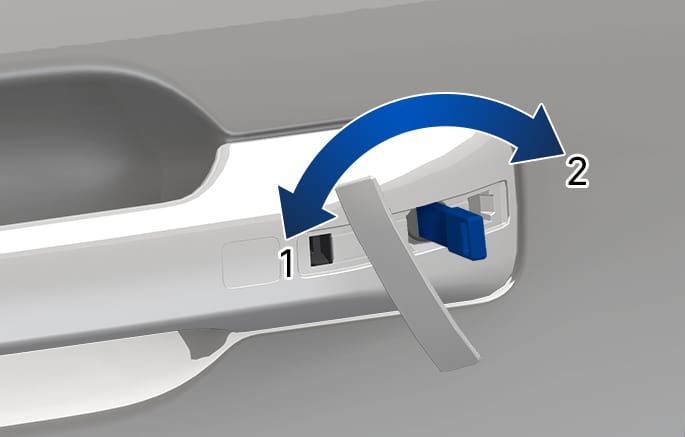
2C_UsingEmerengcyKey_A4
-
Once the doors are unlocked, pull the door handle.
-
When removing the key cylinder cover, avoid scratching or breaking the plastic material.
-
If the key cylinder cover freezes and cannot be removed easily, lightly tap on the cover or try to warm the cover by placing your hands around it and blowing warm air on it.
-
Do not apply excessive force to the door and door handle.
Only the driver's door can be locked/unlocked using the mechanical key.
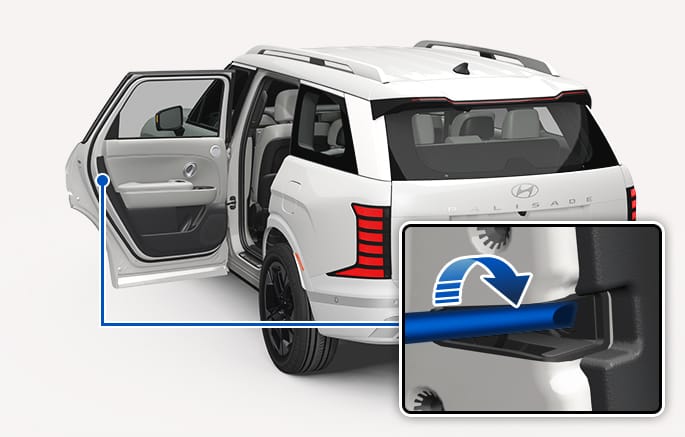
2C_HowToLockDoorInEmergency
In case of emergency such as when the battery is discharged, the only way to lock the door(s) is with the mechanical key from the outside key hole.
Doors without an outside key hole can be locked as follows:
-
Open the door.
-
Insert a small blade tool (for example, screwdriver or similar) into the emergency door lock hole and turn it clockwise for left side door, or turn it counterclockwise for right side door.
-
Close the door securely.
If the electrical power to door lock switch does not operate (for example, discharged vehicle battery) and the liftgate is closed, you cannot open the liftgate until power is restored.