Power Adjustment
The front seat can be adjusted by using the control switches located on the outside of the seat cushion.
Never allow children to remain in the vehicle unattended. The power seats are operable when the vehicle is turned off.
To prevent damage to the seats:
-
Always stop adjusting the seats when the seat has been adjusted as far forward or rearward as possible.
-
Do not adjust the seats longer than necessary when the vehicle is turned off. This may result in unnecessary battery drain.
-
Do not operate two or more seats at the same time. This may result in an electrical malfunction.
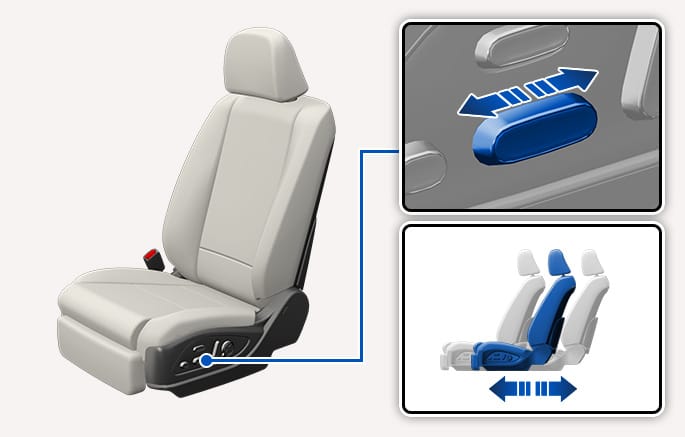
2C_AdjustSeatForwardBackwardAuto
Push the control switch forward or rearward to adjust the seat to the desired position.
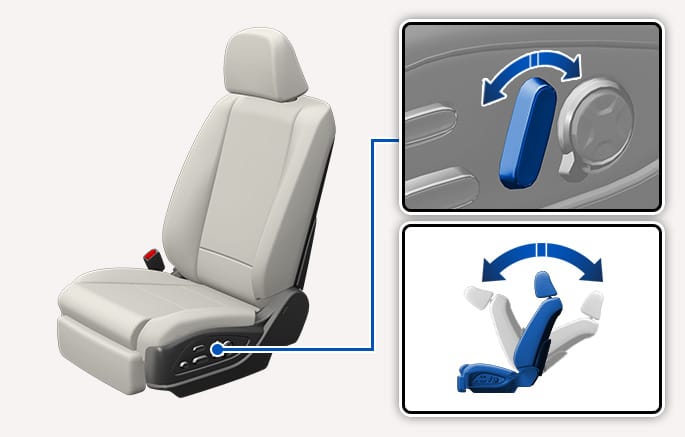
2C_AdjustSeatBackAuto
Push the control switch forward or rearward to adjust the seatback angle.
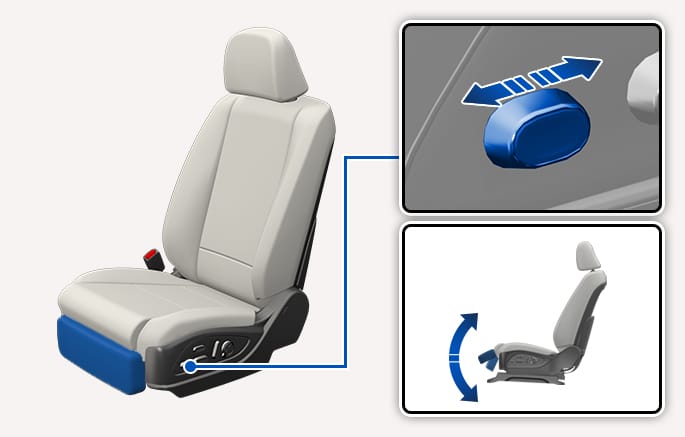
2C_AdjustSeatlegAuto
-
Push the control switch forward to raise the leg support.
-
Push the control switch rearward to lower the leg support.
-
When lowering or raising the Leg support, be careful not to have your hands or legs caught under the front seats or other surrounding parts of the Leg support. Unexpected injuries may occur.
-
Do not allow children to adjust the switch. Unexpected injuries may occur.
-
Make sure that the leg support does not interfere with each other while adjusting. The body parts or objects may be damaged if it is caught in the interference.
Do not sit or place heavy objects on the Leg support. It may damage the system.
The driver's leg support can be raised only when the gear is in P (Park) or when the vehicle speed is below 3 mph (5 km/h).
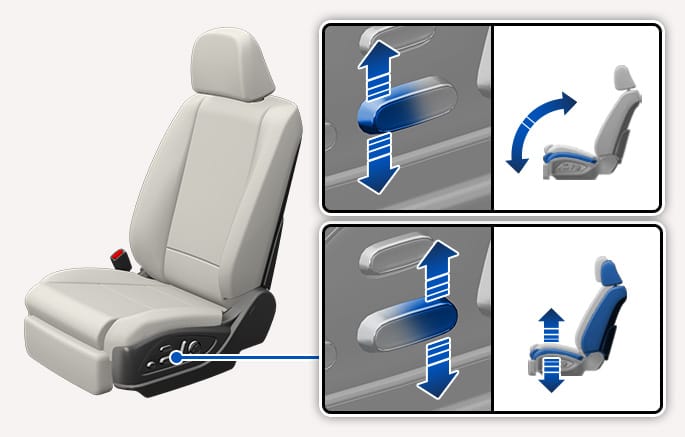
2C_AdjustSeatHeightAuto
Push the front or rear portion of the control switch up or down to control the seat cushion angle or height.
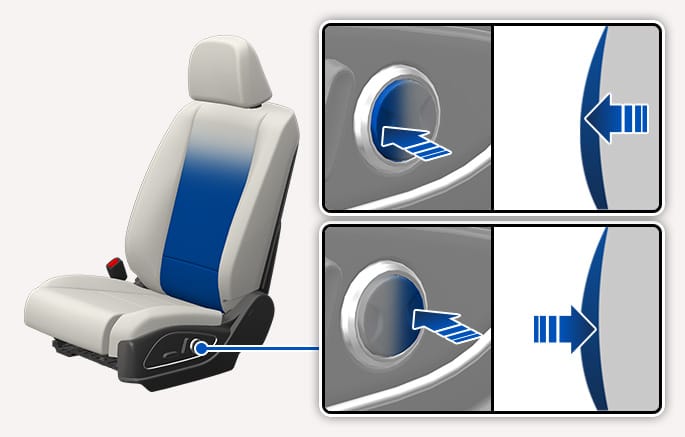
2C_AdjustSeatBackCushionAuto
Press the front or rear portion of the switch to increase or decrease lumbar support.
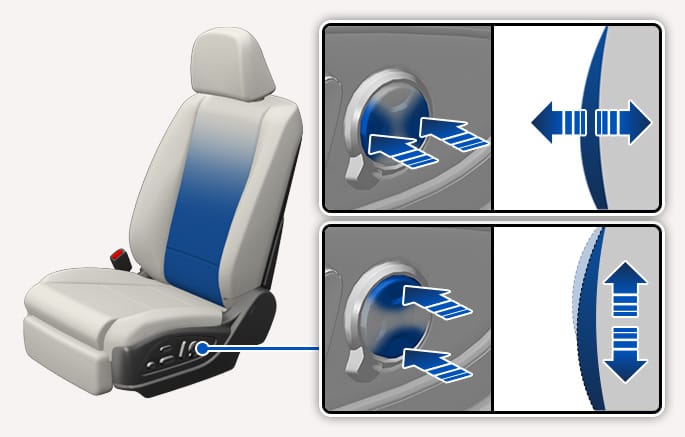
2C_AdjustSeatBackCushionAuto2
Press the front or rear portion of the switch to increase or decrease lumbar support.
Press the top or bottom portion of the switch to move the support position up or down.
Do not continue to operate the lumbar support when the lumbar support provides its maximum support. Damage to the lumbar support motor could occur.
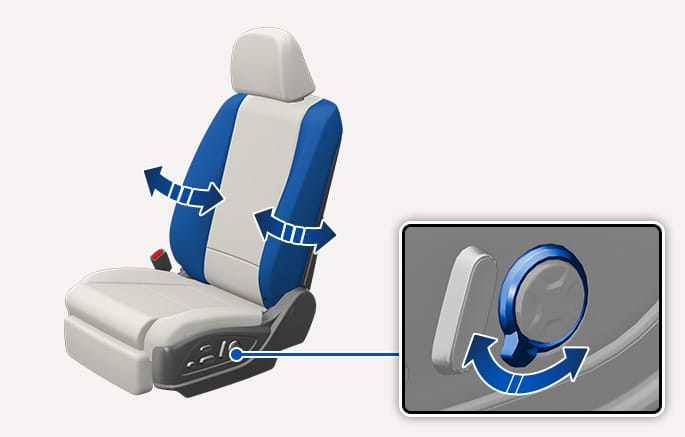
2C_AdjustSeatbolsterAuto
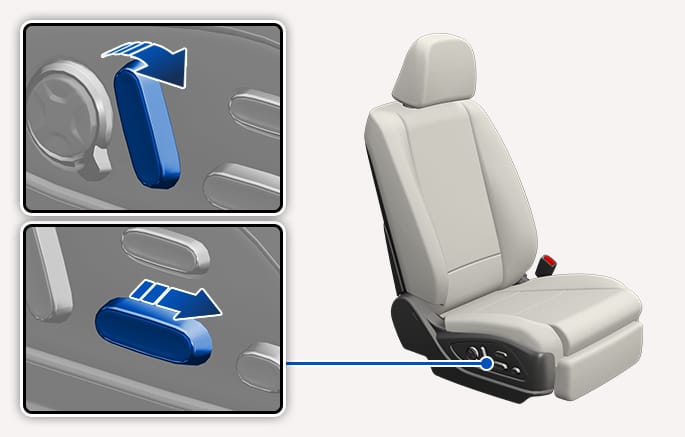
Push the adjustment lever clockwise, the seatback bolster is adjusted inward. Push the lever counterclockwise, the seatback bolster is adjusted outward.
Release the lever once the bolster reaches the desired position.
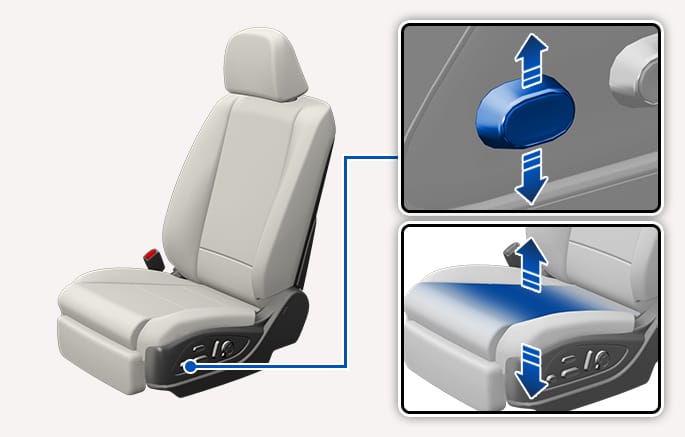
2C_SeatCushionAdjustment
-
Push the control switch up to increase cushion support.
-
Push the control switch down to decrease cushion support.
Relaxation comfort seats help distribute body pressure and concentrated weight on specific body parts that occur while sitting in the same position for a long period of time. The seat helps relieve fatigue and discomfort by providing an optimal seating position.
Take the following precautions when using the relaxation comfort seat:
-
Do not use the relaxation comfort seat while the vehicle is moving. Using the comfort seat could increase the risk of injuries in the event of a collision or sudden stop.
-
Do not use the relaxation comfort seat when the luggage or other objects are placed at the rear seat.
-
Do not use the relaxation comfort seat while the vehicle is moving. Seat belts may not operate normally due to the lack of adherence between the shoulder belts and the body.
-
Do not use the relaxation comfort seat when the rear seats are not in the rearmost position and upright.
Press the auto return button to return to the original seat position after operating the relaxation comfort seat.
Using the seat adjustment switch other than the auto return button may restrict the downward cushion movement.
Using the relaxation comfort seat
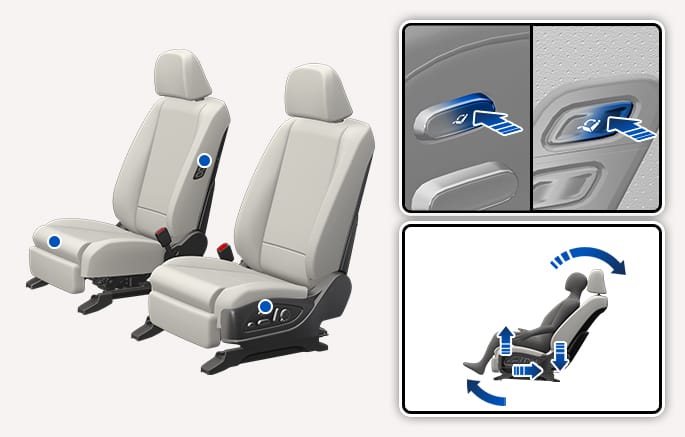
2C_RelaxationComfortSeatOperation
-
Stop the vehicle and shift to P (Park).
-
Press and hold the rear portion of the Relaxation mode switch with the Engine Start/Stop button in the ACC or ON position.
-
The seat position, seatback angle, seat cushion height, cushion tilt, leg support move to the relaxation position.
-
-
When relaxation comfort seat is activated, the seat cushion and seatback angle are adjusted automatically.
-
If the relaxation mode is operated unintentionally, use the seat adjustment switches to deactivate or control the seat.
Returning to the original seat position
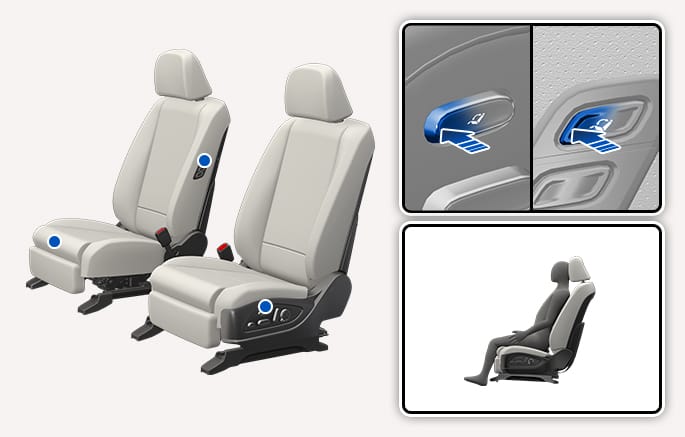
2C_RelaxationComfortSeatWorkInSwitch
Press and hold the front portion of the Relaxation mode switch to return the seat to its original position.
-
The driver seat returns to its original position when the gear was in P (Park).
-
Passenger seat returns to its original position.
In the following situation, the relaxation comfort seat does not return to its original position.
-
When the gear is not in P (Park).
-
When the vehicle speed is above 1.8 mph (3 km/h).
-
When the driver's seat Integrated Memory System is reset. (if equipped)
Do not use the seat switches simultaneously. It may damage the seat system.
When relaxation comfort seat cannot be operated, reset the Integrated Memory System. If relaxation comfort seat does not operate even after resetting the Integrated Memory System, contact an authorized HYUNDAI dealer.
Saving front passenger seat original position
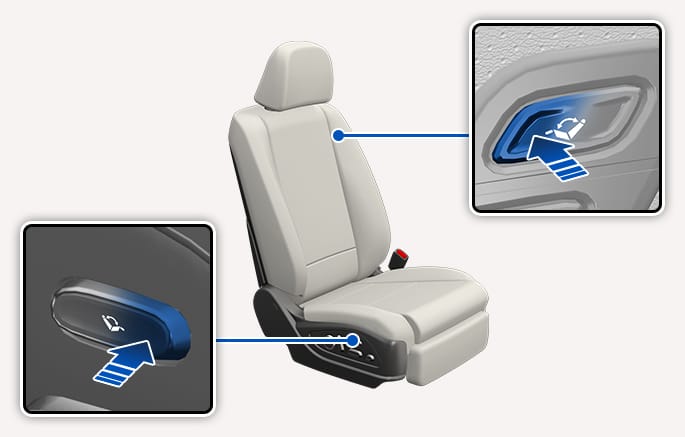
2C_RelaxationComfortSeatWorkInSwitch_2
To set the desired position for the front passenger seat, adjust the seat to your preferred position and then quickly press the front portion of the relaxation switch 3 times consecutively.
-
Only use the relaxation switch to stop using relaxation and return to its original position. The seat cushion may not move downward if you use other seat switches.
-
The 2nd row seats may change its position when the relaxation function is used.
Resetting the Relaxation mode
Driver's seat
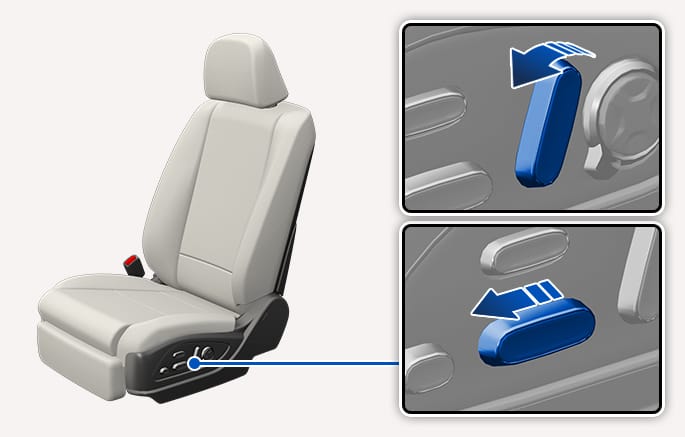
2C_ResetRelaxationComfortSheet
-
With the Engine Start/Stop button in the ON position, bring the vehicle to a complete stop, and then open the driver's door.
-
Pull the driver's seat forward as far as possible, and adjust the seatback to the fully upright position.
-
Push the seat's forward/rearward switch towards the forward position and the seatback angle control switch towards the upright position, simultaneously for more than 2 seconds.
-
An audible warning sounds 3 times, and seat resetting begins.
-
The resetting process is complete after the seat, seatback angle, seat height, cushion tilt and leg rest are returned to their original positions.
Conditions that disable resetting
The resetting process and audible warning stop, if:
-
the driver's seat control switch is pressed,
-
the vehicle speed increases to above 3 mph (5 km/h),
-
the driver's door closes, or
-
the Engine Start/Stop button is changed to the OFF position.
If the driver's seat position adjustment or audible warning stops during resetting, try resetting again.
For more information, refer to Integrated Memory System (IMS).
Passenger's seat
2C_ResetRelaxationComfortSheet_1
-
With the Engine Start/stop button in the ON position, bring the vehicle to a complete stop, and then open the front passenger door.
-
Pull the front passenger seat forward as far as possible, and adjust the seatback to the fully upright position.
-
Push the seat's forward/rearward switch towards the forward position and the seatback angle control switch towards the upright position, simultaneously for more than 2 seconds.
-
An audible warning sounds 3 times, and seat resetting begins (if equipped).
-
The resetting process is complete after the seat, seatback angle, seat height, cushion tilt and leg rest are returned to their original positions.
Conditions that disable resetting
The resetting process and audible warning stop, if:
-
the driver's seat control switch is pressed,
-
the vehicle speed increases to above 3 mph (5 km/h),
-
the driver's door closes, or
-
the Engine Start/Stop button is changed to the OFF position.
If the front passenger seat stops position adjustment during resetting, try resetting again.
After resetting is completed, adjust the seat to the desired position.
Select Setup > Vehicle > Seats > Ergo-Motion Seat from the infotainment system's Settings menu to select and set up supplemental functions.
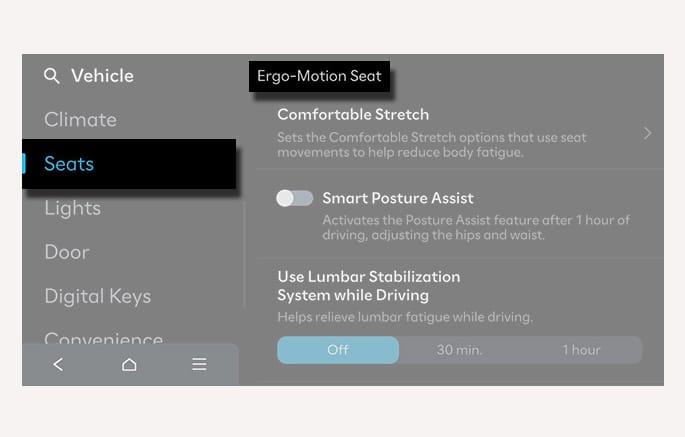
2C_ErgoMotionSeatAVN
Before actually using each function, try the functions with the vehicle parked.
Comfortable stretch
Comfortable stretch is a function that helps relieve fatigue of the pelvis and lower back due to driving.
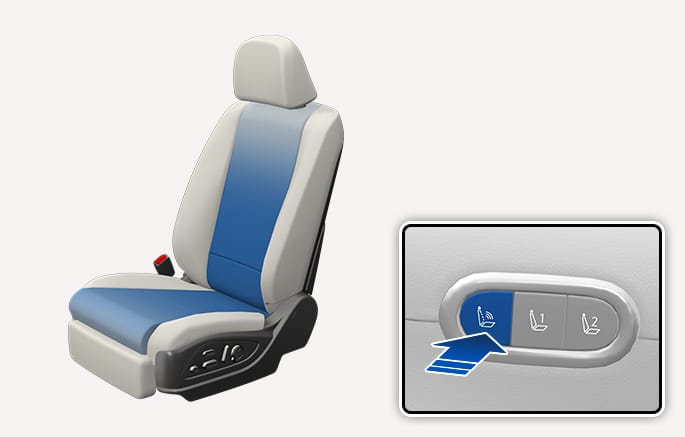
2C_ComfortStreching
Every time you press the button, you may select a mode or turn off the function in the following order.
-
Pelvic stretching: The cushion portion moves, helping the left and right movement of the pelvis.
-
Lumbar stretching: The seatback portion moves, helping back and forth movement of the lower back.
-
Whole Body stretching: The cushion and seatback moves in sequence, helping the whole body reduce fatigue.
-
Off: Turns off Comfortable Stretch.
Also, you can change the operation intensity and operation time from the Settings menu in the infotainment system.
-
Intensity: Setup > Vehicle > Seats > Ergo-Motion Seat > Comfortable Stretch > Intensity > Normal/Strong
-
Time: Setup > Vehicle > Seats > Ergo-Motion Seat > Comfortable Stretch > Session Length > Short (10 min)/Medium (15 min)/Long (20 min)
Smart posture assist
After driving for an hour, Smart Posture Assist automatically adjusts the pelvis and back portion of the seat to assist the posture.
You can activate or deactivate Smart Posture Assist function from the Settings menu in the infotainment system. Select Setup > Vehicle > Seats > Ergo-Motion Seat > Smart Posture Assist.
Smart support
The seat bolster support increases when SPORT mode is selected for Drive Mode and when driving at high speed.
You can activate or deactivate Smart Support function from the Settings menu in the infotainment system. Select Setup > Vehicle > Seats > Ergo-Motion Seat > Smart Support.
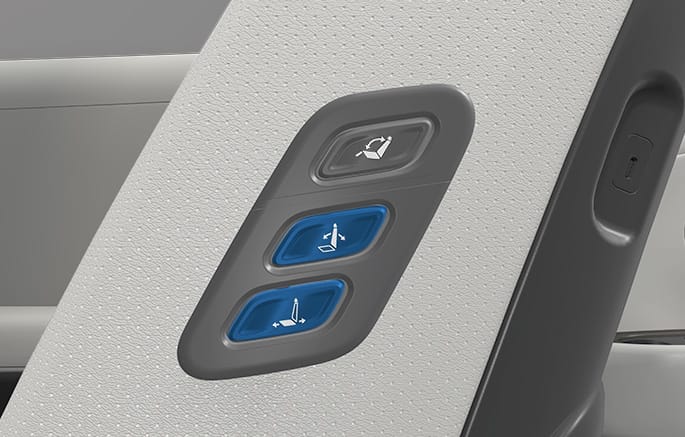
2C_WorkinSwitch
Passengers may use the switches to control the front passenger seat.
-
Press the front or rear portion of the switch to move the seat forward, rearward or adjust the seatback angle.
Do not adjust the front seat when a passenger is getting on or off the vehicle.
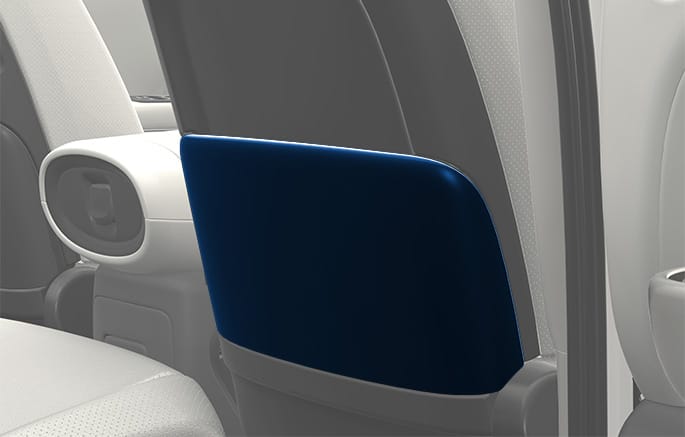
2C_SeatBackPocket
The seatback pocket is provided on the back of the front seatbacks.
Do not put heavy or sharp objects in the seatback pockets. In an accident they could come loose from the pocket and injure occupants.