Air Ventilation Seats
The air ventilation seats cool the front seats by blowing air through small vent holes on the surface of the seat cushions and seatbacks.
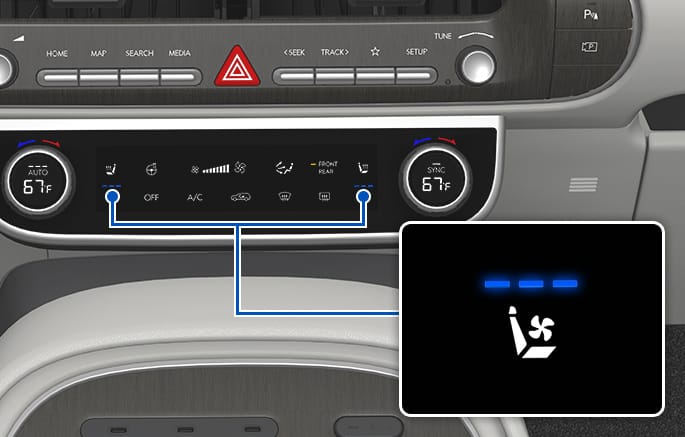
2C_FrontSeatVentilationSwitch1
With engine running, touch the icon to cool the driver's seat or front passenger's seat.
Touch the icon to repeatedly to cycle through the airflow speed from high, medium, low, and off.
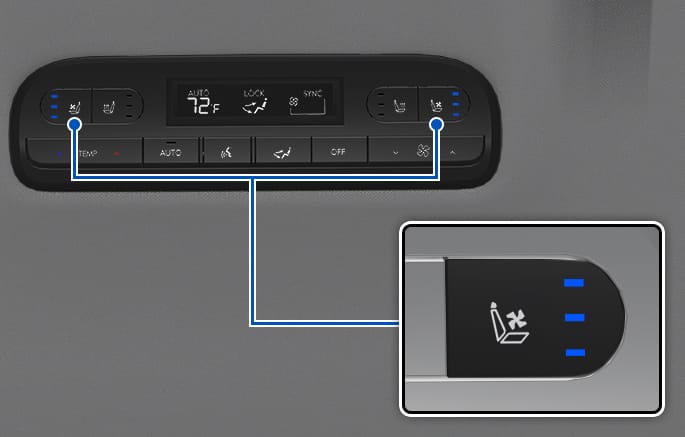
2C_FrontSeatVentilationSwitch2
With engine running, press the button to cool the seat.
Press the button repeatedly to cycle through the air ventilation seat from high, medium, low, and off.
Operating the rear ventilation seat from the front seat
It is possible to turn on or off rear seat ventilation from the front row.
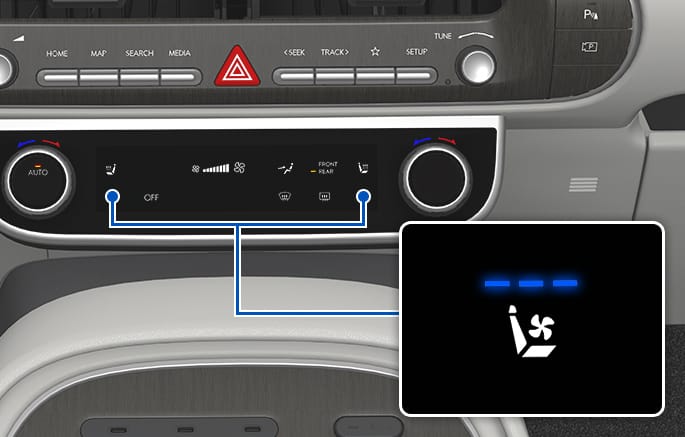
2C_FromTheFrontSeatsRearSeatVentilationSwitch
-
With engine running, press REAR on the climate system in the front row.
-
With engine running, press the button to cool the seat.
-
Press the button repeatedly to cycle through the air ventilation seat from high, medium, low, and off.
-
Infotainment system
Select Home >Seats > Ventilation from the Settings menu in the infotainment system.
Select the seat air ventilation icon of the desired seat to cool the rear seat.
-
Touch the icon repeatedly to cycle through the seat air ventilation from high, medium, low, and off.
-
It may take 3 to 5 minutes after the switch operation to feel the temperature change.
-
Use the air ventilation seat with the air conditioning on for more effective ventilation.
-
The air ventilation seat defaults to the OFF position whenever the vehicle is restarted.