SCC Malfunction and Limitations
When SCC or a related component malfunctions, a warning message, the Master
For more information, refer to Driver Assistance System Warnings and Indicators.
-
You can check the warning message in the Driving Assist view mode on the cluster display.
SCC uses the following sensors:
-
Front view camera
-
Front radar
-
Front corner radar (if equipped)
For more information, refer to Sensor Information and Forward Collision-Avoidance Assist (FCA).
In any of the following situations, Smart Cruise Control or other features that use the same sensors as those for Smart Cruise Control may not work properly or may operate unexpectedly. Drive carefully.
-
The vehicle in front is detected late
-
The vehicle in front is suddenly blocked by a obstacle
-
The vehicle in front suddenly changes lane or suddenly reduces speed
-
The vehicle in front is bent out of shape
-
The front vehicle's speed is fast or slow
-
With a vehicle in front, your vehicle changes lane at low speed
-
The vehicle in front is covered with snow
-
Unstable driving
-
You are on a round about and the vehicle in front is not detected
-
You are continuously driving in a circle
-
The adverse road conditions cause excessive vehicle vibrations while driving
-
Your vehicle height is low or high due to heavy loads, abnormal tire pressure, etc.
-
When driving under following circumstances:
-
Driving on a slippery surface due to snow, water puddle, ice, etc.
-
Driving on a curved road
-
Driving through steam, smoke or shadow
-
Driving through a tunnel or iron bridge
-
Driving in vast areas where there are few vehicles or structures (for example, desert, meadow, suburb, etc.)
-
Driving near a highway interchange or tollbooth
-
Driving in a parking lot
-
Driving through a construction area, unpaved road, partial paved road, uneven road, speed bumps, etc.
-
Driving near areas containing metal substances, such as a construction zone, railroad, etc.
-
Driving on an incline road, curved road, etc.
-
Driving through a roadside with trees or streetlights
-
Driving through a narrow road where trees or grass are overgrown
-
There is interference by electromagnetic waves, such as driving in an area with strong radio waves or electrical noise
-
-
Driving on a curved road
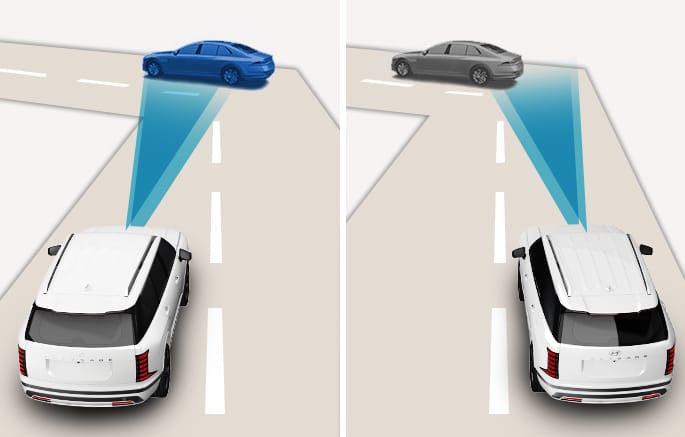
2C_SCCDrivingOnCurve
On curves, SCC may not detect a vehicle in the same lane, and may accelerate to the set speed. Also, vehicle speed may rapidly decrease when the vehicle ahead is detected suddenly.
Select the appropriate set speed on curves and apply the brake pedal or accelerator pedal according to the road and driving conditions ahead.
Your vehicle speed can be reduced due to a vehicle in the adjacent lane. Apply the accelerator pedal and select the appropriate set speed. Check to be sure that the road conditions permit safe operation of the SCC.
-
Driving on an inclined road
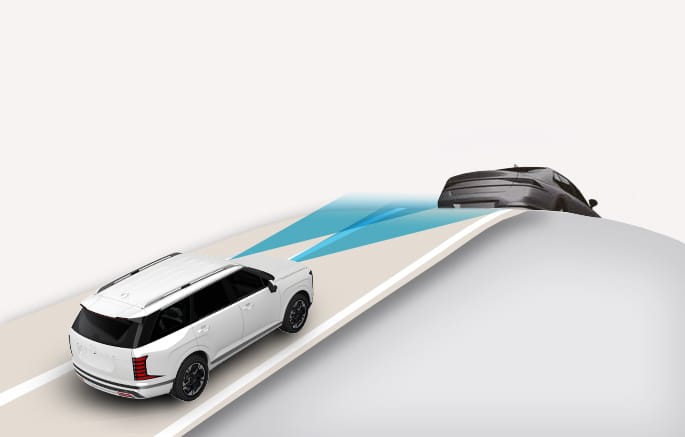
2C_FCADrivingOnIncline
During uphill or downhill driving, the SCC may not detect a moving vehicle in your lane, and cause your vehicle to accelerate to the set speed. Also, vehicle speed rapidly decreases when the vehicle ahead is detected suddenly. Select the appropriate set speed on inclines and apply the brake pedal or accelerator pedal according to the road and driving conditions ahead.
-
Changing lanes
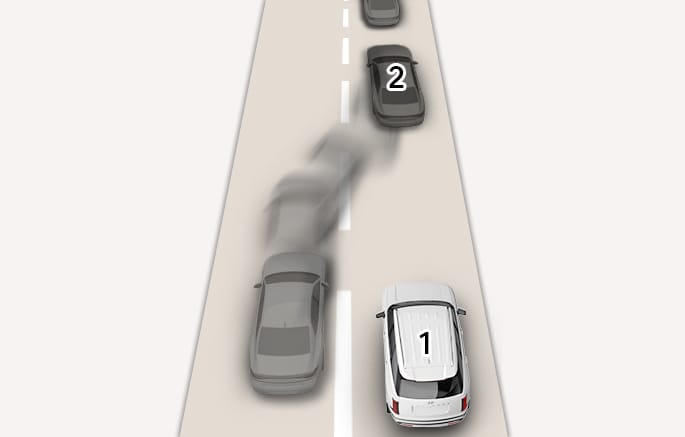
2C_SCCChangingLane
- Your vehicle
- Lane changing vehicle
When a vehicle moves into your lane from an adjacent lane, it cannot be detected by the sensor until it is in the sensor's detection range. SCC may not immediately detect the vehicle when the vehicle changes lanes abruptly. In this case, you must maintain a safe braking distance, and if necessary, depress the brake pedal to reduce your driving speed in order to maintain a safe distance.
-
Situations when detecting are limited
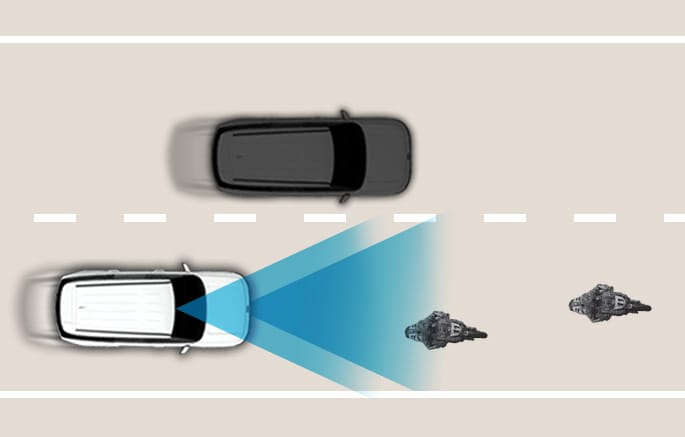
2C_SCCDetectingVehicle
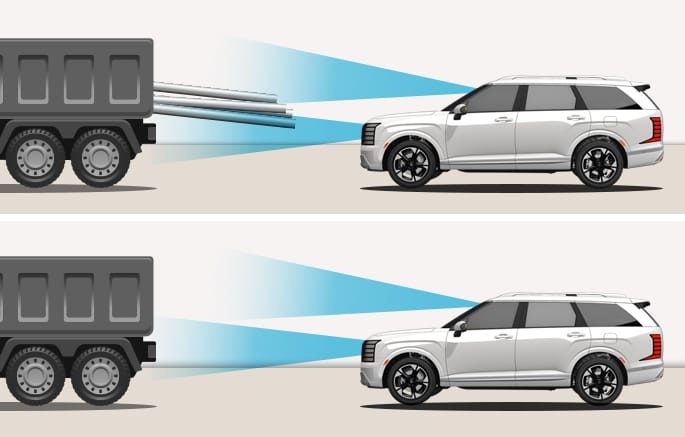
2C_CameraRadarDetectingVehicle
In the following cases, some vehicle, pedestrian, or animal in your lane cannot be detected by the sensor. Always check the traffic conditions around the vehicle. If necessary, control your speed.
-
Vehicle that is offset to one side
-
Slow-moving vehicle or sudden decelerating vehicle
-
Vehicle with higher ground clearance or vehicle carrying loads that stick out of the back of the vehicle
-
Vehicle that has the front lifted due to heavy loads
-
Oncoming vehicle
-
Vehicle within about 6 ft. (2 m) from your vehicle
-
Stopped vehicle
-
Vehicle with small rear profile, such as a trailer
-
Narrow vehicle, such as a motorcycle or bicycle
-
Special vehicle
-
Animal or pedestrian
Adjust your vehicle speed by depressing the brake pedal according to the road and driving conditions ahead. In the following cases, the vehicle in front cannot be detected by the sensor:
-
You are steering your vehicle
-
Driving on narrow or sharply curved roads
-
-
When a vehicle ahead disappears at an intersection, your vehicle may accelerate. Always pay attention to road and driving conditions while driving.
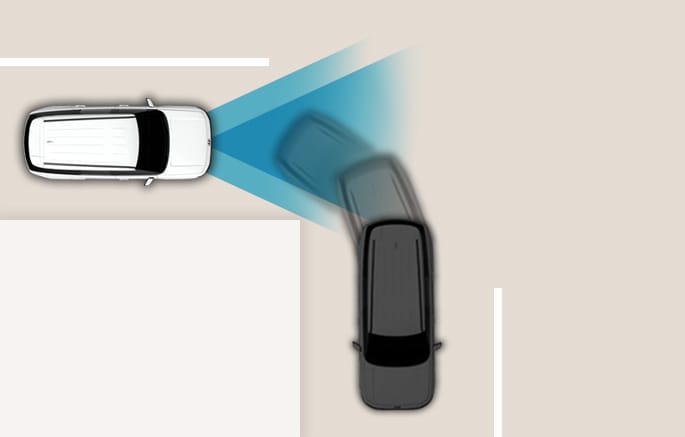
2C_SCCDrivingOnCrossroad
-
When a vehicle in front of you merges out of the lane, SCC may not immediately detect the new vehicle that is now in front of you. Always pay attention to road and driving conditions while driving.
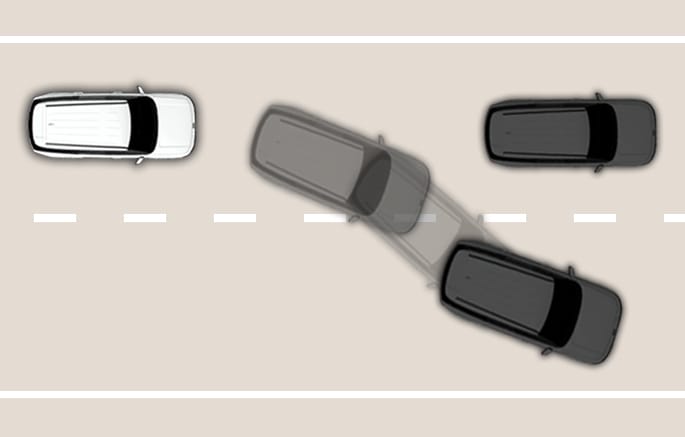
2C_SCCVehicleAheadDisappears
-
Always look out for pedestrians when your vehicle is maintaining a distance with the vehicle ahead.
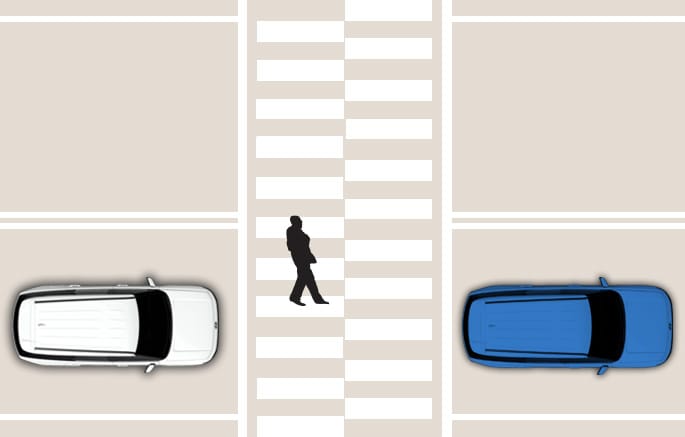
2C_SCCPedestrianCaution