Automatic Climate Control System
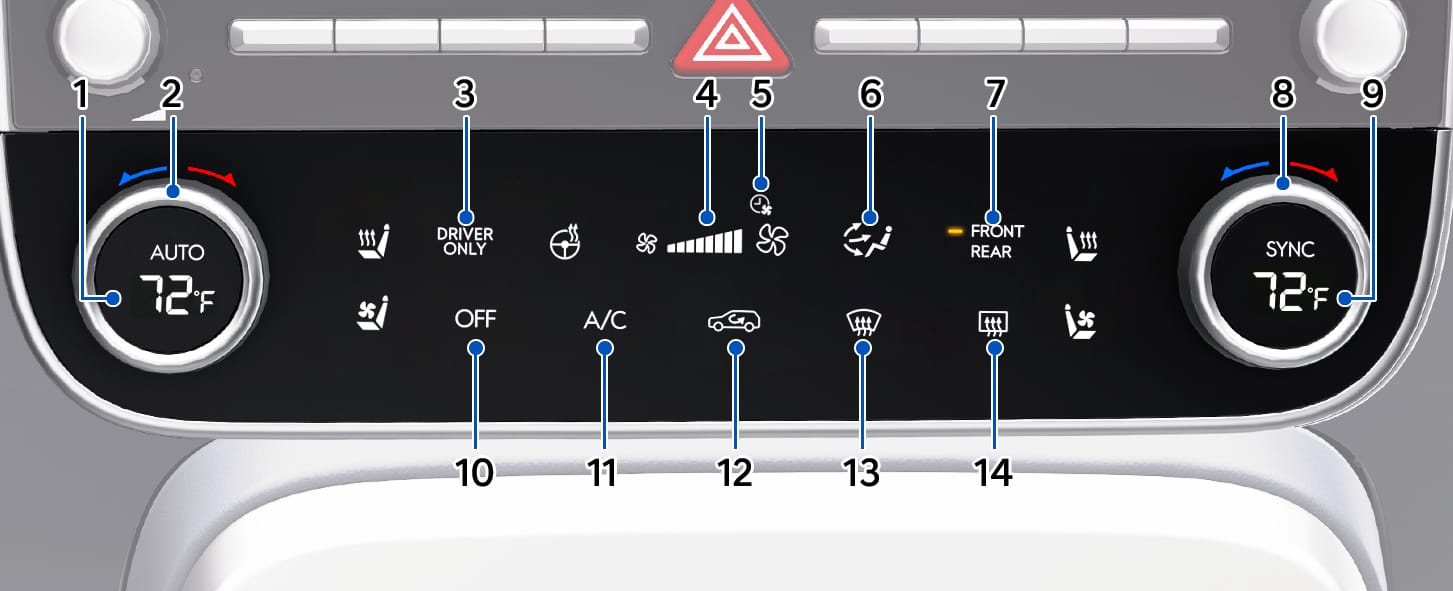
1C_AutoAircon
- AUTO (automatic control)
- Driver's temperature control
- DRIVER ONLY
- Fan speed control
- Scheduled climate
- Mode selection
- Front/Rear climate control information screen
- Passenger's temperature control
- SYNC
- OFF
- A/C (air conditioning)
- Air intake control
- Front windshield defroster
- Rear window defroster
In addition to the protective film, a separate film is attached, and removing the separate film when removing the protective film may damage the appearance of the cluster display.
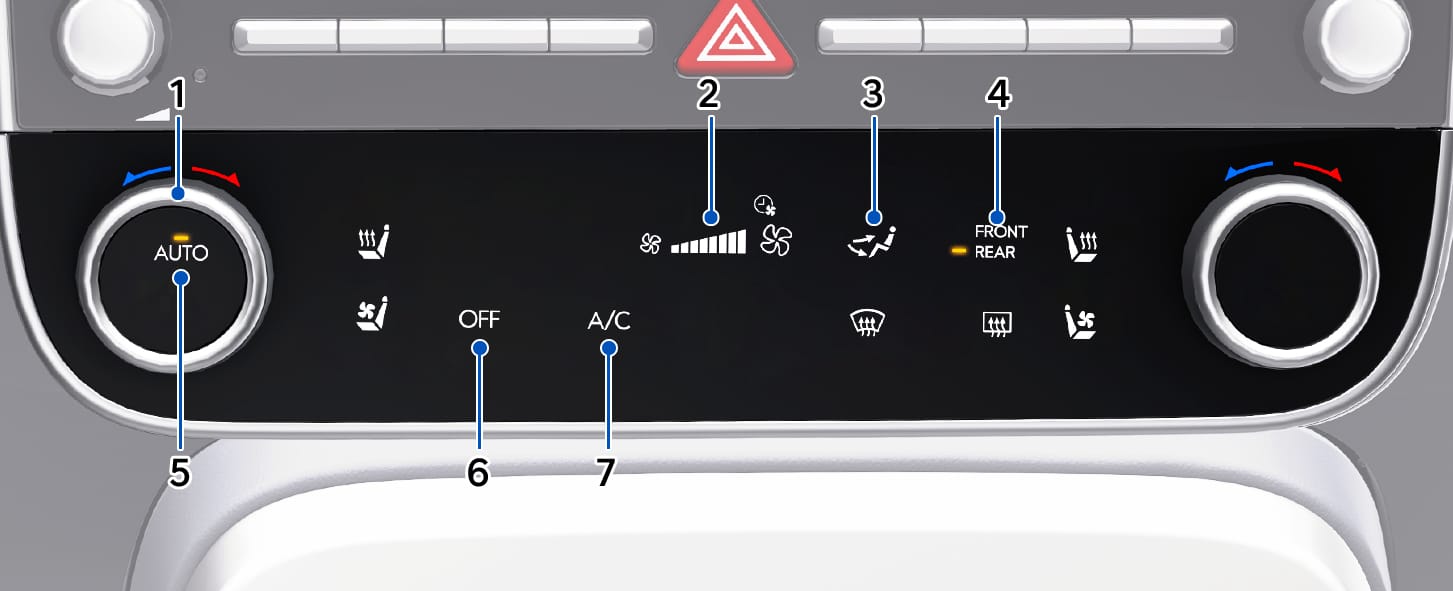
1C_Aircon_1
- Temperature control
- Fan speed control
- Mode selection
- Front/Rear climate control information screen
- AUTO (automatic control)
- OFF
- A/C (air conditioning)
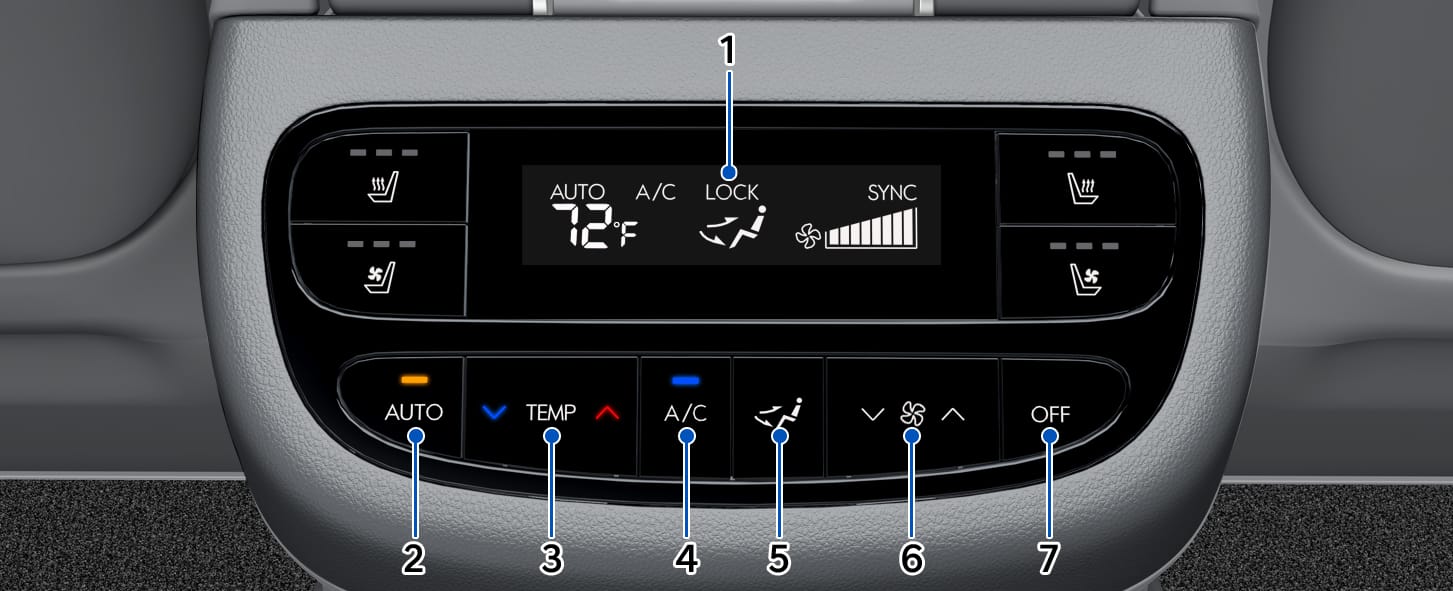
1C_2ndRowAircon
- Temperature display
- AUTO (automatic control)
- Temperature control
- A/C (air conditioning)
- Mode selection
- Fan speed control
- OFF
Temperature, Mode selection (air flow direction), and Fan speed can be controlled from the rear seat. However, if Setting > Vehicle > Climate > Climate Features > Lock Rear Climate Controls is selected, the rear climate control can be operated only from the front seat.
-
Do not sleep in your vehicle with the air conditioning ON. It may lead to serious injury or death.
-
Do not drive for a long time while the air conditioning is ON in a confined space as it may cause headaches or drowsiness.
Heater/air conditioning can operate while the vehicle is turned off, but it may lower its efficiency and quickly discharge the battery. Turn on the vehicle when operating the climate control.
Screen distortion that occurs when you press the screen strongly is a normal phenomenon that can occur due to the characteristics of LCD.