DC Charge
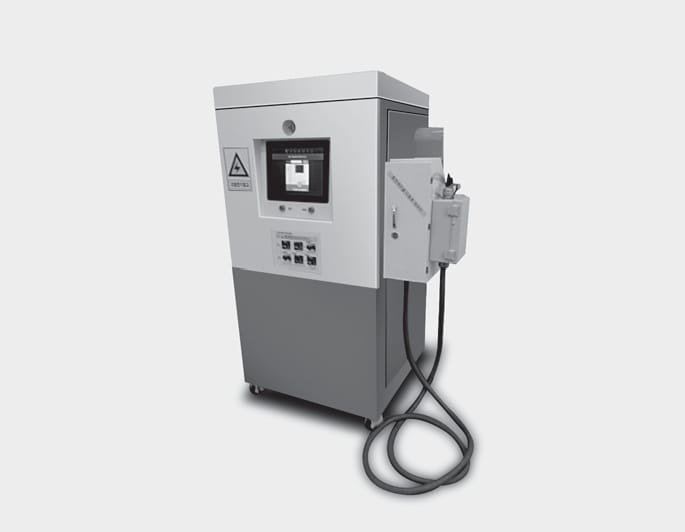
OAEEQ016023
You can charge at high speeds at public charging stations. Refer to the respective company’s manual that is provided for each DC charger type.
Battery performance and durability can deteriorate if the DC charger is used constantly.
Use of DC charge should be minimized in order to help prolong high voltage battery life.
Actual charger image and charging method may vary in accordance with the charger manufacturer.
If you use a DC charger when the vehicle is already fully charged, some DC chargers will send out an error message. When the vehicle is fully charged, do not charge the vehicle.
-
Depress the brake pedal and apply the parking brake.
-
Turn OFF all switches, shift to P (Park), and turn OFF the vehicle.
ONE1Q011040
-
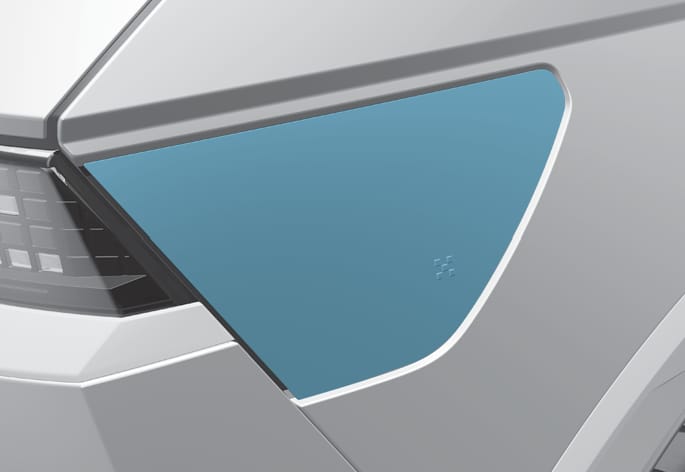
Open the charging door.
For more details, refer to ‘Electric Charging Door’ in this chapter.
If you cannot open the charging door due to freezing weather, tap lightly or remove any ice near the charging door. Do not try to forcibly open the charging door.
-
Check whether there is dust or foreign substances inside the charging connector and charging inlet.
-
Hold the charging connector handle and connect it to the vehicle charging inlet. Push the connector all the way in. If the charging connector and charging terminal are not connected properly, this may cause a fire.
Refer to the manual for each type of DC charger for how to charge and remove the charger.

ONE1Q011041
-
Check if the charging connector indicator light (
 ) of the high voltage battery on the instrument cluster is turned ON. Charging connector is not active when the charging connector indicator light () is OFF.
When the charging connector is not connected properly, reconnect the charging cable to charge it again.
During cold weather, DC charging may not be available to prevent high voltage battery degradation.
To control the temperature of the high voltage battery while charging or when the battery temperature is high, the air conditioning is used to cool down the battery. This may generate noise or vibration from operation of the air conditioning compressor and cooling fan, but it is a normal condition when charging the high voltage battery. Also, the air conditioning’s performance may be degraded due to operation of the cooling system to charge the high voltage battery. This is a normal condition.
Even though charging is possible with the Start/Stop button in the ON/START position, for you safety, start charging when the Start/Stop button is in the OFF position and the vehicle shifted to P (Park). After charging has started, you can use electrical components such as the radio by pressing the Start/Stop button to the ACC or ON position.
During charging, the gear cannot be shifted from P (Park) to any other gear.
ONE1Q011059E
-
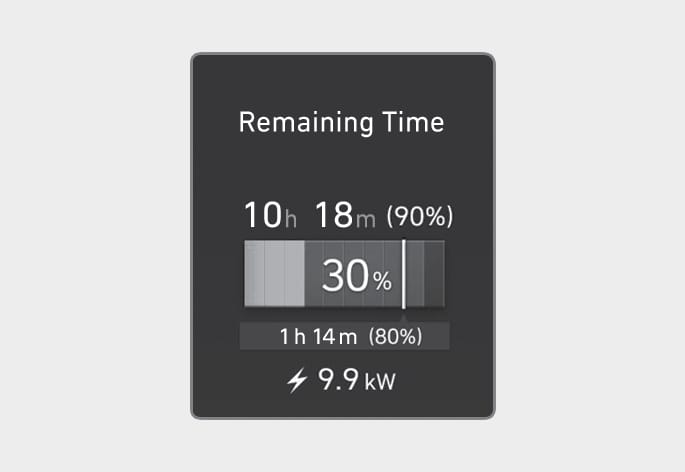
After charging has started, the estimated charging time is displayed on the instrument cluster for about 1 minute.
If you open the driver seat door while charging, the estimated charging time is also displayed on the instrument cluster for about 1 minute.
-
Depending on the condition and durability of the high voltage battery, charger specifications, and ambient temperature, the time required for charging the battery may vary.
-
In rare cases, you might hear high frequency noise (very little beep sound) outside the vehicle when charging with 400V fast charger that is deteriorated or has long communication delay.
The high frequency noise can be generated only when the vehicle tries to reduce its own electromagnetic waves to keep fast charging as possible.
Do not worry about this little beep noise, because it is the intentional operation of the car that does not affect any charging performance or the vehicle itself at all.
When charging the high voltage battery, the charge level can be checked from outside the vehicle.
For more details, refer to ‘Charge indicator lamp for electric vehicle’ in this chapter.
-
Remove the charging connector when DC charging is completed, or after you stop charging using the DC charger. Refer to each respective DC charger manual for details about how to disconnect the charging connector.
-
Make sure to completely close the charging door.