Smart regeneration level settings

2C_SmartRegenerationBrakeIconInfo_2
2C_SmartRegenerationBrakeIconInfo
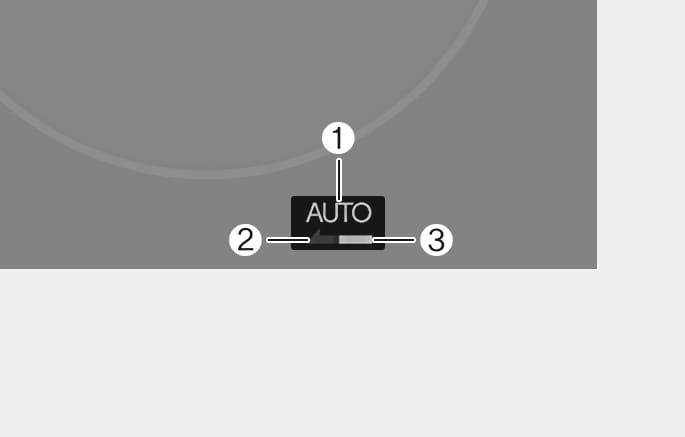
The instrument cluster displays 'AUTO' (1) when the smart regeneration system is ON. Depending on the conditions, the system adjusts the regenerative braking level (2). The sky blue indicator light (3) illuminates when the vehicle recognises a vehicle.
The default braking level of the smart regeneration system can be changed. Set the default braking level to the lowest and let the system adjust the braking intensity automatically.
To change the default level of the smart regeneration system, pull the right paddle shifter (
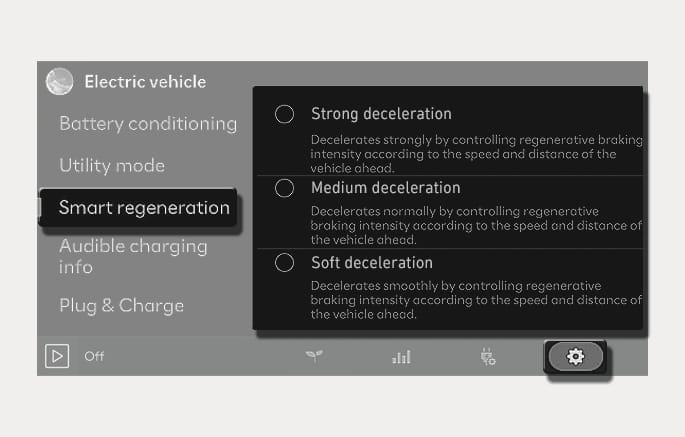
Regenerative braking intensity of the smart regeneration system can be adjusted to match the driver's preference. Adjust the braking intensity to make the decelerating faster or slower.
2C_SmartRegenerationSettings
To adjust the regenerative braking level of the smart regeneration system, press the