N Mode
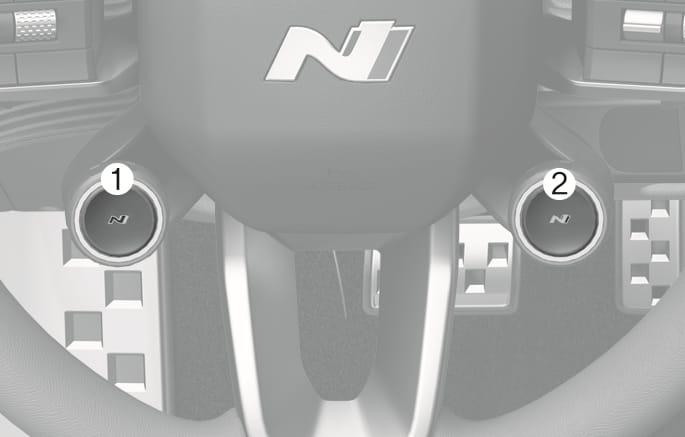
2C_N_button_2
- Left N1 button
- Right N2 button
Press N button to start the N mode. The driving mode will reset to NORMAL mode once you start the vehicle again.
You can set the driving mode by pressing N1/N2 button in the infotainment system. For more information, refer to "N Button" on N1/N2 button settings.
N mode selects the proper driving mode between SPORT and SPORT+ for each component that will affect the performance of a high-performance vehicle.
-
The indicator will illuminate once you press N button to select N mode.
-
N mode (SPORT/SPORT+) automatically adjusts the steering effort and motor control logic to enhance driving performance, making driving more dynamic.
In SPORT/SPORT+ mode, the energy efficiency may decrease.
CUSTOM Mode
Two CUSTOM modes (CUSTOM 1/CUSTOM 2) can be selected in the drive mode.
In CUSTOM mode, the drive mode can be selected depending on the driver preference.
-
Motor: ECO/NORMAL/SPORT/SPORT+
-
Steering: NORMAL/SPORT/SPORT+
-
Suspension: NORMAL/SPORT/SPORT+
-
e-LSD: NORMAL/SPORT/SPORT+
-
ESC: NORMAL/SPORT/OFF
-
NAS+: Ignition/Evolution/Supersonic
The infotainment system may change after software updates. For more information, refer to the manual provided in the infotainment system and the quick reference guide.