N Active Sound+
N Active Sound+ system is designed to provide a driver with more dynamic driving sound by offering optimized virtual sounds that are aligned with EVs performance. A driver can also adjust settings for external driving sound.
Select Performance options > N Active Sound+ in N mode screen to set the driving sound.
3 types of special driving sounds of N vehicle are offered.
-
Ignition: Backfire sound simulating internal combustion engine N RPM to give the sense of unity between the vehicle and driver.
-
Evolution: Turn sound simulating future EVs with high performance to give new experience to a driver.
-
Supersonic: Powerful sound simulating a supersonic jet to give a sonic boom sound effect.
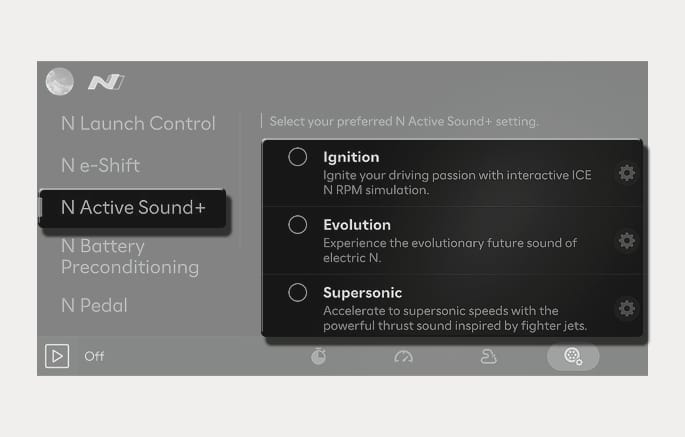
2C_NAS
Press the
-
Volume (inside): Adjust the volume.
-
External speaker: Perform high-performance N sound and realize the sound effect to outside.
-
High-performance sound effect: optimize high-performance N driving experience.
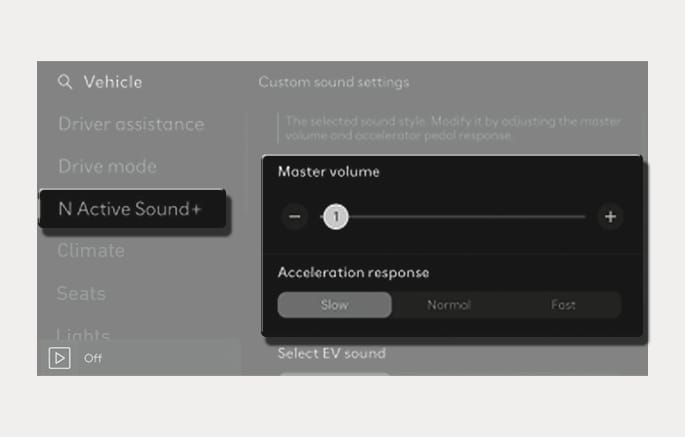
2C_NAS_5
The setting will change every time you press the NAS+ button in Custom mode of N mode screen.
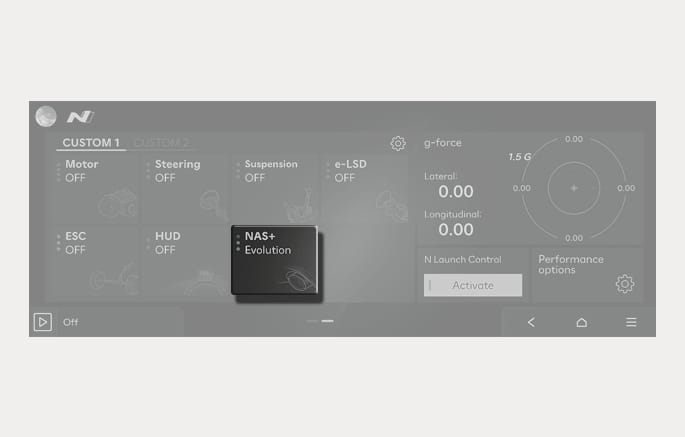
2C_NAS_2
When setting a shortcut key, use the steering wheel N1/N2 button to select the sound.
-
You may enjoy the best sound by using the controller (ADP) based on your driving information (RPM/speed/torque/accelerator pedal).
-
You may use the gear sound that is linked to N e-Shift (virtual gear).
-
You may select the sound and make specific adjustments.
-
You may use highly efficient sound effects such as backfire, sonic booms, launch control, etc.
-
Use the external speaker to make a sound outside the vehicle.
Location of external speaker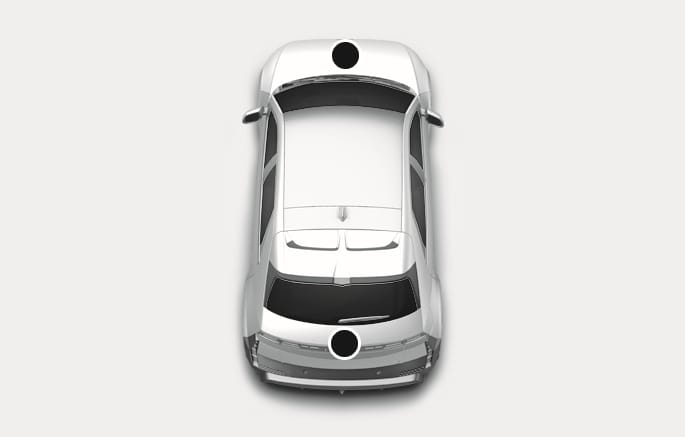
2C_NAS_4