Forward Collision-Avoidance Assist (FCA)
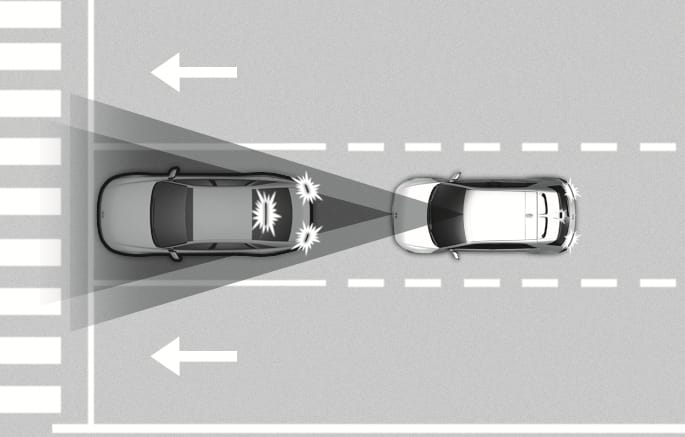
2C_FCABasicFunction
Forward Collision-Avoidance Assist detects a vehicle, a powered two-wheeler, a pedestrian, or a cyclist ahead on the road and may warn you of a possible collision with a warning message on the instrument cluster and a warning sound. Also, Forward Collision-Avoidance Assist may assist with braking your vehicle to help reduce collision speed or avoid a collision.
In addition, if equipped with front corner radars, when driving at high speeds, Forward Collision-Avoidance Assist will help detect vehicles in front and adjacent lanes. If a collision is imminent when changing lanes, Forward Collision- Avoidance Assist will apply emergency braking to help prevent a collision. (if equipped)
Junction Turning function
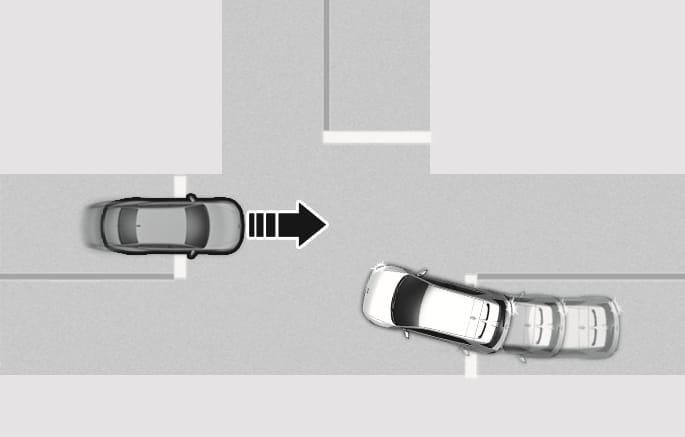
2C_FCAJunctionTurningFunction
Junction Turning function can help avoid a collision with an oncoming vehicle or powered two-wheeler in an adjacent lane when turning left (left-hand drive) or right (right-hand drive) at a crossroad with the turn signal on by applying emergency braking.
Direct Oncoming function
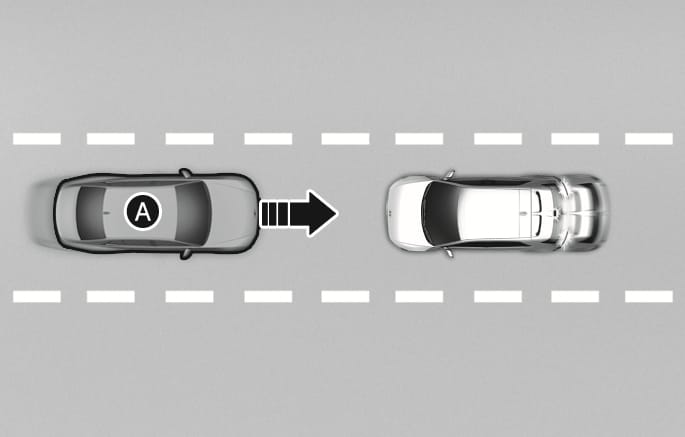
2C_FCADirectOncomingFunction
- Oncoming vehicle
Direct Oncoming function helps reduce the speed at the collision when a vehicle approaching from the opposite side is detected.
Junction Crossing function
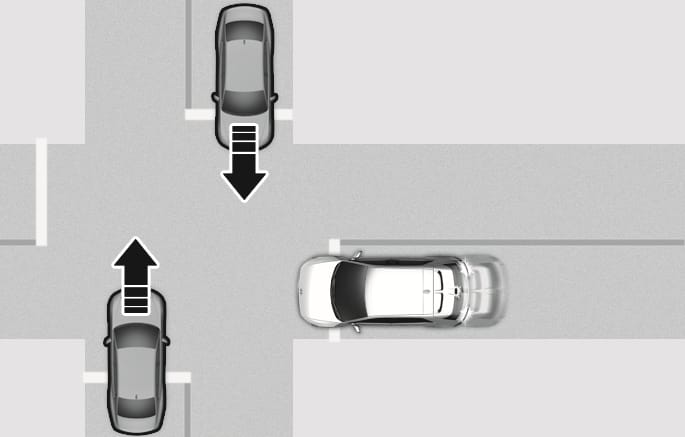
2C_FCAJunctionCrossingFunction
Junction Crossing function can help avoid a collision with oncoming vehicles on the left or right side when crossing an intersection by applying emergency braking.
Lane-Change Oncoming function
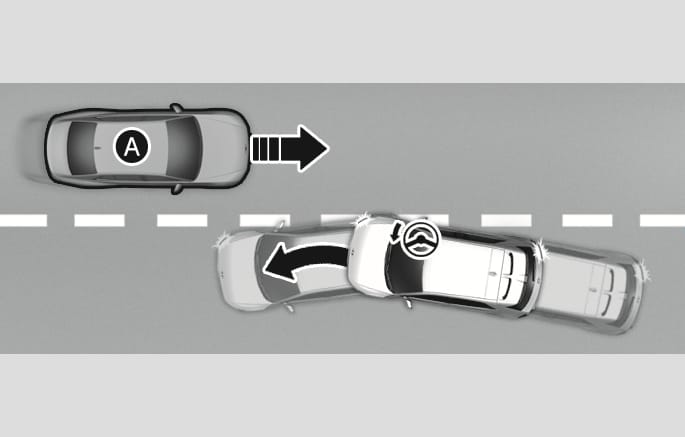
2C_FCALaneOvertakingOncomingFunction
- Oncoming vehicle
Lane-Change Oncoming function helps avoid a collision with an oncoming vehicle or powered two-wheeler when changing lanes by assisting the driver's steering.
Lane-Change Side function
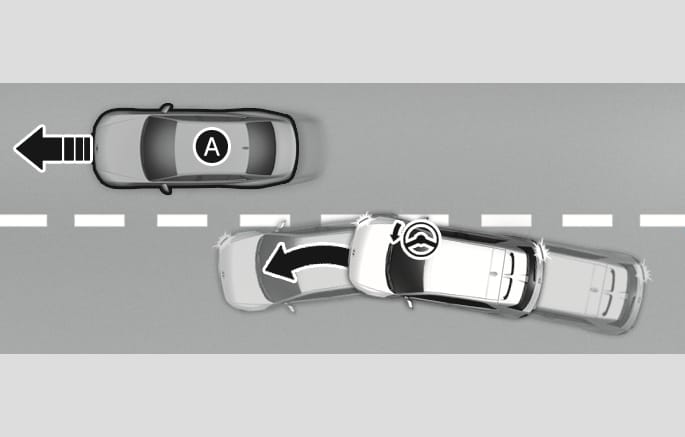
2C_FCALaneChangeSideFunction
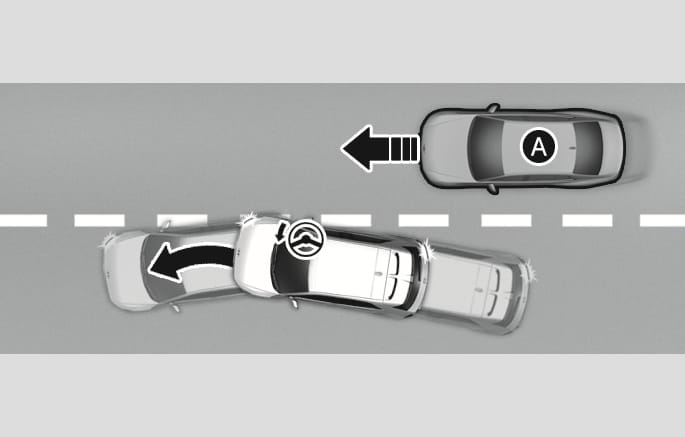
2C_FCALaneChangeSideFunction_2
- Front-side vehicle
Lane-Change Side function helps avoid a collision with the vehicle ahead in the next lane when changing lanes by assisting the driver's steering.
Evasive Steering Assist function
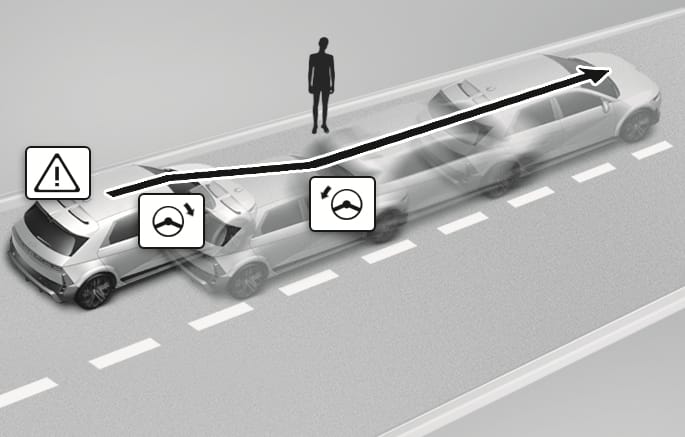
2C_FCAEvasiveSteeringAssistFunction
-
Driver steering assist
Evasive Steering Assist function helps avoid a collision with a vehicle, powered two-wheeler, pedestrian or cyclist ahead in the same lane. When a risk of collision is detected, Evasive Steering Assist function will warn the driver and if the driver steers to avoid collision it will assist the driver's steering.
-
Evasive steering assist
Evasive Steering Assist function helps avoid a collision with a powered two-wheeler, pedestrian or cyclist ahead in the same lane. When a risk of collision is detected, Evasive Steering Assist function will warn the driver and if there is space to avoid collision in the lane, it will assist the driver's steering.
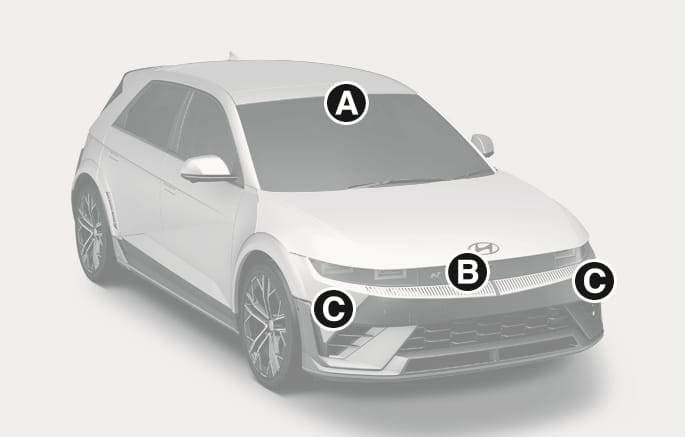
2C_FrontCameraRadar
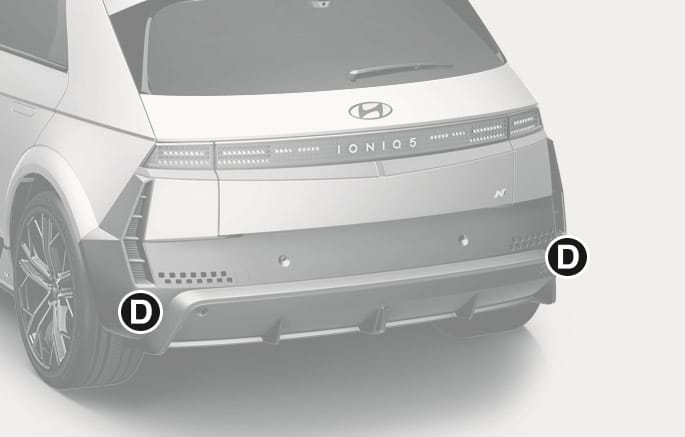
2C_RearRadar_2
- Front view camera
- Front radar
- Front corner radar (if equipped)
- Rear corner radar (if equipped)
Refer to the picture above for the detailed location of the detecting sensors.
Take the following precautions to maintain optimal performance of the detecting sensor:
-
Never disassemble the detecting sensor or sensor assembly, or cause any damage to it.
-
If the detecting sensors have been replaced or repaired, we recommend that your vehicle be inspected by a HYUNDAI authorised repairer.
-
Never install any accessories or stickers on the front windscreen, or tint the front windscreen.
-
Exercise extreme caution to keep the front view camera dry.
-
Never place any reflective objects (for example, white paper, mirror) over the dashboard.
-
Do not place any objects near the front windscreen or install any accessories on the front windscreen. It can affect the performance of the defogging and defrosting function of the climate control system, which may prevent the Driver Assistance systems from operating.
-
Do not apply number plate frame or objects, such as a bumper sticker, film or a bumper guard, near the front radar cover.
-
Do not change the position of the number plate. The front radar's detection and control performance may be affected.
-
Always keep the front radar and cover clean and free of dirt and debris.
Use only a soft cloth to wash the vehicle. Do not spray pressurized water directly on the sensor or sensor cover.
-
If the radar or around the radar has been damaged or impacted in any way, Forward Collision-Avoidance Assist may not properly operate even though a warning message does not appear on the cluster. we recommend that your vehicle be inspected by a HYUNDAI authorised repairer.
-
Use only genuine parts to repair or replace a damaged front radar cover. Do not apply paint to the front radar cover.
-
Vehicles equipped with radar
-
Do not apply number plate frame or objects, such as a bumper sticker, film or a bumper guard, near the front corner radar or rear corner radar.
-
The function may not work properly when the bumper has been replaced, or the surroundings of the front corner radar or rear corner radar has been damaged or paint has been applied.
-
If a trailer, carrier, etc., is installed, it may adversely affect the performance of the rear corner radar or Forward Collision-Avoidance Assist may not operate properly.
-