Forward/Reverse Parking Distance Warning settings
2C_WarningTypeSetInfo
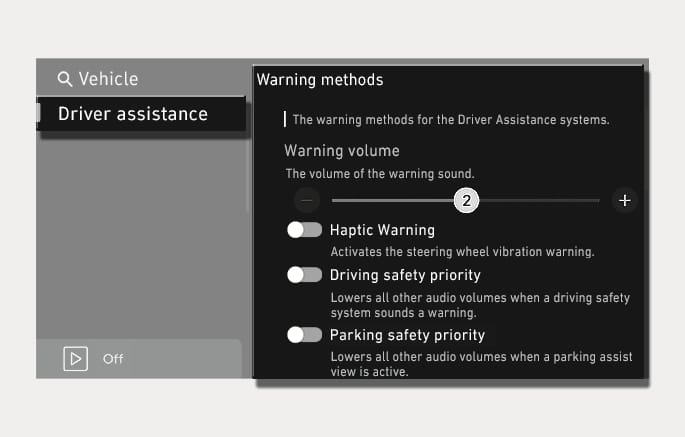
With the vehicle on, select Settings > Vehicle > Driver assistance > Warning methods in the infotainment system to select following:
-
Warning volume: The warning volume can be adjusted.
If you turn off the Warning volume, for your safety, the function may warn you with a low volume.
-
If you change the Warning methods, the Warning methods of other Driver Assistance systems may change.
-
Warning method will maintain its last setting even if the vehicle is restarted.
-
The setting menu may not be available for your vehicle depending on the vehicle features and specifications.
To use Auto PDW (Parking Distance Warning) function, select Settings> Vehicle> Driver assistance > Parking safety > Auto PDW (Parking Distance Warning) in the infotainment system.
When Auto PDW (Parking Distance Warning) is selected, the Parking Safety button indicator (