Checking basic information on charging your electric vehicle
Before charging your vehicle, check and understand the information such as the expected charging time according to the charge type, checking the State of Charge (SOC), and setting the charger lock mode.
The charge types for electric vehicle are as follows:
-
AC charge: The electric vehicle is charged via an AC charger at public charging stations. An AC charger may require an AC charging cable (sold separately).
-
DC charge: You can charge at high speeds at public charging stations. Refer to the respective company's manual that is provided for each DC charger type.
Battery performance and life may deteriorate if the DC charger is used constantly. Use of DC charging should be minimised in order to help prolong high voltage battery life. Use AC charging unless DC charging is necessary.
The estimated charging time for each charging type is as follows:
|
Charging type |
Charging time |
Charge level (Minimum - Maximum) |
Charging condition (Temperature) |
|
|
AC charge (230V/16A) |
About 7 hours 35 minutes |
10-100 % |
Battery temperature (25 °C) |
|
|
DC charge |
350 kW |
About 18 minutes |
10-80 % |
|
|
50 kW |
About 81 minutes |
10-80 % |
||
-
Depending on the condition and duration of use of the high voltage battery, charger specifications, and ambient temperature, the time required for charging the high voltage battery may vary.
-
If the charger is worn out, exposed, or there exists any type of damage, charging may stop for your safety. Use another charger that works normally.
-
When charging the battery, an additional 3 minutes may be required to check battery condition.
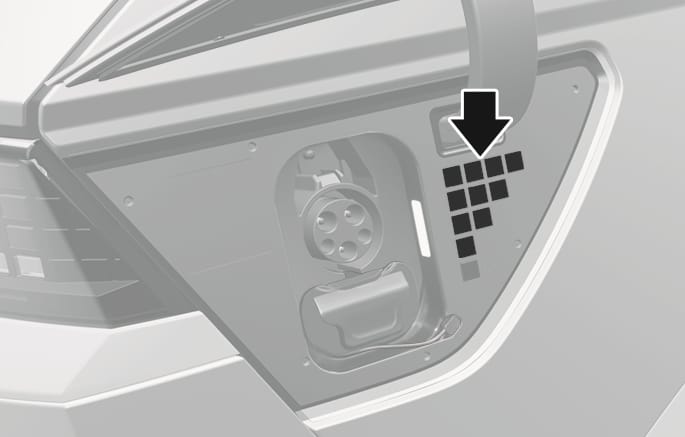
Check the State of Charge (SOC) of the high voltage battery via the charge indicator lamp inside the charging door.
-
With the vehicle door unlocked, press the open indicator on the charging door to open the charging door.
-
Check the SOC referring to the charge indicator lamp inside the charging door.
-
SOC is indicated in 4 levels.
-
2C_ChargingDoorIndicator
|
Charge indicator lamp |
SOC [%] |

|
0-24 % |

|
25-49 % |

|
50-74 % |

|
75-100 % |
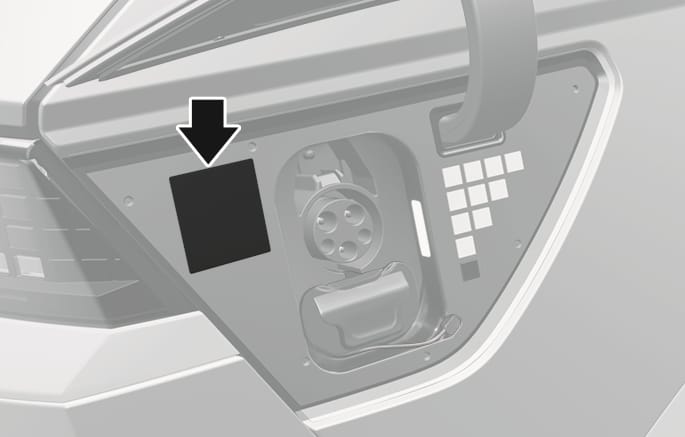
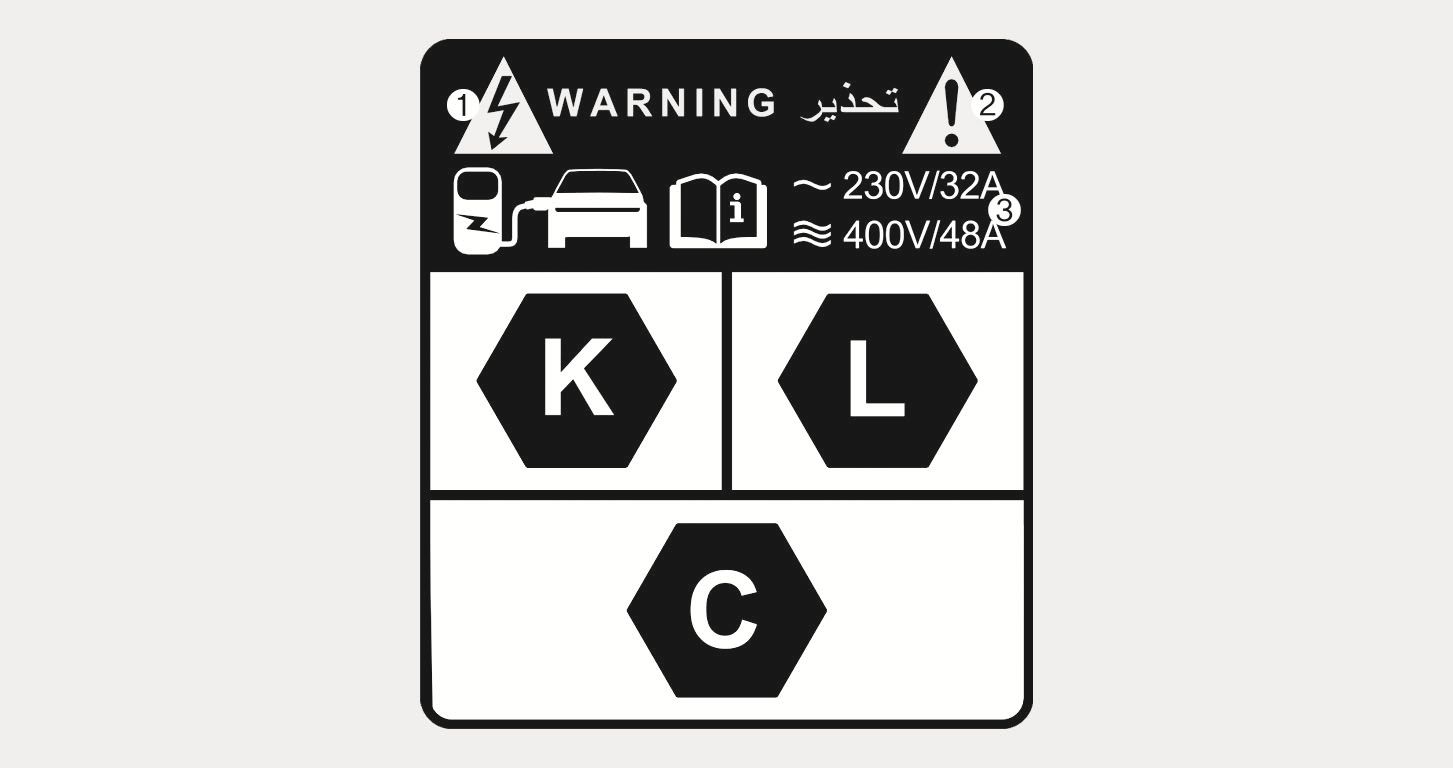
Open the charging door and check the information on the charging label. The charging label shows safety symbols and the rated input specifications for charging.
2C_ChargingLabelLocation
1C_ChargingLabel
|
No. |
Name |
Description |
|
(1) |
Warning for high voltage |
Indicates a device with a risk of electric shock. |
|
(2) |
Warning/Caution symbol |
Indicates a device that may cause property damage, serious injury or death if not operated carefully. |
|
(3) |
Rated voltage and maximum charging current |
Indicates the type of input current (AC) and the rated voltage range (V) and charging current (A) when AC charging. |
You can lock the charging connector during AC charging to prevent unintended detachment of the charging connector from the vehicle.
The connector is automatically locked during DC charging or whilst using the V2L function, regardless of the settings of charging connector locking mode applied to the vehicle.
-
When DC charging is complete, the charging connector is unlocked automatically.
-
After using electricity, you can unlock the charging connector by pressing the switch on the V2L connector to turn off the power and unlock the vehicle door.
-
On the Home screen of the infotainment system, select Electric vehicle >
Ĥ > AC charger > Lock charging cable to set the locking mode of the charging connector.The available locking mode options are as follows:
-
Always: Locks the connector automatically whenever the charging connector is plugged into the charging inlet.
-
Whilst charging: Locks the connector automatically only whilst charging is in progress after the charging connector is properly connected to the vehicle.
-
If the unlock button is not functioning properly due to a discharged battery or abnormal electrical wiring, the charging connector cannot be disconnected from the vehicle.
Do not disconnect the charging connector forcibly. Doing so may damage the charging connector or the charging inlet on the vehicle.
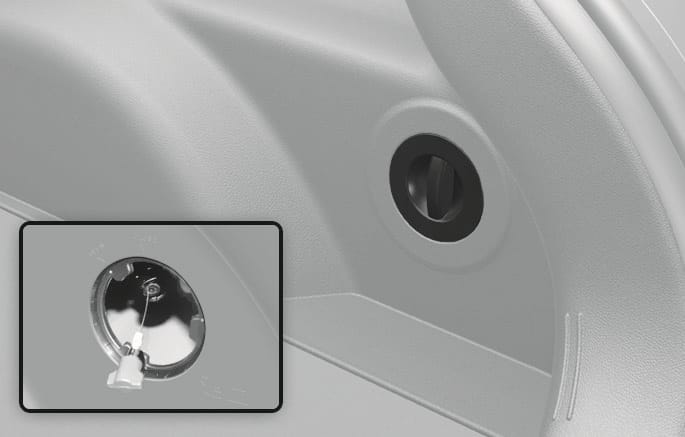
If the charging connector is not disconnected due to battery being fully discharged or a wiring failure, open the tailgate and pull the emergency cable.
2C_EmergencyChargingCable
-
If the charging connector does not disconnect after pulling the emergency cable, we recommend that your vehicle be inspected by a HYUNDAI authorised repairer.