Manual heating and air conditioning
Set the various heating and air conditioning system such as fan speed, mode, temperature, air intake, etc., as desired.

2C_AirconModeSelection
The mode selection switch controls the direction of the air flow through the ventilation system.
Air flow direction
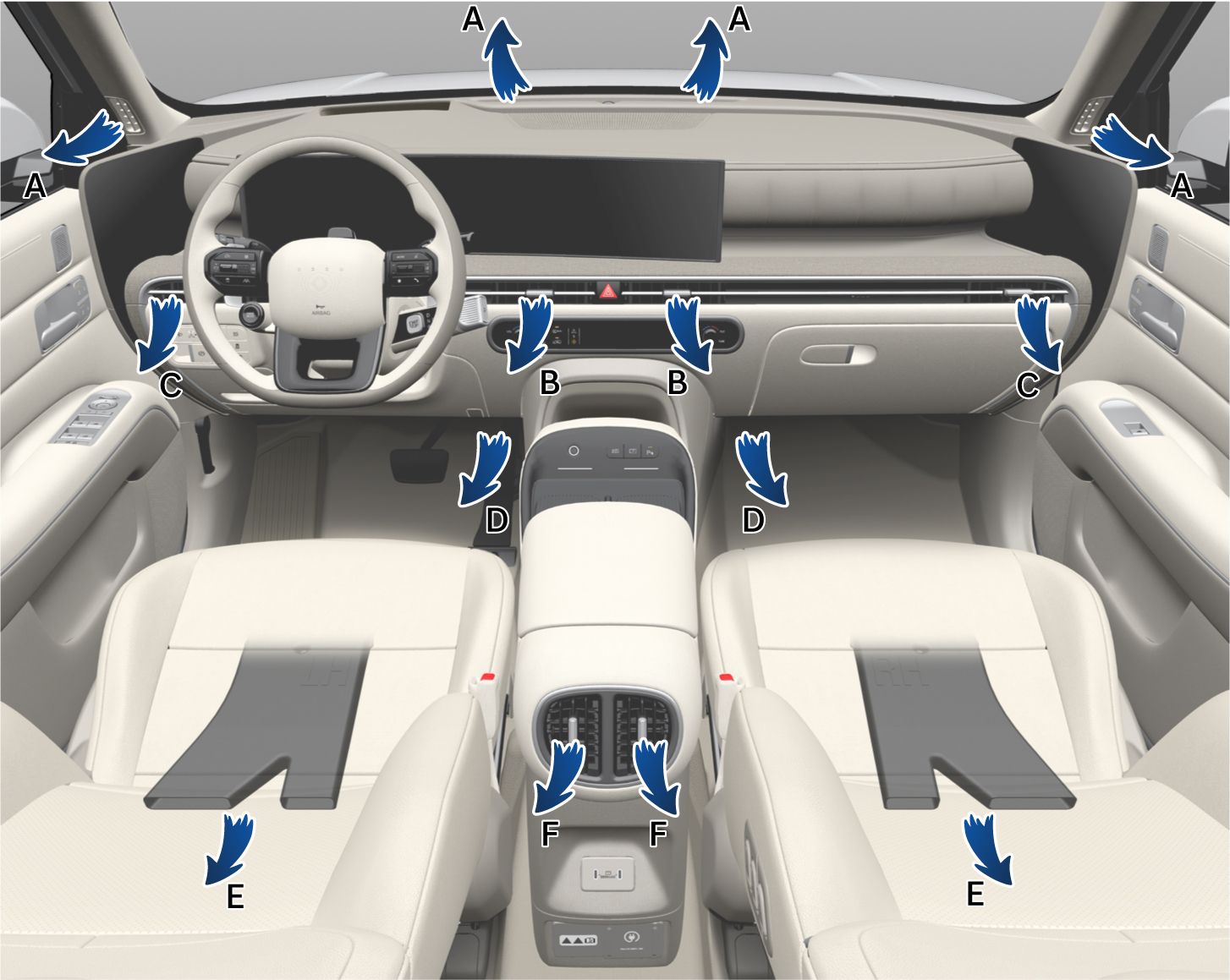
1C_AutoAirconModeSelectionOverview
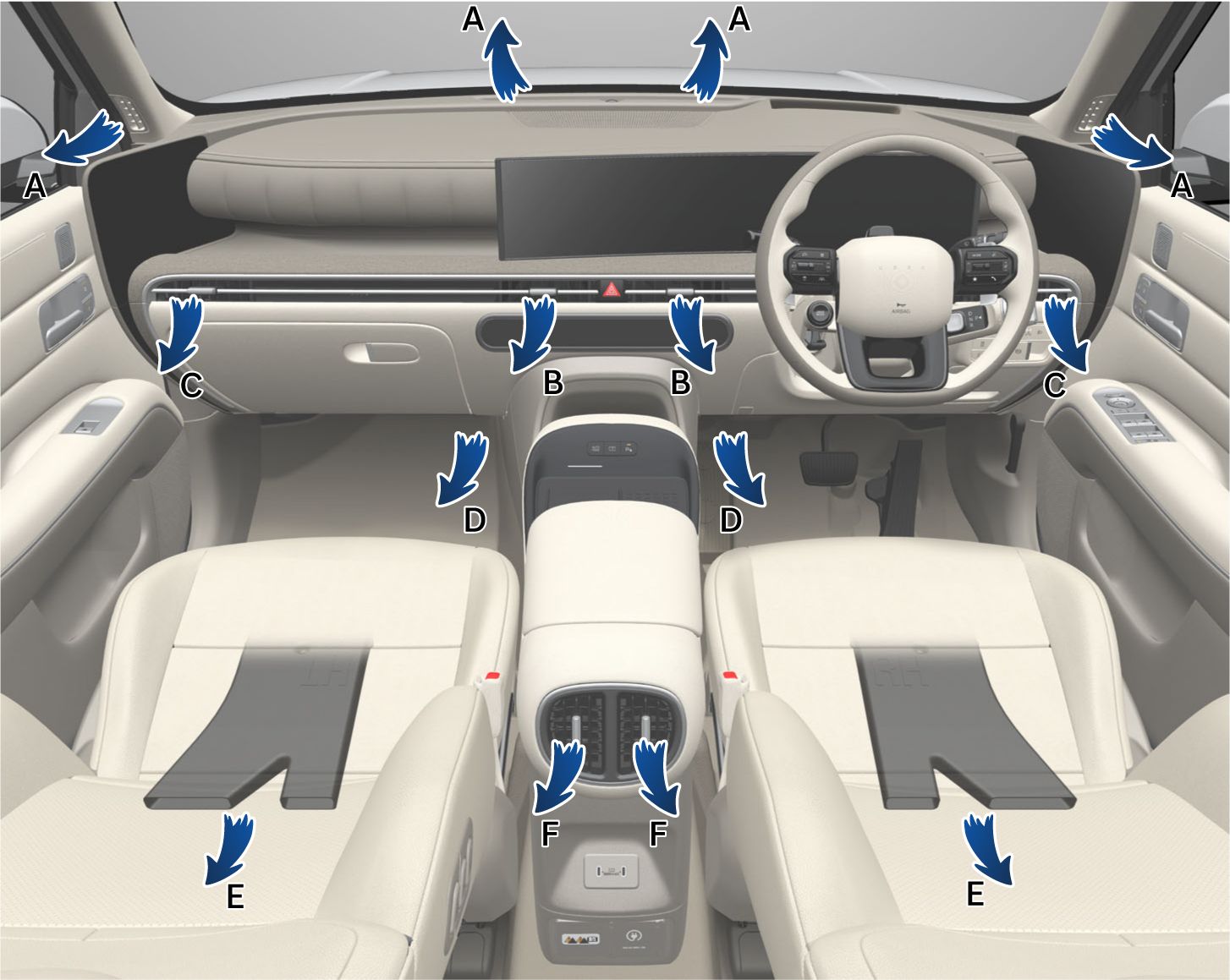
1C_AutoAirconModeSelectionOverview_RHD
|
Symbol |
Operation |
|
B, D, F |
Select for effective cooling Air flow is directed toward the upper body and face. Additionally, each outlet can be controlled to direct the air discharged from the outlet. |
|
B, C, D, E, F |
Air flow is directed toward the face and the floor. |
|
A, D, E |
Select for effective heating Most of the air flow is directed to the floor, with a small amount of the air being directed to the windshield and side window defrosters. |
|
A, D, E |
Most of the air flow is directed to the floor and the windshield with a small amount directed to the side window defrosters. |
Front windshield defroster (A, D)

2C_AirconFrontDefrostButton
Press the front windshield defroster button (indicator light ON) to turn on the front windshield defroster.
The outside (fresh) mode is automatically selected and the air conditioning turns on according to the detected ambient temperature
Press the front windshield defroster button once more (indicator light OFF) to turn the function off. Each climate control setting reverts to the setting prior to selecting the front windshield defrost.
Instrument panel vents
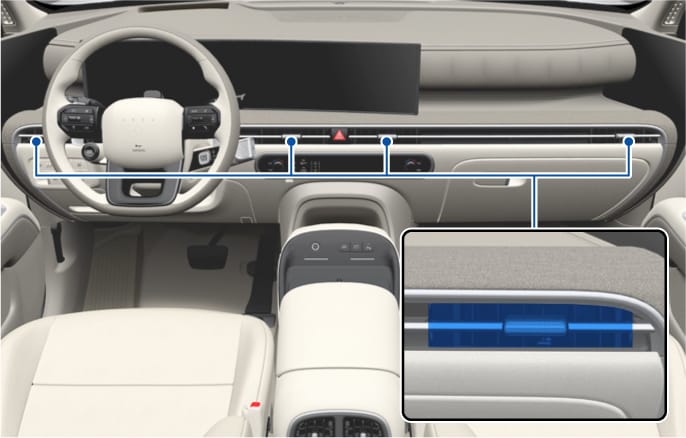
2C_FrontVent
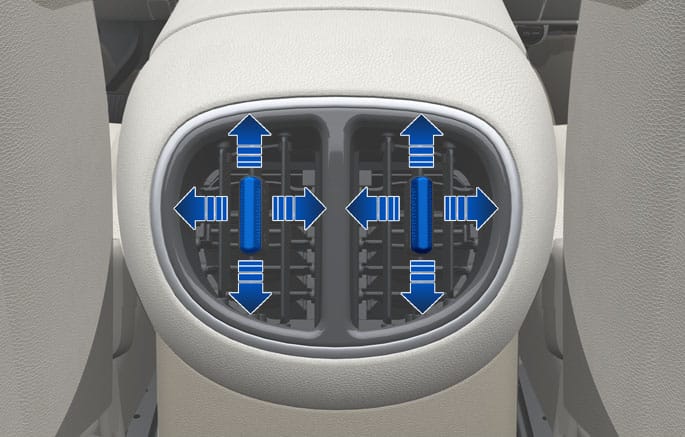
2C_RearVent
The instrument panel vent air flow can be directed up/down or left/right using the vent adjustment lever.
The outlet vents can be opened or closed separately using the vent control lever.
Move the lever to
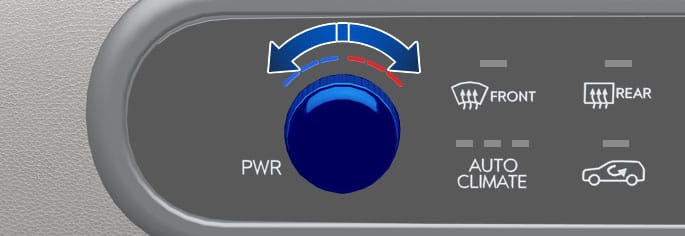
2C_AirconTempButton
Turn the knob to the right to increase the temperature. Turn the knob to the left to decrease temperature.
Temperature conversion (°C ↔ °F)
To change the temperature unit from °C to °F or °F to °C:
-
Press the PWR button while pressing the AUTO CLIMATE button for more than 3 seconds.
-
Select Setup > General > Unit > Temperature Unit > °C/°F in the infotainment system.

2C_DriverOnlyButton_2
If you press the DRIVER ONLY button (indicator light ON), most of the air flow is directed toward the driver's seat.
-
Some of the airflow may be directed to other seating position to keep indoor air pleasant while using DRIVER ONLY.
-
When using the front windshield defroster, the air flow on the both sides of windshield continues to operate regardless of the activation of DRIVER ONLY.

2C_AirconSYNCButton_2
-
Press the SYNC button (indicator light ON) to adjust the driver and passenger side temperature and air flow direction equally.
-
Press the SYNC button (indicator light OFF) again to adjust the driver and passenger side temperature individually.
Recirculation mode

2C_RecirculationButton
With the recirculated air selected, air from the passenger compartment is drawn through the climate control system.
Outside (fresh) mode

2C_AirIntakeButton
With the outside (fresh) air selected, air enters the vehicle from outside and is drawn through the climate control system.
To prevent serious injury or death:
-
Continued climate control system operation in the recirculated air position may allow humidity to increase inside the vehicle that could fog the windshield and the side windows and obscure visibility.
-
Do not sleep in a vehicle with the air conditioning or heating system on.
-
Continued climate use of recirculated air may cause drowsiness or sleepiness, and loss of vehicle control. Set the air intake control to the outside (fresh) air position while driving.
Using the system in the fresh air position is recommended.
Prolonged operation of the heater in the recirculated air position (without air conditioning selected) can cause fogging of the windshield and side windows and the air within the passenger compartment will become stale.
In addition, prolonged use of the air conditioning with the recirculated air position selected will result in excessively dry air in the passenger compartment.

2C_AirconFanSpeed
Press the
Operating the fan speed when the Start/Stop button is in the POWER ON position may cause the battery to discharge.

2C_AutoAirconButton_2
Press the A/C button to manually turn on the system on (indicator light ON) and off.
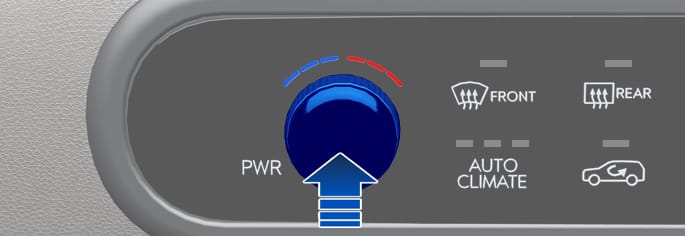
2C_AutoAirconOffButton
Press the PWR button to turn the climate control system off. You can still operate the mode and air intake buttons as long as the Start/Stop button is in the POWER ON position.
-
Water dripping on the ground of the vehicle is normal after the use of the air conditioning.
-
Avoid prolonged operation of the air conditioning in recirculation mode when adjusting the air intake control. Carefully adjust to let outdoor air circulate regularly.
-
Use the air conditioning system every week for around 5 minutes at once to avoid the potential breakdown of the system.
-
Open the windows for a short time to let the hot air inside the vehicle escape.
-
Excessive use of air conditioning during the hot summer may increase moisture outside the window due to the difference between the temperature of the outside and inside the vehicle. Change the air flow direction and adjust the air control to the lowest level.
-
In humid weather, if the windows are open and the air conditioning is running, water droplets may form inside the vehicle and around the air vent. In this case, use the air conditioning system with the windows closed to prevent any potential damage to electrical equipment.
Avoid leaves, snow, or other objects to block the grill as the source of air for the heater and air conditioning flows into the grill. When cooling, foggy air can be seen as the outside air draws into the vehicle. This is a normal condition since the humid air flows into the vehicle while cooling the vehicle rapidly.