ISG System Operation
-
The driver's seat belt is fastened.
-
The driver's door and hood are closed.
-
The brake vacuum pressure is adequate.
-
The battery sensor is activated and the battery is sufficiently charged.
-
Outside temperature is not too low or too high.
-
The vehicle is driven over a constant speed and stops.
-
The climate control system satisfies the conditions.
-
The vehicle is sufficiently warmed up.
-
ISG related parts are working properly.
-
The incline is gradual.
-
The steering wheel is turned less than 180 degrees before the vehicle stops.
If the Auto Stop (
When ISG is on, the engine stops automatically when both of the following occur:
-
Vehicle speed decreases to 0 km/h (0 mph) (full stop condition).
-
Brake pedal is depressed and gear is in D (Drive) or N (Neutral).
The Auto Stop (
Idle stop cannot occur again until the vehicle speed goes above 5 km/h (3 mph) and then comes to a full stop again.
In Auto Stop mode, if the hood is opened, ISG system is deactivated.
When the system is deactivated, the ISG OFF (
If this occurs, depress the brake pedal and restart the engine manually.
When ISG stops the engine automatically, the engine restarts if:
-
The brake pedal is released.
-
You take your foot off the brake pedal and then depress the accelerator pedal when Auto Hold is activated.
-
You shift the gear from N (Neutral) or D (Drive) to R (Reverse) or P (Park) while depressing the brake pedal.
-
You shift the gear from N (Neutral) to D (Drive) while depressing the brake pedal.
The Auto Stop (
Auto stop is Off. Shift to P or N to start engine manually
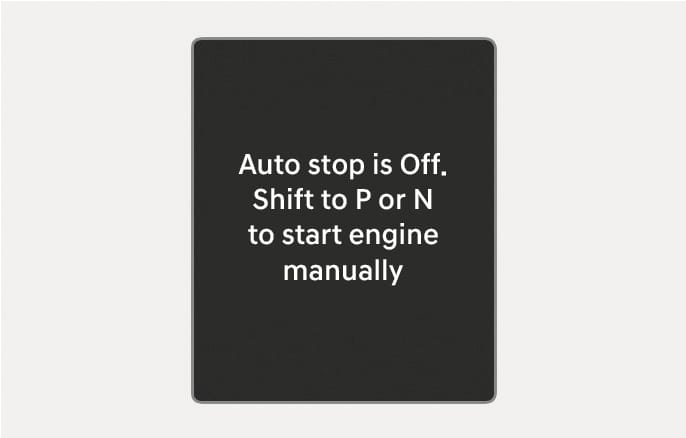
2C_ISGReleaseInfo
When the system is deactivated, the ISG OFF (
-
The hood is opened.
-
ISG system is not working normally.
If this occurs, depress the brake pedal and restart the engine manually. For your safety, restart the vehicle in the P (Park) position.
AUTO STOP elapsed time reset
![2025 Hyundai Tucson AUTO STOP elapsed time display image. The screen shows 'AUTO STOP', 'Time', '1:50 m:s', and the '[OK] Hold : Reset' instruction. Describes the function of viewing and resetting the accumulated idle stop time.](images/2C_ISGAcuumResetInfo.jpg.png)
2C_ISGAcuumResetInfo
You can view the AUTO STOP elapsed time in the utility view. To view the elapsed time for AUTO STOP since the last reset, select Settings > Cluster/Head-up display > Cluster > AUTO STOP timer reset in the infotainment system.
The AUTO STOP elapsed time reset depends on which utility view mode is linked.
-
When Drive information is selected, the AUTO STOP elapsed time resets whenever Drive information is reset.
-
When Since refuelling is selected, the AUTO STOP elapsed time resets whenever Since refuelling is reset.
-
When Accumulated info is selected, the AUTO STOP elapsed time resets whenever Accumulated info is reset.
-
When link is not selected, the AUTO STOP elapsed time is not linked with other information. Press and hold the OK button on the steering wheel to reset the elapsed time.
For more information, refer to the "Cluster display" section in chapter 4.