Advanced rear occupant alert operation
-
First alert
When you open the front door after opening and closing the rear door and turning off the engine, the "Check rear seat for passengers or belongings" warning message appears on the cluster display.
-
Second alert
After the first alert, the second alert operates when it detects an infant or child's presence after the driver's door is closed and all the doors are locked. The horn will sound for about 25 seconds. Also, a text message is sent to members of <Connected Services> (if equipped).
If the system continues to detect a movement, the alert operates up to 8 times.
Unlock the doors with the smart key to stop the alert.
-
The system detects movement in the vehicle for 10 minutes after the door is locked.
-
The second alert is available for vehicles equipped with the ROA sensor.
-
The second alert is activated only after the prior activation of the first alert.
-
If you do not want to use Rear Occupant Alert, press the OK button on the steering wheel when the first alert is displayed on the cluster. Doing so will deactivate the second alert one time.
Cluster![2025 Hyundai Tucson Rear Occupant Alert warning message image. The cluster displays 'Check rear seat for passengers and belongings' text and a rear seat icon with a warning triangle. '[OK] : Sensing Off' is shown at the bottom. This explains the function reminding the driver to check the rear seats.](images/2C_CheckRearSeat.jpg.png)
2C_CheckRearSeat
Steering wheel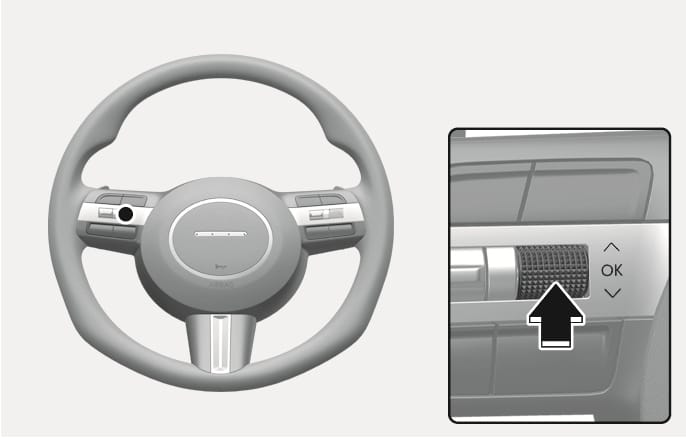
2C_SteeringWheelOkButton
-
If the vehicle is started remotely (if equipped with Remote Start), inside movement detection will stop.
-
Members of <Connected Services> can stop the alert through the application.