Safe Exit Warning operation
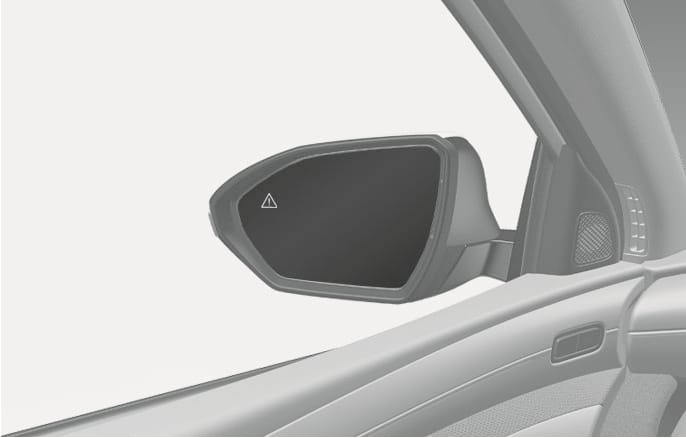
2C_BCAVehicleDetection
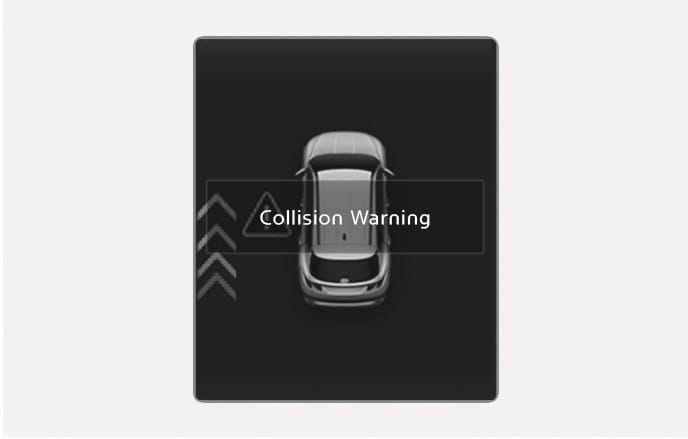
2C_SEACollisionWarningInfo
Collision warning when exiting vehicle
-
When an approaching vehicle from the rear is detected at the moment a door is opened, the 'Collision Warning' warning message will appear on the instrument cluster, and an audible warning will sound.
-
Safe Exit Warning will warn the driver when your vehicle speed is below 3 km/h (2 mph), and the speed of the approaching vehicle from the rear is above 6 km/h (4 mph).
Take the following precautions when using Safe Exit Warning:
-
For your safety, only change the Settings after parking the vehicle at a safe location.
-
If any other function's warning message is displayed or audible warning is generated, Safe Exit Warning warning message may not be displayed and audible warning may not be generated.
-
You may not hear the warning sound of Safe Exit Warning if the surroundings are noisy.
-
Safe Exit Warning does not operate in all situations or cannot prevent all collisions.
-
Safe Exit Warning may warn the driver late or may not warn the driver depending on the road and driving conditions. Always check vehicle surroundings.
-
The driver and passengers are responsible for accidents that occur while exiting the vehicle. Always check the surroundings before you exit the vehicle.
-
After the engine is turned off, Safe Exit Warning operates approximately for 3 minutes, but turns off immediately if the doors are locked.
-
The images and colors in the instrument cluster may differ depending on the cluster type or theme selected from the instrument cluster.