Turn signals and lane change signals
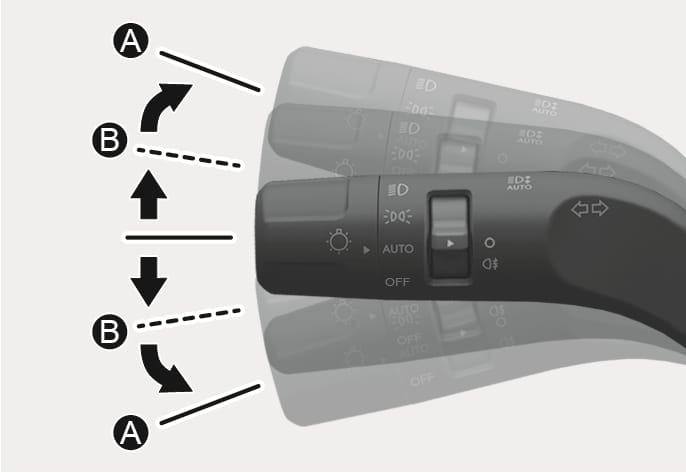
2C_TurnSignalSwitch
To signal a turn, push down on the lever for a left turn or up for a right turn in position (A).
If an indicator stays on and does not flash or if it flashes abnormally, one of the turn signal bulbs may be burned out and may require replacement. We recommend that you contact an authorized HYUNDAI dealer.
One touch turn signal
To use One Touch Turn Signal, push the turn signal lever up or down to position (B) and then release it.
The lane change signals blink 3, 5, or 7 times.
You can enable the One Touch Turn Signal function or choose the number of blinking by selecting Settings > Vehicle > Lights > One touch turn indicator > 7 flashes/5 flashes/3 flashes/Off in the infotainment system.