Manual Speed Limit Assist operation

Setting speed limit
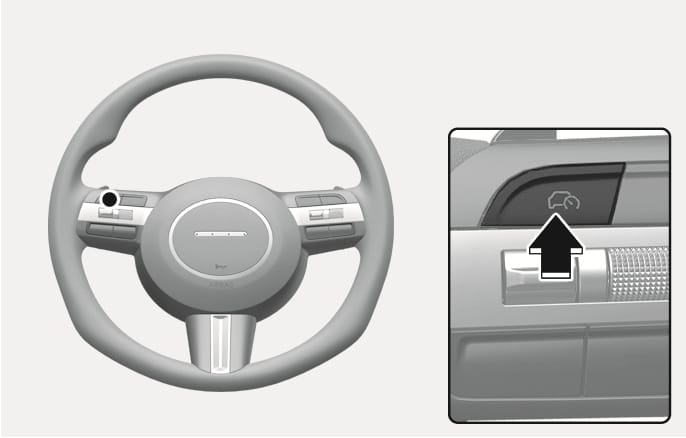
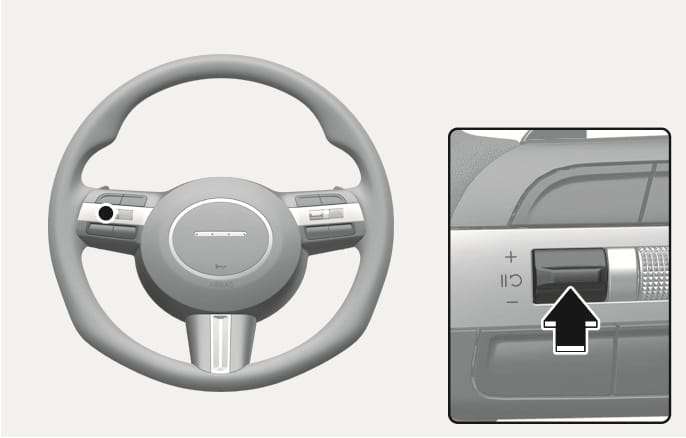
  1. Press and hold the Driving Assist (ĩ) button at the desired speed. The Speed Limit (Ý) indicator will appear on the cluster.

    2025 Hyundai Tucson Driving Assist button image. Features a steering wheel with a location marker on the right spoke and a close-up of the button labeled with a car and speedometer icon, indicated by a black arrow. Explains the function of pressing the button to set or turn off the Manual Speed Limit Assist.

    2C_SpeedControlButton

  2. Push the + switch up or - switch down, and release it at the desired speed.

    Push the + switch up or - switch down and hold it. The speed will increase or decrease to the nearest multiple of 10 (multiple of 5 in mph) at first, and then increase or decrease by 10 km/h (5 mph).
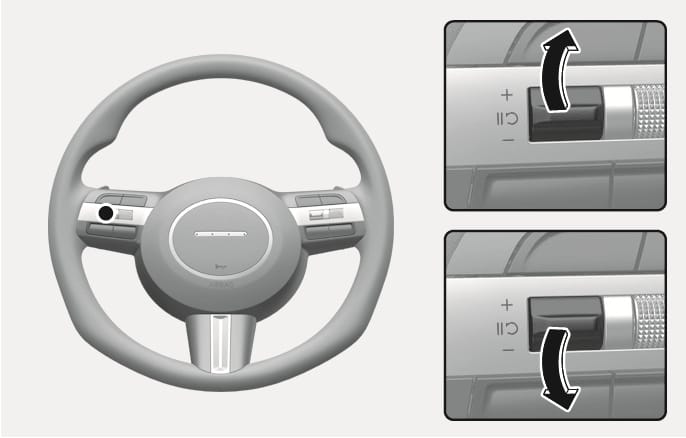
    2025 Hyundai Tucson Speed Control Switch image. A highlighted switch is shown on the steering wheel. Insets display black curved arrows indicating pushing the switch up towards plus or down towards minus. Describes the function of adjusting the speed limit.

    2C_SpeedControlSwitch

  3. The set speed limit will be displayed on the cluster.

    • If you would like to drive over the preset speed limit, depress the accelerator pedal beyond the pressure point to activate the kickdown function.

    • The set speed limit will blink and chime will sound until you return the vehicle speed within the speed limit.
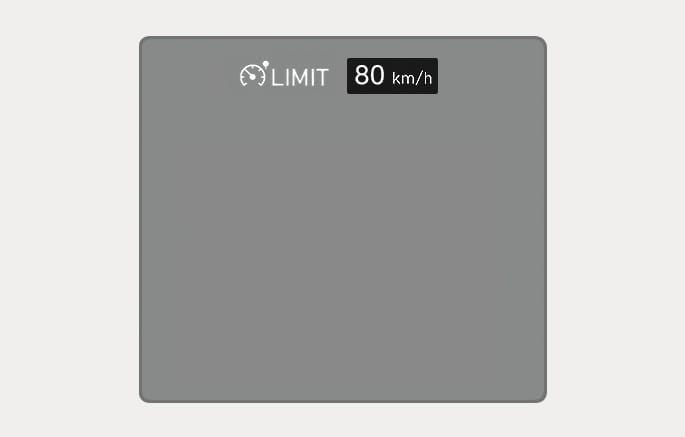
    2025 Hyundai Tucson Manual Speed Limit Assist display image. The instrument cluster screen displays a white speedometer icon with 'LIMIT' text and a black box showing '80 km/h'. This explains the function of displaying the set speed limit on the cluster.

    2C_MSLASpeedLimitInfo

  • When the accelerator pedal is not depressed beyond the pressure point, vehicle speed will maintain within the speed limit.

  • The maximum setting speed varies depending on the vehicle specifications. The set speed cannot be increased beyond the maximum set speed.
Temporarily pausing Manual Speed Limit Assist
2025 Hyundai Tucson Manual Speed Limit Assist pause button image. The image shows the steering wheel with the control button highlighted, and a close-up where a black arrow points to the button with a circular arrow symbol. Explains the function of pressing the switch to temporarily pause the Manual Speed Limit Assist.

2C_MSLATemporarilyPausing

Press the ç switch to temporarily pause the set speed limit. The set speed limit will turn off but the Speed Limit (Ý) indicator will stay on.

Resuming Manual Speed Limit Assist
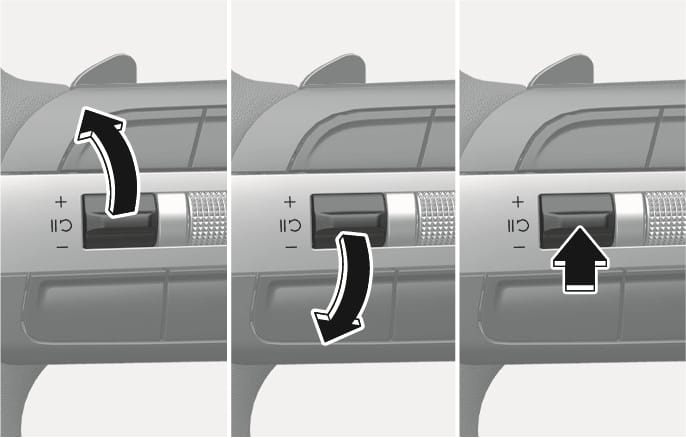
2025 Hyundai Tucson Resuming Manual Speed Limit Assist image. Three panels show the speed control switch being pushed up, down, and pressed inward by black arrows. Describes the function of operating the switch to resume the Manual Speed Limit Assist.

2C_SpeedControlResuming

To resume Manual Speed Limit Assist after the function was paused, operate the +, -, ç switch.

If you push the + switch up or -switch down, vehicle speed will be set to the current speed on the cluster.

If you press the çswitch, vehicle speed will resume to the preset speed.

Turning off Manual Speed Limit Assist
2025 Hyundai Tucson Driving Assist button image. Features a steering wheel with a location marker on the right spoke and a close-up of the button labeled with a car and speedometer icon, indicated by a black arrow. Explains the function of pressing the button to set or turn off the Manual Speed Limit Assist.

2C_SpeedControlButton

Press the Driving Assist (ĩ) button to turn Manual Speed Limit Assist off. The Speed Limit (Ý) indicator will go off.

Always press the Driving Assist (ĩ) button to turn Manual Speed Limit Assist off when not in use.

Take the following precautions when using Manual Speed Limit Assist:

  • Always set the vehicle speed to the speed limit in your country.

  • Keep Manual Speed Limit Assist off when the function is not in use, to avoid inadvertently setting a speed. Check that the Speed Limit (Ý) indicator is off.

  • Manual Speed Limit Assist does not substitute for proper and safe driving. It is the responsibility of the driver to always drive safely and be aware of unexpected and sudden situations. Pay attention to the road conditions at all times.