Steering wheel remote controls
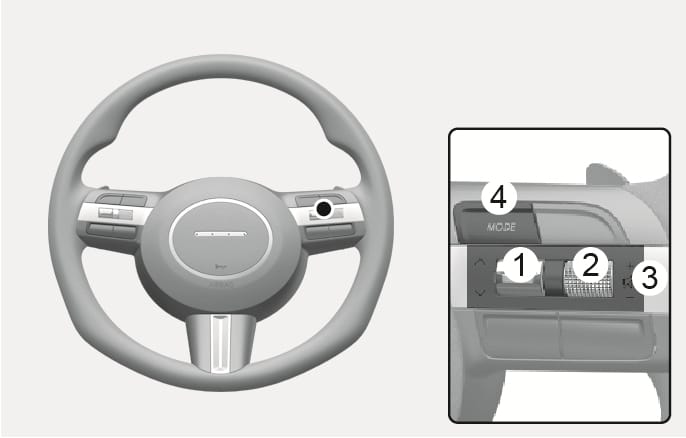
2C_AudioButtonOverview
- SEEK/PRESET
- VOLUME
- MUTE
- MODE
Do not operate multiple audio remote control buttons simultaneously.
If the SEEK/PRESET switch is pushed up or down and held for 0.8 seconds or more, it functions in the following modes:
-
RADIO mode
It functions as the AUTO SEEK select button. It seeks until you release the button.
-
MEDIA mode
It functions as the FF/RW button.
If the SEEK/PRESET switch is pushed up or down, it functions in the following modes:
-
RADIO mode
It functions as the PRESET STATION UP/DOWN button.
-
MEDIA mode
It functions as the TRACK UP/ DOWN button.
Push the lever up or down to adjust the volume.
Press the MUTE button for 3 seconds to mute or activate the sound.
Press the MUTE button for 3 seconds to turn off the ISLA function.
Press the MODE button to toggle through Radio mode.