Driver Attention Warning settings

Leading vehicle departure alert

With the vehicle on, select Settings > Vehicle > Driver assistance > DAW (Driver Attention Warning) and then enable Leading vehicle departure alert in the infotainment system to use the function.
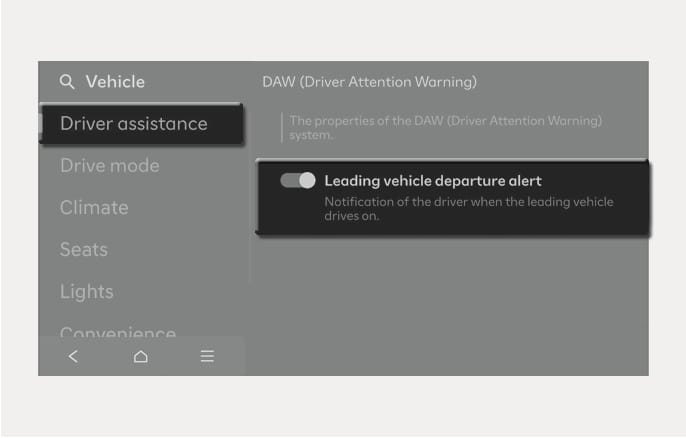
2025 Hyundai Tucson Leading vehicle departure alert settings image. The infotainment screen shows 'Driver assistance' selected in the 'Vehicle' menu. The 'Leading vehicle departure alert' option under 'DAW (Driver Attention Warning)' is displayed with a toggle switch and the text 'Notification of the driver when the leading vehicle drives on.' Explains the screen configuration to enable the notification function when the front vehicle moves.

2C_ExitLeadingVehicleDepartureSetInfo

If Leading vehicle departure alert is enabled, the function informs the driver when a detected vehicle in front departs from a stop.