System operation
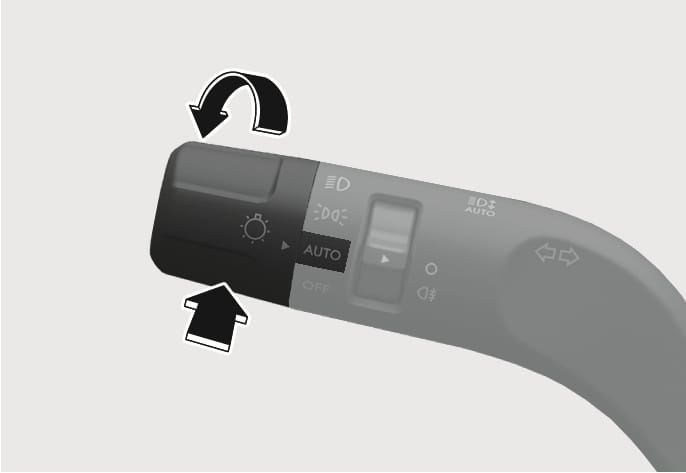
2C_HBASwitch
After selecting Intelligent High Beams (or Smart High Beam) in the Settings menu to operate Intelligent Front-Lighting System:
-
Place the headlight switch in the AUTO position and push the headlight lever toward the instrument cluster. The Intelligent Front-Lighting System (
Z ) indicator light illuminates on the cluster and the system is enabled. -
When the system is enabled, Intelligent Front-Lighting System operates according to the set speed in the infotainment system. The initial system is set to work when vehicle speed is above 40 km/h (25 mph).
-
The high beam LED partially turns off if an oncoming vehicle or a vehicle ahead is detected by the front view camera.
-
If Intelligent Front-Lighting System detects an oncoming vehicle or a vehicle ahead while driving at high speed (about above 100 km/h (60 mph), the driver's side headlight turns off and only the passenger's side headlight is controlled by the system.