Heated steering wheel
2C_SteeringWheelWarmerButton
2C_SteeringWheelWarmerButton_2
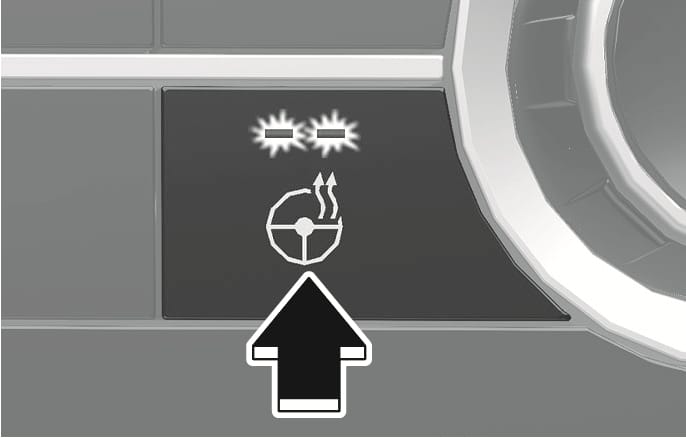
When the Engine Start/Stop button is in the ON position or when the engine is running, press the steering wheel heater button to warm the steering wheel.
The indicator on the button illuminates.
To turn the steering wheel heater off, press the button again. The indicator on the button turns off.
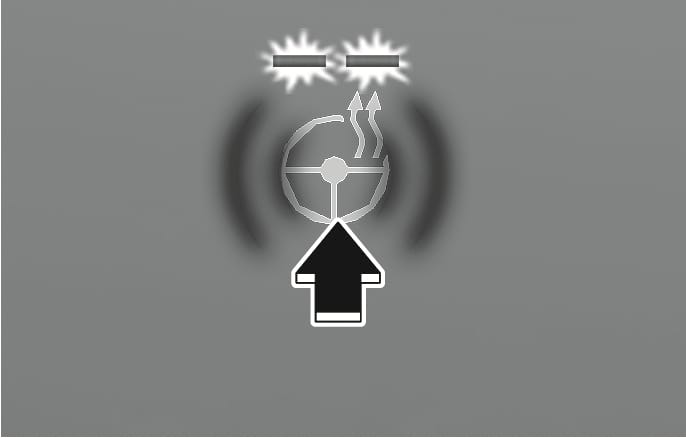
Each time you press the heated steering icon, the temperature changes as follows.
-
OFF > HIGH > LOW
-
Pressing the icon when temperature is high, the heated steering wheel will turn off.
-
When HIGH is manually selected, the heated steering wheel automatically changes to the LOW position after 30 minutes. You can turn off the heated steering wheel by pressing the icon to the OFF position.
-
When LOW is manually selected, the heated steering wheel is not controlled automatically.
The heated steering wheel automatically controls the steering wheel temperature depending on the ambient temperature when the engine is running.
To use this feature, it must be enabled from the Settings menu in the infotainment system screen.
Select:
-
Settings > Vehicle > Heating/Ventilation > Automatic controls linked to climate control settings > Steering wheel heating
For detailed information, scan the QR code in the separately supplied simple manual.
-
If you press the heated steering wheel icon, the heated steering wheel will have to be controlled manually.
-
The heated steering wheel defaults to the OFF position whenever the Engine Start/Stop button is pressed to the ON position. However, if the Automatic Controls Linked to Climate Control Settings feature is ON, the heated steering wheel will turn on and off depending on the outside temperature.
-
Do not install any cover or accessories on the steering wheel to prevent damage to the heated steering wheel system.
-
Do not strike the steering wheel surface with a sharp-pointed object. This may damage the heating element in the steering wheel.
-
Do not clean the steering wheel surface using the following products. Heater and steering wheel surfaces may be damaged.
-
Organic solvents such as thinner, alcohol and gasoline
-
Chemical products such as leather cleaner, coating agent, and wax
-