High Beam Assist settings
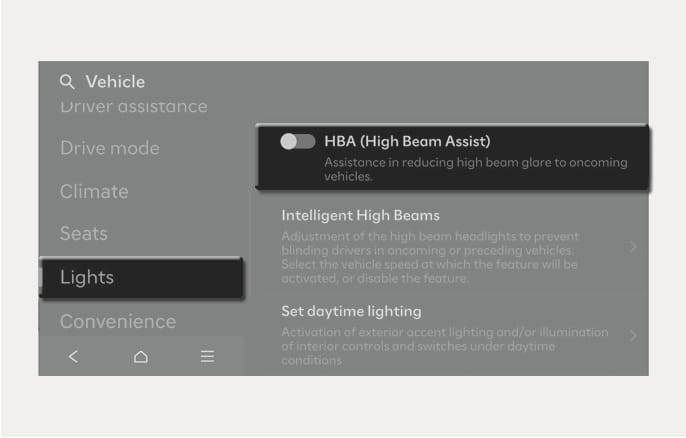
2025 Hyundai Tucson High Beam Assist settings screen image. The infotainment screen displays the 'Vehicle' settings with 'Lights' selected on the left. On the right, the 'HBA (High Beam Assist)' toggle switch is shown along with the text 'Assistance in reducing high beam glare to oncoming vehicles.' This illustrates the menu interface for enabling or disabling the High Beam Assist function.

2C_HBASetInfo

With the Engine Start/Stop button in the ON position, select Settings > Vehicle > Lights > HBA (High Beam Assist) from the Settings menu to turn on High Beam Assist and deselect to turn off the function.

Only change the settings after parking your vehicle at a safe location.