Forward Collision-Avoidance Assist operation
The basic function for Forward Collision-Avoidance Assist is to warn and help control the vehicle depending on the collision risk level: 'Collision Warning', 'Emergency Braking' and 'Stopping vehicle and ending brake control'.
Collision Warning
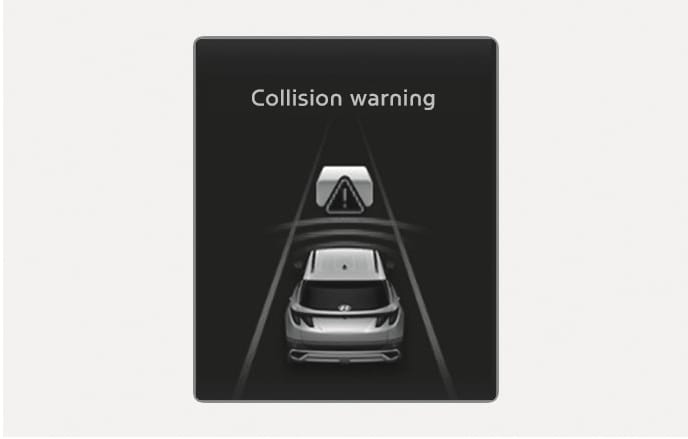
2C_FCABasicCollisionWarningInfo
-
To warn the driver of a collision, the 'Collision Warning' warning message will appear on the cluster display, an audible warning will sound.
-
If a vehicle or powered two-wheeler is detected in front, the function will operate when your vehicle speed is between about 10-180 km/h (6-111 mph).
-
If a pedestrian or cyclist is detected in front, the function will operate when your vehicle speed is between about 10-85 km/h (6-53 mph).
Emergency Braking
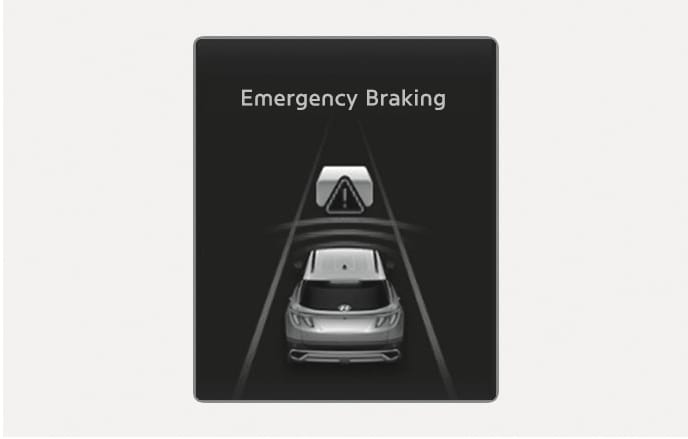
2C_FCABasicEmergencyBrakingInfo
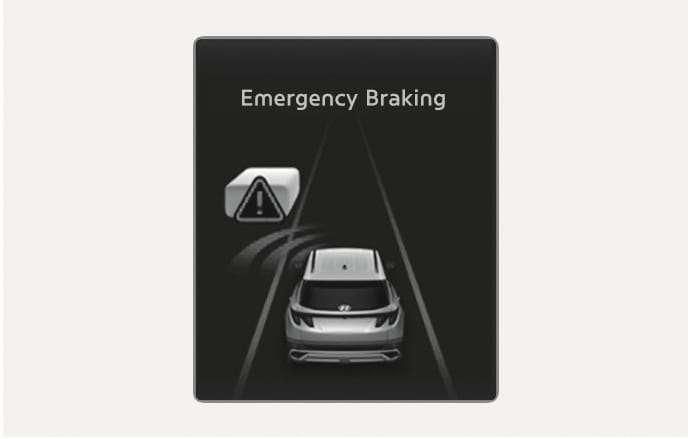
To warn the driver that emergency braking will be assisted, the 'Emergency Braking' warning message will appear on the cluster display, an audible warning will sound.
Emergency braking will operate under the following conditions.
-
Vehicle or powered two-wheeler:
Driving vehicle
Stopped vehicle
Weak braking power
About 10-180 km/h (6-111 mph)
Strong braking power
About 10-85 km/h (6-53 mph)
About 10-75 km/h (6-47 mph)*
-
Pedestrian or cyclist:
The function will operate when your vehicle speed is between about 10-65 km/h (6-40 mph).
-
The operating speed range may be linited depending on the state of the vehicle in front or the surroundings.
-
During night driving, detection of powered two-wheelers may degrade and Forward Collision-Avoidance Assist may not operate properly or be temporarily limited.
Stopping vehicle and ending brake control
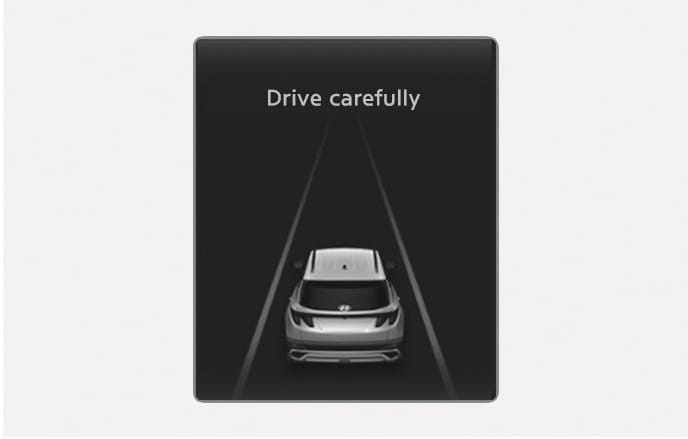
2C_DriveCarefullyWarning
-
When the vehicle is stopped due to emergency braking, the 'Drive carefully' warning message will appear on the instrument cluster.
For your safety, the driver should depress the brake pedal immediately and check the surroundings.
-
Brake control will end after the vehicle is stopped by emergency braking for about 2 seconds.
The audible warning can be turned off while collision warning or emergency braking is operating by pressing the hazard warning flasher button.
Junction Turning function will warn and control the vehicle depending on the collision risk level: 'Collision Warning', 'Emergency Braking' and 'Stopping vehicle and ending brake control'.
Collision Warning
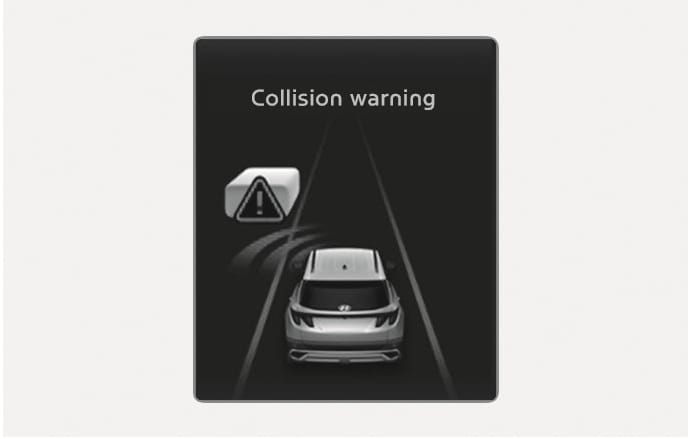
2C_FCAJunctionTurningCollisionWarningInfo
-
To warn the driver of a collision, the 'Collision Warning' warning message will appear on the cluster display, an audible warning will sound.
-
The function will operate when your vehicle speed is between about 10-30 km/h (6-19 mph) and the oncoming vehicle or powered two-wheeler speed is between about 30-70 km/h (19-44 mph).
Emergency Braking
2C_FCAJunctionTurningEmergencyBrakingInfo
-
To warn the driver that emergency braking will be assisted, the 'Emergency Braking' warning message will appear on the cluster display, an audible warning will sound.
-
In emergency braking situation, braking is assisted with strong braking power by the function to help prevent collision with the oncoming vehicle.
-
The function will operate when your vehicle speed is between about 10-30 km/h (6-19 mph) and the oncoming vehicle or powered two-wheeler speed is between about 30-70 km/h (19-44 mph).
AS the driver's seat is on the left side, Junction Turning function will operate only when you turn left.
Stopping vehicle and ending brake control
2C_DriveCarefullyWarning
-
When the vehicle is stopped due to emergency braking, the 'Drive carefully' warning message will appear on the cluster.
For your safety, the driver should depress the brake pedal immediately and check the surroundings.
-
Brake control will end after the vehicle is stopped by emergency braking for about 2 seconds.
The audible warning can be turned off while collision warning or emergency braking is operating by pressing the hazard warning flasher button.
Direct Oncoming function will warn and control the vehicle depending on the collision risk level: 'Collision Warning', 'Emergency Braking' and 'Stopping vehicle and ending brake control'.
Collision Warning
2C_FCABasicCollisionWarningInfo
-
To warn the driver of a collision, the 'Collision Warning' warning message will appear on the cluster display, an audible warning will sound.
-
The function will operate when your vehicle speed is between about 30-130 km/h (18-80 mph) (If equipped, about 10-130 km/h (6-80 mph)) and the detected oncoming vehicle speed is about above 10 km/h (6 mph).
Emergency Braking
2C_FCABasicEmergencyBrakingInfo
-
To warn the driver that emergency braking will be assisted, the 'Emergency Braking' warning message will appear on the cluster display, an audible warning will sound.
-
In emergency braking situation, braking is assisted with strong braking power by the function to help prevent collision with the oncoming vehicle.
-
The function will operate when your vehicle speed is between about 30-130 km/h (19-80 mph) and the detected oncoming vehicle speed is about above 10 km/h (6 mph).
Stopping vehicle and ending brake control
2C_DriveCarefullyWarning
-
When the vehicle is stopped due to emergency braking, the 'Drive carefully' warning message will appear on the cluster. For your safety, the driver should depress the brake pedal immediately and check the surroundings.
-
Brake control will end after the vehicle is stopped by emergency braking for about 2 seconds.
If your vehicle or the oncoming vehicle is not driving straight, Direct Oncoming function warning and control may be late or may not operate.
-
The operating speed range may be limited depending on the state of the vehicle in front or the surroundings.
-
During night driving, detection of powered two-wheelers may degrade and Forward Collision-Avoidance Assist may not operate properly or be temporarily limited.
-
For your safety, only change the Settings after parking the vehicle at a safe location.
-
Forward Collision-Avoidance Assist does not operate in all situations and cannot avoid all collisions.
-
The driver has the responsibility to control the vehicle. Do not solely depend on Forward Collision-Avoidance Assist. Rather, maintain a safe braking distance, and if necessary, depress the brake pedal to reduce driving speed or to stop the vehicle.
-
Never deliberately operate Forward Collision-Avoidance Assist on people, objects, etc. It may cause serious injury or death.
-
Forward Collision-Avoidance Assist may not operate if the driver depresses the brake pedal to avoid collision.
-
During Forward Collision-Avoidance Assist operation, the vehicle may stop suddenly injuring passengers and shifting loose objects. Always have the seat belt on and keep loose objects secured.
-
If any other system’s warning message appears or audible warning is generated, Forward Collision-Avoidance Assist warning message may not be displayed and audible warning may not be generated.
-
You may not hear the warning sound of Forward Collision-Avoidance Assist if the surrounding is noisy.
-
Forward Collision-Avoidance Assist may turn off or may not operate properly or may operate unnecessarily depending on the road conditions and the surroundings.
-
Even if there is a problem with Forward Collision-Avoidance Assist, the vehicle's basic braking performance will operate properly.
-
During emergency braking, braking control by Forward Collision-Avoidance Assist will automatically cancel when the driver excessively depresses the accelerator pedal or sharply steers the vehicle.
-
Depending on the condition of the vehicle, powered two wheeler, and pedestrian and cyclist in front and the surroundings, the speed range to operate Forward Collision-Avoidance Assist may reduce. Forward Collision-Avoidance Assist may only warn the driver, or it may not operate.
-
Forward Collision-Avoidance Assist will operate under certain conditions by judging the risk level based on the condition of the oncoming vehicle or powered two wheeler, driving direction, speed and surroundings.
-
Only Forward Collision-Avoidance Assist warning and collision mitigation are possible depending on the detectable distance.
-
In a situation where collision is imminent, braking may be assisted by Forward Collision-Avoidance Assist when braking is insufficient by the driver.
-
The images and colors in the instrument cluster may differ depending on the cluster type or theme selected from the settings menu.