클러스터 표시창 정보

항목

설명

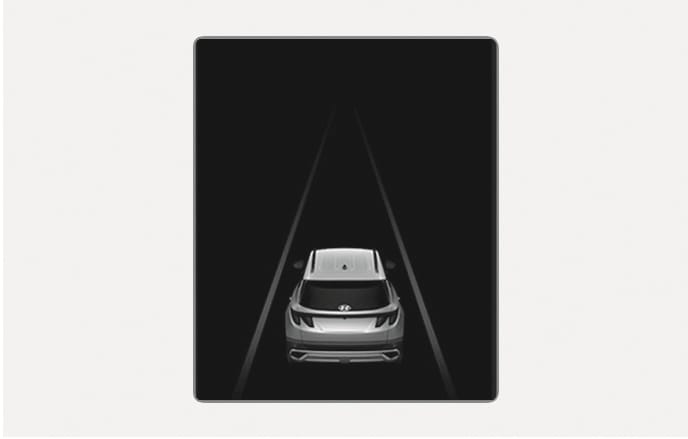
주행 보조 뷰

운전자 보조 시스템 작동 관련 정보 표시

내비게이션 뷰

내비게이션 작동 관련 정보 표시

유틸리티 정보 뷰

주행 정보, 통합 경고등 등의 차량 기본 정보 표시

주행 보조 뷰
2025 Hyundai Tucson Cluster Driving Assistance View screen image. A vehicle rear view and converging lane graphics are displayed in the center of a black background. Describes the function to visually check the operation status of driver assistance systems such as Smart Cruise Control and Lane Keeping Assist.

2C_DrivingAssistMode

주행 보조 뷰를 선택하면 스마트 크루즈 컨트롤, 차로 유지 보조, 고속도로 주행 보조 등의 작동 상태가 표시됩니다.

자세한 내용은 7장 내 각 항목을 참고하십시오.
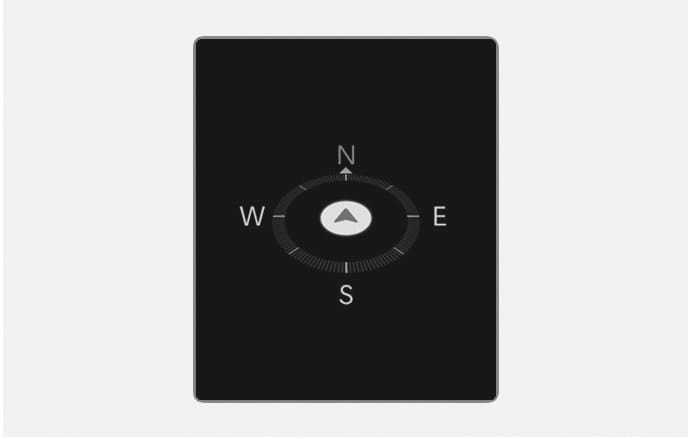
내비게이션 뷰
2025 Hyundai Tucson Cluster Navigation View screen image. A compass graphic with cardinal directions East (E), West (W), South (S), and North (N) is located in the center of a black background, and an arrow icon indicating the driving direction is inside the circular scale. Describes the function that displays driving information linked with the navigation system.

2C_TurnByTurnMode

내비게이션과 연동된 정보를 표시합니다.

유틸리티 정보 뷰

유틸리티 정보를 전환하려면 ∧/∨ 레버를 위나 아래로 미십시오. 다음과 같은 화면이 순서대로 전환됩니다.

타이어 공기압
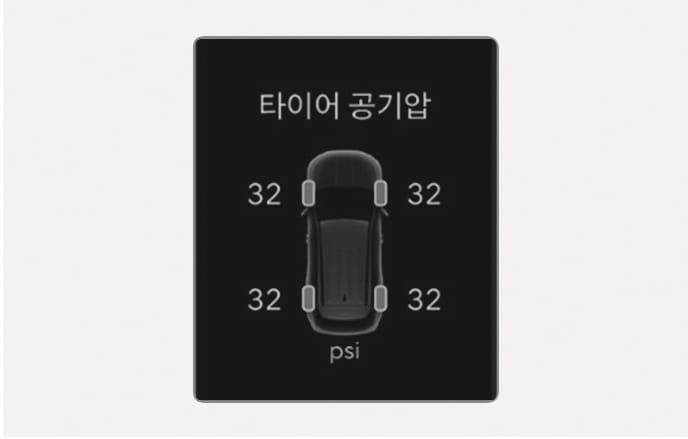
2025 Hyundai Tucson Cluster Tire Pressure Information screen image. The 'Tire Pressure' text is at the top of the black background, and the tire pressure value '32' is displayed next to each of the four wheels of the vehicle graphic in the center. The unit 'psi' is at the bottom. Describes the function to check the current tire pressure status.

2C_TirePressureInfo

각 타이어의 공기압 수치 및 저압 상태 정보가 표시됩니다.

자세한 내용은 8장 내 '타이어 공기압 경보 시스템 (TPMS)'을 참고하십시오.

현 주행 정보
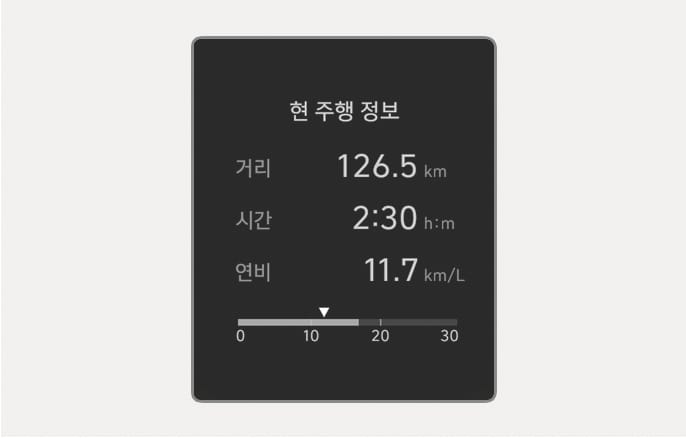
2025 Hyundai Tucson Current Driving Information screen image. The text 'Current Driving Info' is displayed in the center of the black background screen along with distance '126.5 km', time '2:30 h:m', and fuel economy '11.7 km/L' figures. At the bottom, there is a graph with a scale from 0 to 30 and a triangle icon indicating the current fuel economy. Describes the function to check the current driving distance, driving time, and fuel economy information.

2C_DrivingInfo

현재 주행 거리, 주행 시간, 주행 연비가 표시됩니다. 시동을 끄고 운전석 도어를 열거나 3분이 지나고 시동을 다시 걸면 정보가 자동으로 초기화됩니다.

주유 후 정보
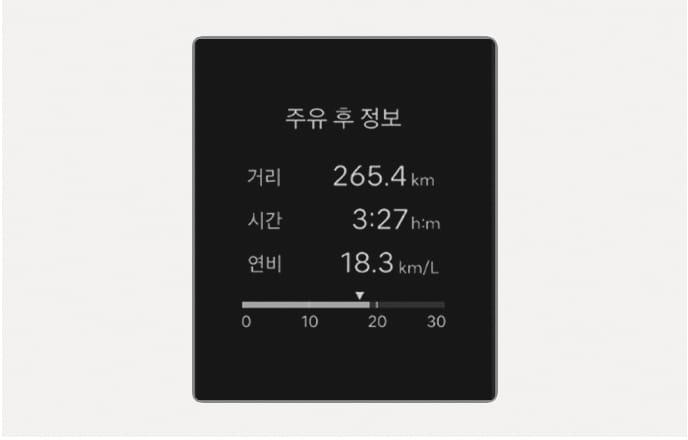
2025 Hyundai Tucson Info After Refueling screen image. The text 'Info After Refueling' and distance 265.4 km, time 3:27 h:m, fuel economy 18.3 km/L are displayed in the center of the screen. A fuel economy graph is located at the bottom. Describes the function to check driving information after refueling.

2C_InfoAfterRefuel

주유 이후의 주행 거리, 주행 시간, 주행 연비가 표시됩니다.

정보를 초기화하려면 스티어링 휠의 OK 버튼을 길게 누르십시오.

누적 정보
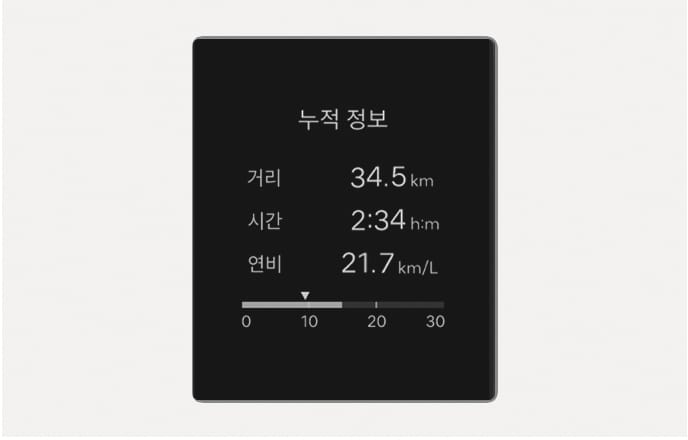
2025 Hyundai Tucson Cluster Accumulated Info screen image. The text 'Accumulated Info' is displayed at the top of the black background, and figures 'Distance 34.5 km', 'Time 2:34 h:m', 'Fuel Economy 21.7 km/L' are listed in the center. At the bottom is a horizontal bar graph indicating fuel economy with a scale from 0 to 30. Describes the screen layout for checking accumulated driving distance, time, and fuel economy information after manual reset.

2C_AccumulatedInfo

수동으로 정보를 초기화한 이후의 누적 주행 거리, 주행 시간, 주행 연비가 표시됩니다.

정보를 초기화하려면 스티어링 휠의 OK 버튼을 길게 누르십시오.

AUTO STOP 누적 시간

2025 Hyundai Tucson Cluster AUTO STOP Accumulated Time screen image. The texts 'AUTO STOP' and 'Accumulated Time' and the time '1:50' are displayed on a black background. At the bottom, there is an instruction '[OK] Hold : Reset'. Describes the function to check and reset the accumulated ISG operation time.

2C_ISGAcuumInfo

공회전 제한(ISG)시스템에 의해 엔진이 꺼진 뒤 지난 시간이 표시됩니다. 자세한 내용은 6장 내 '공회전 제한 (ISG) 시스템'을 참고하십시오.

4륜구동 배분
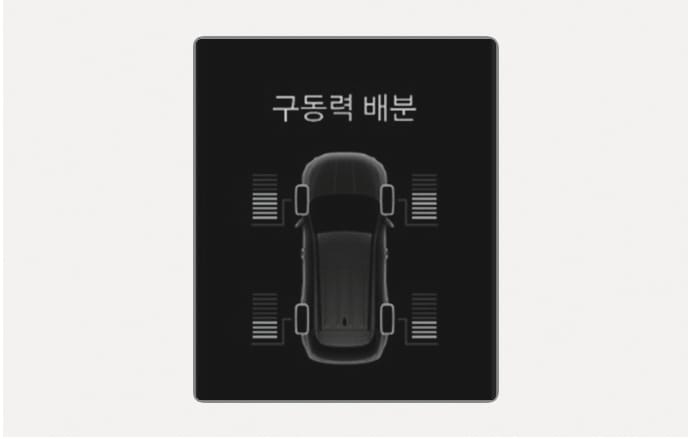
2025 Hyundai Tucson 4WD Distribution screen image. The text 'Driving Force Distribution' is at the top of the screen, and bar gauges indicating driving force are displayed next to the four wheels of the vehicle graphic. Describes the function to check the driving force distribution status of each wheel during 4WD operation.

2C_4WDInfo

자동 4륜구동 모드가 작동하면 전륜과 후륜의 구동력 배분 상태를 알려주는 화면이 표시됩니다. 자세한 내용은 6장 내 'HTRAC (4륜구동)'을 참고하십시오.
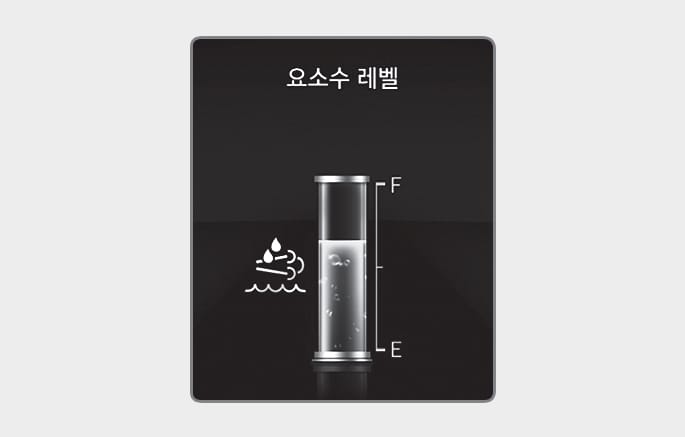
요소수 레벨(디젤 엔진)
2025 Hyundai Tucson Cluster Urea Level Information screen image. The text 'Urea Level' is displayed at the top of the black background screen, and a vertical cylindrical gauge is placed in the center. 'F' and 'E' marks on the right side of the gauge indicate the remaining amount, and an exhaust gas purification system icon is displayed on the left. Describes the function to visually check the current remaining urea level.

B0091KO14

요소수 탱크에 남아 있는 요소수 양을 보여줍니다. 요소수 레벨이 ‘E’를 가리키기 전에 요소수를 보충하십시오. 자세한 내용은 9장 ‘요소수 시스템 (디젤 엔진)’을 참고하십시오.

서비스 메시지

통합 경고등 정보가 표시됩니다.

기타 정보 표시

주행 정보

2025 Hyundai Tucson Current Driving Information screen image. The text 'Current Driving Info' is displayed in the center of the black background screen along with distance '126.5 km', time '2:30 h:m', and fuel economy '11.7 km/L' figures. At the bottom, there is a graph with a scale from 0 to 30 and a triangle icon indicating the current fuel economy. Describes the function to check the current driving distance, driving time, and fuel economy information.

2C_DrivingInfo

시동을 건 후 시동을 끄면 주행 정보가 4초 동안 표시됩니다.

주행 보조 정보
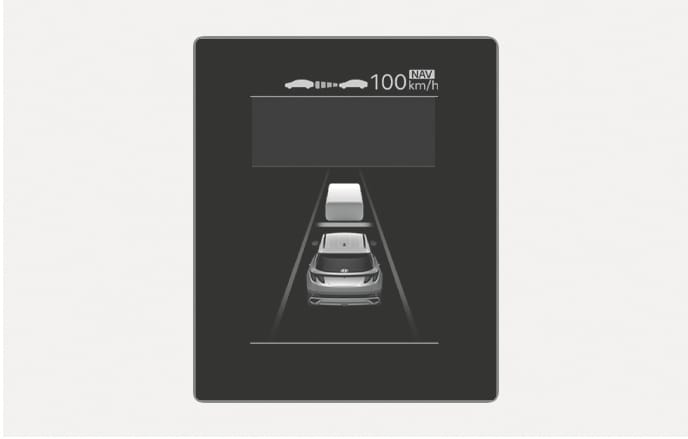
2025 Hyundai Tucson Cluster Driving Assistance Information image. A cube graphic representing the host vehicle and the vehicle ahead is in the center of the black background, and there are inter-vehicle distance icons and '100 km/h', 'NAV' texts at the top. Describes the function to check vehicle detection and driving information during Smart Cruise Control operation.

2C_ADASInfo

수동 속도 제한 보조, 스마트 크루즈 컨트롤, 차로 유지 보조, 고속도로 주행 보조의 작동 상태가 표시됩니다.