Cluster display messages
This message appears if you open the driver's door when the gear is in P (Park) and the Engine Start/Stop button in the ON or START position.
Turn the engine off before leaving the vehicle.
This message appears if the Engine Start/Stop button is pressed to the OFF position without the gear in the P (Park) position.
If this occurs, the Engine Start/Stop button goes to the ACC position.
This message appears if you try to turn off the vehicle with the gear in N (Neutral).
To turn off the vehicle:
-
Press the Engine Start/Stop button. The Engine Start/Stop button moves to the ON position.
-
Shift the gear to P (Park).
-
Press the Engine Start/Stop button again, then the vehicle turns off.
When the Engine Start/Stop button is pressed to the OFF position, a message may appear, indicating the internal battery of the smart key is low. Replace the smart key battery.
This message appears if the Engine Start/Stop button is pressed repeatedly without depressing the brake pedal.
Start the vehicle by depressing the brake pedal and then pressing the Engine Start/Stop button.
This message appears if the smart key is not in the vehicle when you have left the vehicle with the Engine Start/Stop button in the ON or Start position.
Always turn off the engine before leaving your vehicle.
If you cannot start the vehicle after the Engine Start/Stop button is pressed, attempt to start the engine by pressing the Engine Start/Stop button again.
If the warning message appears each time you press the Engine Start/Stop button, have the vehicle inspected by an authorized HYUNDAI dealer.
This message appears if the brake switch fuse is disconnected. Replace the fuse before starting the engine.
If that is not possible, start the engine by pressing the Engine Start/Stop button for a few seconds in the ACC position.
This message appears if you try to start the engine in any other position except P (Park).
For your safety, always start the engine in P (Park) with your foot depressing the brake pedal.
This message appears if the vehicle battery voltage is low or if a current draw is detected that could drain the vehicle battery.
Do not connect any external electronic devices to the battery system or battery discharge may occur.
If this message appears on the cluster and there are no other external electronic devices connected to the vehicle, have the vehicle inspected by an authorized HYUNDAI dealer.
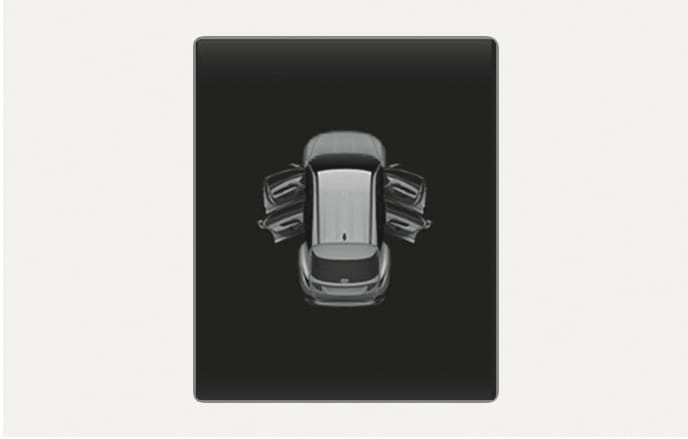
2C_DoorOpenWarning
This warning appears if any doors, hood or liftgate are left open. The warning indicates which door is open on the cluster display.
Before driving the vehicle, confirm the doors, hood, and liftgate are fully closed.
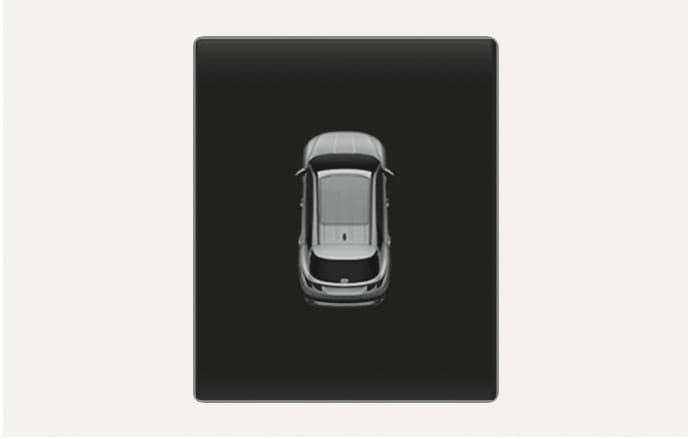
2C_SunroofOpenWarning
This warning appears if you turn off the engine when the sunroof is open.
Close the sunroof securely before leaving your vehicle.
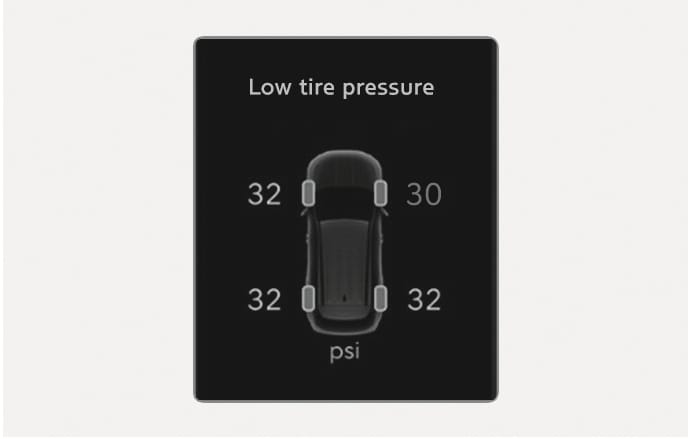
2C_TireLowPressureWarning_2
This warning message appears if the tire pressure is low. The corresponding tire on the vehicle is illuminated.
For more information, refer to the "Tire Pressure Monitoring System (TPMS)" section in chapter 8.
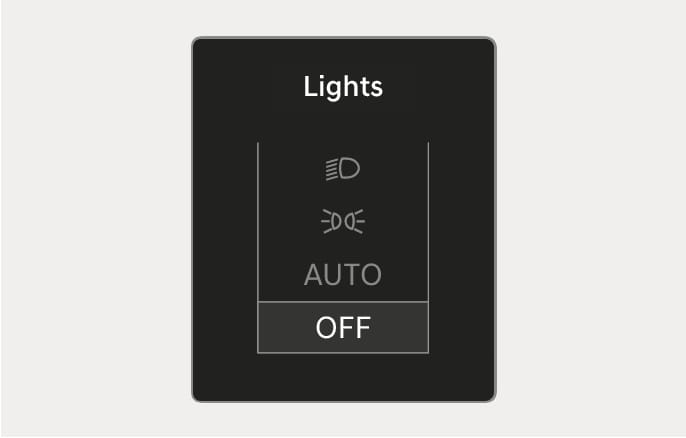
2C_LightMode
This indicator displays which exterior light is selected using the lighting control.
You can activate or deactivate Wiper/Lights display function from the Settings menu in the infotainment system. Select:
-
Setup > Cluster/Head-Up Display > Cluster > Content Selection
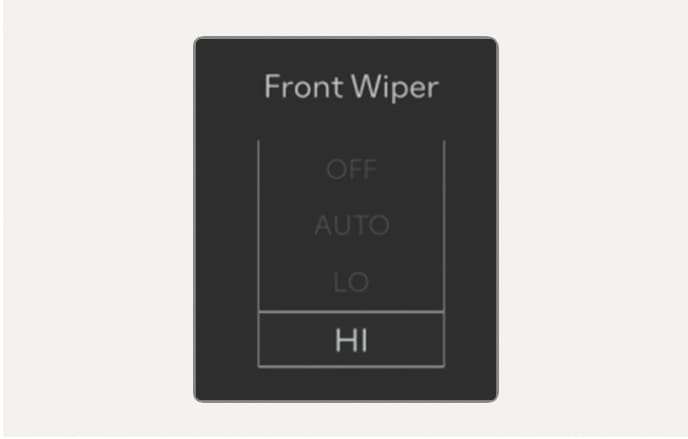
2C_FrontWiperMode
This indicator displays which wiper speed is selected using the wiper control.
You can activate or deactivate Wiper/Lights display function from the Settings menu in the infotainment system. Select:
-
Setup > Cluster/Head-Up Display > Cluster > Content Selection
The infotainment system may change after software updates. For more information, refer to the user's manual provided in the infotainment system and the quick reference guide.
This message appears if the washer fluid level in the reservoir is nearly empty.
Have the washer fluid reservoir refilled.
This message appears when the engine coolant temperature is above about 248 °F (120 °C). The engine is overheated and may be damaged.
If your vehicle is overheated, refer to the "If the engine overheats" section in chapter 8.
This message appears if the headlights are not operation properly. Replace the burned out bulb with a new one with the same wattage rating.
This message appears if the turn signal lights are not operating properly.
Replace the burned out bulb with a new one with the same wattage rating.
This message appears if there is a problem with the LED headlight. Have the vehicle inspected by an authorized HYUNDAI dealer.
This warning message appears in the following situations:
-
There is a malfunction with the actuator flap.
-
There is a malfunction with the actuator air flap controller.
-
The air flap does not open.
When all of the above conditions are fixed, the warning disappears.
This message appears when the brake performance is low or the regenerative brake does not work properly due to a failure in the brake system.
If this occurs, it may take longer for the brake pedal to operate and the braking distance may become longer.
This message appears when a failure occurs in the brake system.
If this occurs, park the vehicle in a safe location and tow your vehicle to the nearest authorized HYUNDAI dealer and have the vehicle inspected.
This message appears when there is a problem with the hybrid system. Refrain from driving when the warning message appears.
If this occurs, have the vehicle inspected by an authorized HYUNDAI dealer.
This message appears when there is a problem with the hybrid system. The READY indicator will blink and a warning chime will sound until the problem is solved. Refrain from driving when the warning message appears.
If this occurs, have the vehicle inspected by an authorized HYUNDAI dealer.
This message appears when the hybrid battery power (SOC) level is low. A warning chime will sound until the problem is solved. Refrain from driving when the warning message appears.
If this occurs, have the vehicle inspected by an authorized HYUNDAI dealer.
This message appears when there is a problem with the Virtual Engine Sound System (VESS).
In this case, have the vehicle inspected by an authorized HYUNDAI dealer.
This warning message appears to protect battery and electric vehicle system when an abnormality such as high temperature or overcharge is detected in the 12 V battery.
In this case, have the vehicle inspected by an authorized HYUNDAI dealer.
This message is displayed for 4 seconds when you place your finger on the fingerprint sensor, and it is verified while the engine is off.
You can start the vehicle by depressing the brake pedal and then pressing the Engine Start/Stop button. However, the engine starts when the Engine Start/ Stop button is pressed within 30 seconds after your fingerprint is verified and the immobilizer (
This message is displayed for 4 seconds when fingerprint authentication has failed more than five times while the engine is off. While the message is displayed, fingerprint authentication does not work even if you place your finger on the fingerprint sensor, and the
engine does not start even if the Engine Start/Stop button is pressed.
Try again after the time indicated in the message has passed. However, you may start the engine with the smart key or digital key.
If fingerprint authentication still does not work, refer to "Limitations of fingerprint authentication system" section in the chapter 5.
If the vehicle is remotely started and Start Vehicle is deselected from the Settings menu in the infotainment system for Driver 1 and Driver 2, this message will be displayed for up to 30 seconds when a door is opened after unlocking the doors with a digital key.
To drive your vehicle, place the registered digital key on the wireless charger, when this message appears.
If the vehicle is remotely started and Start Vehicle is selected from the Settings menu in the infotainment system for Driver 1 or Driver 2, this message will be displayed for up to 30 seconds when a door is opened after unlocking the doors with a digital key or the Blue Link app.
To drive your vehicle, have an authorized fingerprint verified on the fingerprint sensor when this message appears.
If the vehicle is remotely started and Start Vehicle is selected from the Settings menu in the infotainment system for Driver 1 or Driver 2, this message will be displayed for up to 30 seconds when a door is opened after unlocking the doors with a digital key or the Blue Link app.
To drive your vehicle, place the registered digital key on the wireless charger, or have your fingerprint verified on the fingerprint sensor when this message appears.
This message is displayed for a few seconds if the driver's door is opened without the driver's seat belt fastened after turning on the engine with a fingerprint. After the message is displayed, a warning sounds when the door is closed.
Since the engine was started with a fingerprint, if the engine is turned off, and there is no smart key, digital key or a registered fingerprint in the vehicle, it may be difficult to start the engine again.
This message is displayed for a few seconds and the immobilizer (
To start the vehicle, place a registered digital key on the wireless charger or have an authorized fingerprint verified on the fingerprint sensor, and then press the Engine Start/Stop button.
This message is displayed if there is a problem with the Digital Key or Fingerprint Authentication System. Have the system inspected by an authorized retailer of HYUNDAI dealer.
This message is displayed when you start the engine without unplugging the charging cable. Unplug the charging cable, and then start the vehicle.
This message is displayed to notify the remaining time to fully charge the battery.
This message is displayed when you attempt to unlock the fuel filler door with the fuel tank pressurized. Wait until the fuel tank is depressurized.
-
It may take up to 20 seconds to unlock fuel filler door.
-
If the fuel filler door does not open because ice has formed around it, tap lightly or push on the door to break the ice and release the door.
-
Do not pry on the door. If necessary, spray around the door with an approved de-icer fluid (do not use radiator anti-freeze) or move the vehicle to a warm place and allow the ice to melt.
The message is displayed when the fuel filler door is open while in driving or an abnormality has occurred.
This message is displayed when thefuel filler door opens after the fuel tank is depressurized. If this message is displayed, you can refuel the fuel tank..
This message is displayed when the charging connector is plugged with the shift button in R (Reverse), N (Neutral) or D (Drive). Move the shift button to P (Park) and re-start the charging process.
This message is displayed when the vehicle automatically switches to HEV mode to allow heating or air conditioning. It is when the coolant temperature is low (below 7°F (-14°C)) and the driver turns on the heating or cooling system.
If the coolant temperature gets higher than 7°F (-14°C) or the driver turns off the heating or cooling system the vehicle returns to its default (EV) mode.
This message is displayed when the vehicle maintains the HEV mode to allow heating or air conditioning. The mode does not change when the driver presses the [HEV] button to switch from the HEV mode to EV mode while the heating and cooling system is on and the coolant temperature is below 7°F (-14°C).
This message is displayed when the temperature of the high-voltage (hybrid) battery is too low or too high. This warning message is to protect the battery and the hybrid system.
This message is displayed when the temperature of the high-voltage (hybrid) battery is too low or high. This warning message is to protect the battery and the hybrid system.
This message is displayed when the vehicle is automatically switched to the HEV mode to lubricate engine while the Engine Start/ Stop button is in the ON position.
This message is displayed when the [HEV] button is pressed but it is impossible to switch from the HEV mode to EV mode due to engine lubrication.
This message is displayed when [HEV] button is pressed but it is impossible to switch from the HEV mode to EV mode because the SPORT mode is engaged.