Plug-in hybrid mode (Plug-in hybrid vehicle)
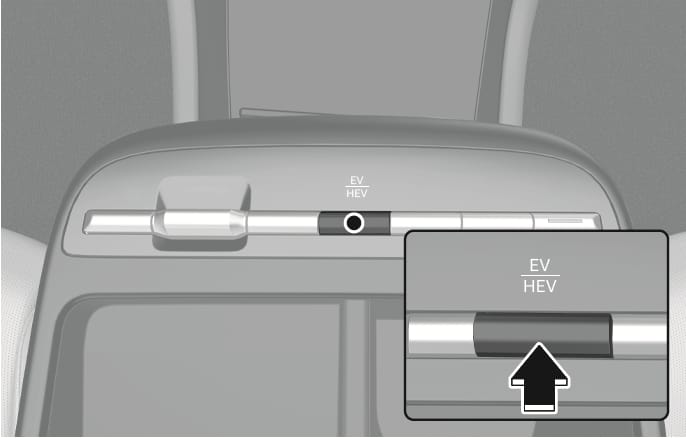
2C_EVHEVButton
Pressing the EV/HEV button changes the plug-in hybrid system modes, between Electric (CD) mode and Hybrid (CS) mode.
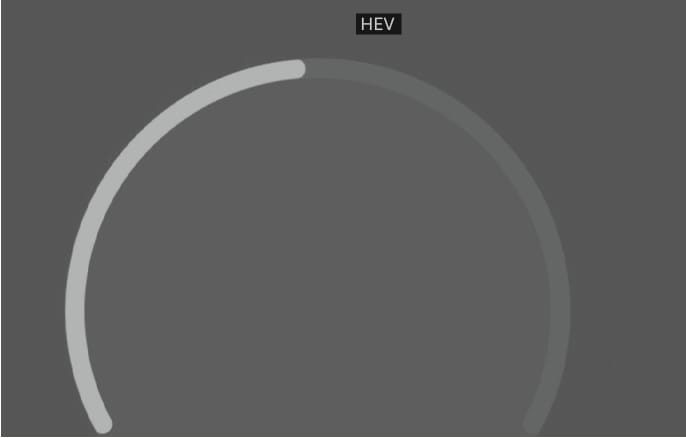
Each time the mode is changed a corresponding indicator appears on the instrument cluster as follows.

2C_PHEVAutoMode

2C_PHEVAutoMode_2

2C_PHEVCSMode
2C_PHEVCSMode_2
-
CD (Charge Depleting, Electric) mode: The high-voltage (hybrid) battery is used to drive the vehicle.
-
AUTO mode: CD mode and CS mode are selected automatically depending on road conditions.
-
CS (Charge Sustaining, Hybrid) mode: The high-voltage (hybrid) battery and gasoline engine is used to drive the vehicle.
Even when the battery charging rate is high and driving in electric mode is possible, engine may turn on in some areas to protect the system.
2C_PHEVInfo
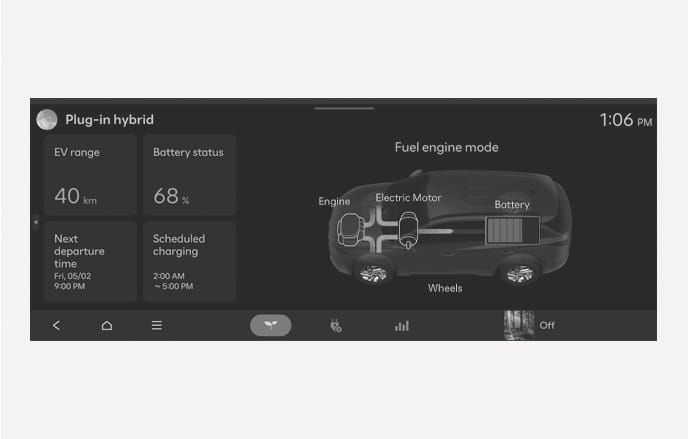
On the Home screen from the infotainment system, select Plug-in hybrid (PHEV) to set features related to your plug-in hybrid vehicle. (EV range, Battery status, Next departure time, Scheduled charging, Energy flow, etc.)
For more information, refer to the infotainment system manual.
2C_SOHInfo
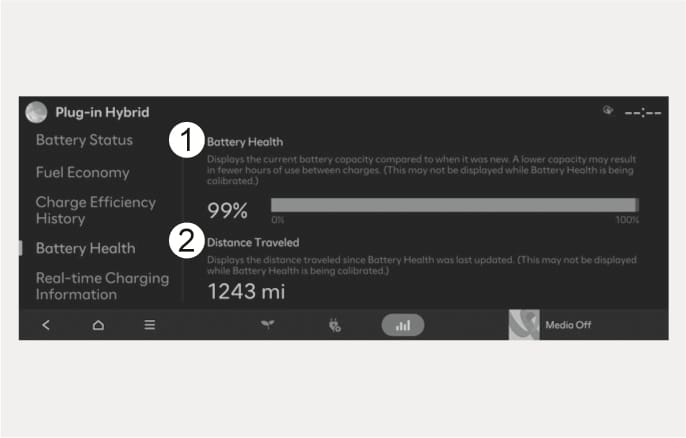
- Battery Health
- Distance Traveled
It is an indicator of the energy that the battery can store. The battery's storage energy is set to 100% at the time of shipment, and as the battery continues to be used, it reflects the reduced energy ratio.
It indicates the distance driven since the state of health was last calculated.
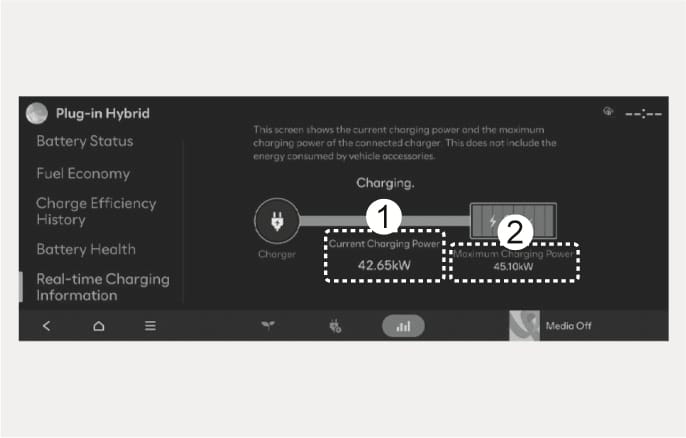
2C_SOHChargingInfo
- Current Charging Power
- Maximum Charging Power
When charging, you can monitor the current and maximum charging power, allowing you to manage the process efficiently and optimize energy usage.
You can check only while charging.