Smart Cruise Control settings
OUS4071155
To turn on Smart Cruise Control
-
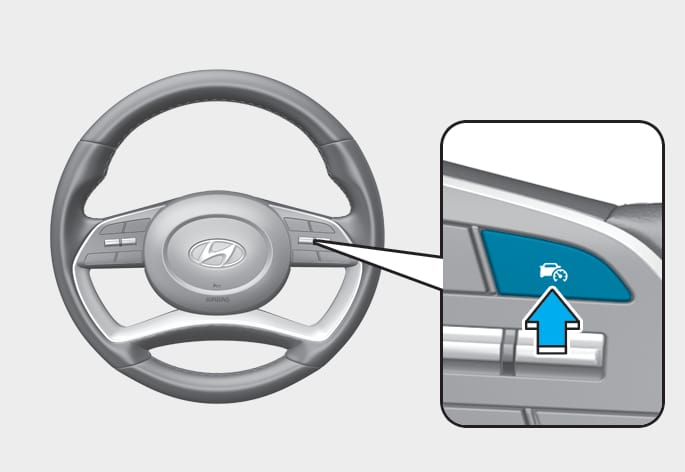
Press the Driving Assist (
 ) button to turn on Smart Cruise Control. The speed will be set to the current speed on the cluster.
 -
If there is no vehicle in front of you, the set speed will be maintained, but if there is a vehicle in front of you, the speed may decrease to maintain the distance to the vehicle ahead. If the vehicle ahead accelerates, your vehicle will travel at a steady cruising speed after accelerating to the set speed.
-
If your vehicle speed is between 0~ 30 km/h (0~ 20 mph) when you press the Driving Assist (
) button, the Smart Cruise Control speed will be set to 30 km/h (20 mph). -
The Driving Assist button symbol may vary depending on your vehicle option.
ODN8069049
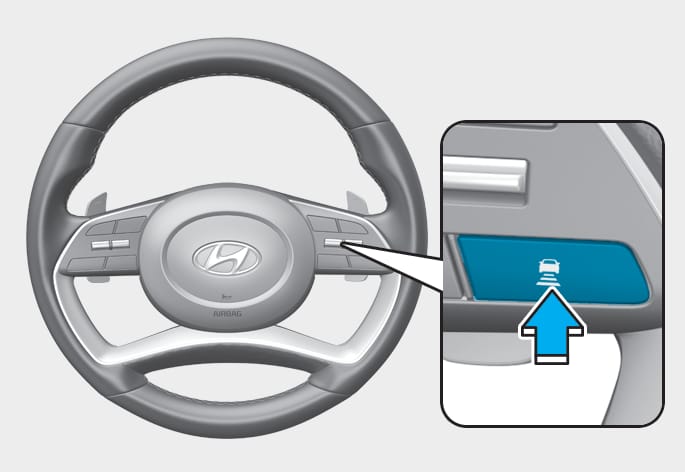
To set vehicle distance
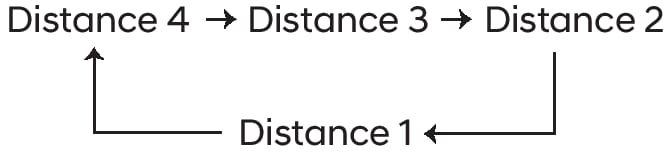
Each time the button is pressed, the headway changes as follows:
-
If you drive at 90 km/h (56 mph), the distance is maintained as follows:
Distance 4 - approximately 53 m (172 ft.)
Distance 3 - approximately 40 m (130 ft.)
Distance 2 - approximately 30 m (106 ft.)
Distance 1 - approximately 25 m (82 ft.)
-
The distance is set to the last set distance when the engine is restarted, or when Smart Cruise Control was temporarily canceled.
OUS4071166
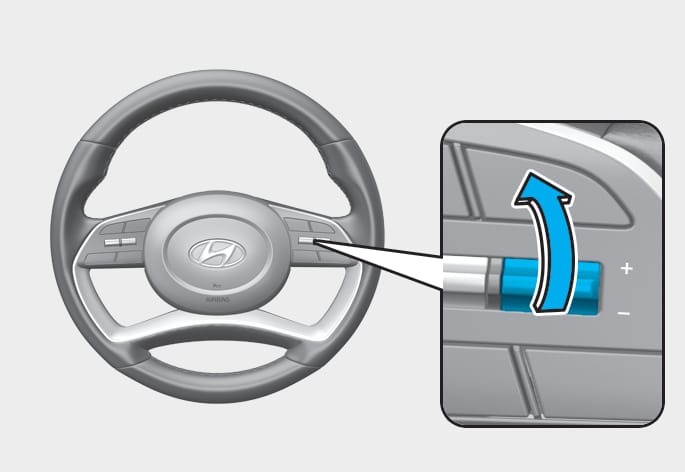
To increase set speed
-
Push the + switch up and release it immediately. The set speed will increase by 1 km/h (1 mph) each time the switch is operated in this manner.
-
Push the + switch up and hold it while monitoring the set speed on the cluster. The set speed will increase by 10 km/h or 5 mph each time the switch is operated in this manner. Release the switch when the desired speed is shown, and the vehicle will accelerate to that speed. You can increase the set speed to 200 km/h (120 mph). For 11-seater, you can set the speed up to 110 km/h (60 mph).
Check the driving condition before using the + switch. Driving speed may sharply increase when you push up and hold the + switch.
OUS4071162
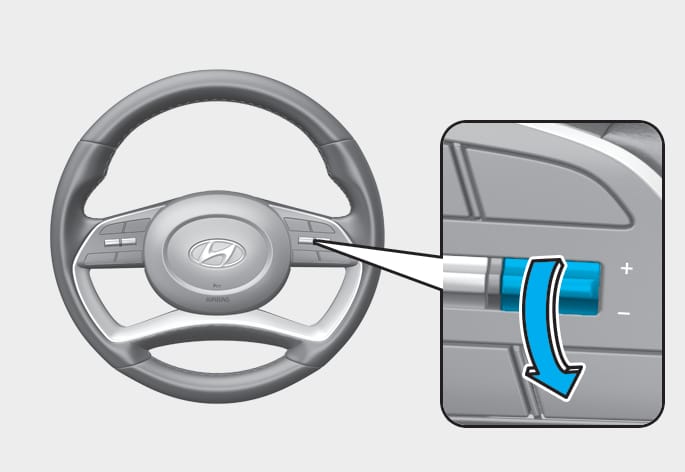
To decrease set speed
-
Push the - switch down and release it immediately. The set speed will decrease by 1 km/h (1 mph) each time the switch is operated in this manner.
-
Push the - switch down and hold it while monitoring the set speed on the cluster. The set speed will decrease by 10 km/h or 5 mph each time the switch is operated in this manner.
Release the switch at the speed you want to maintain. You can decrease the set speed to 30 km/h (20 mph).
OUS4071072
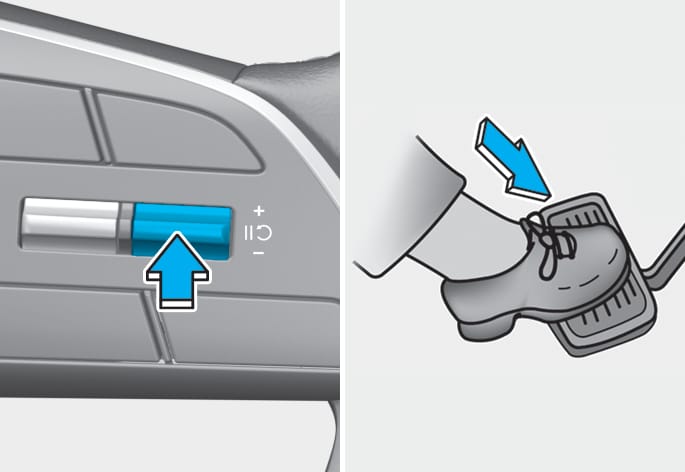
To temporarily cancel Smart Cruise Control
Press the  switch or depress the brake pedal to temporarily cancel Smart Cruise Control.
OUS4071073
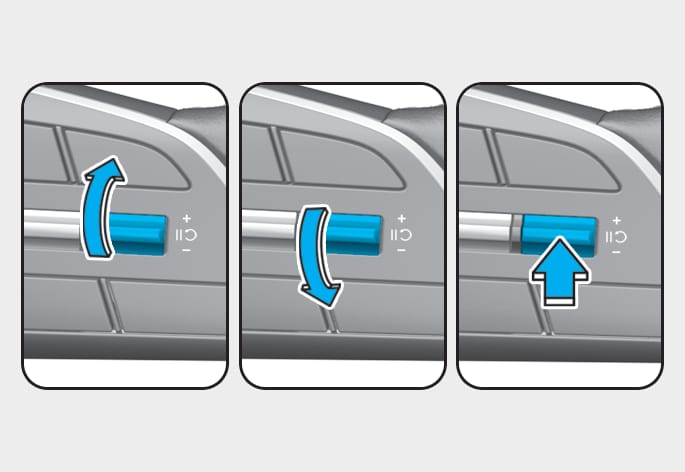
To resume Smart Cruise Control
To resume Smart Cruise Control after the function was canceled, operate the +, - or switch.
If you push the + switch up or - switch down, vehicle speed will be set to the current speed on the cluster.
If you push the switch, vehicle speed will resume to the preset speed.
Check the driving condition before using the switch. Driving speed may sharply increase or decrease when you press the switch.
OUS4071155
To turn off Smart Cruise Control
Press the Driving Assist () button to turn Smart Cruise Control off.
If your vehicle is equipped with Manual Speed Limit Assist, press and hold the Driving Assist () button to turn off Smart Cruise Control. However Manual Speed Limit Assist will turn on.
Based on Drive Mode
Smart Cruise Control will change acceleration based on the drive mode selected from Drive Mode Integrated Control system. Refer to the following chart.
|
Drive mode |
Smart Cruise Control |
|
NORMAL |
Normal |
|
ECO |
Slow |
|
SPORT |
Fast |
|
SMART |
Normal |
For more details on drive mode, refer to "Drive mode integrated control system (2WD)" section in chapter 6.
-
Smart Cruise Control may not turn on or off in some of the drive modes for the operating conditions are not satisfied.
-
If your vehicle is not equipped with Drive Mode Integrated Control system, Smart Cruise Control accelerates your vehicle at a normal level.
OUS4071201L
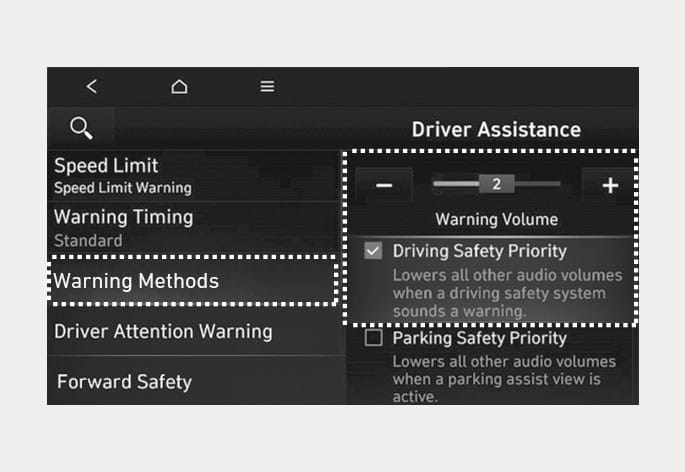
ONX4073106L
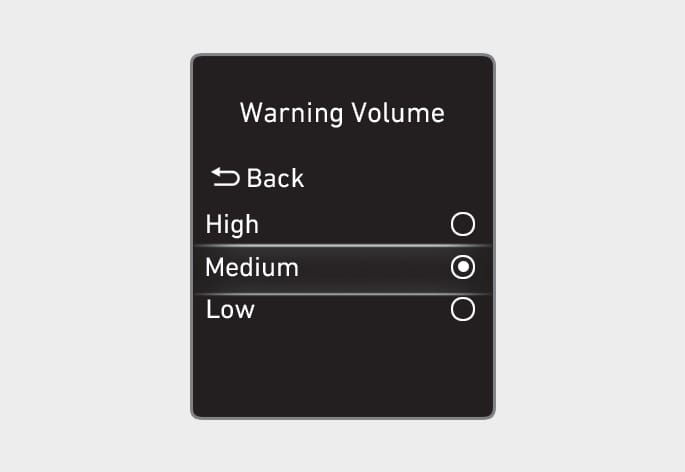
The Warning Methods can be set with the vehicle on. Select 'User Settings > Driver Assistance > Warning Methods' from the settings menu in the instrument cluster or 'Setup (Settings) > Vehicle > Driver Assistance > Warning Methods' from the settings menu in the infotainment system to change the following settings:
-
Warning Volume: Adjusts the volume of the warning sound.
-
Driving Safety Priority: Lowers all other audio volumes when the Driving Safety system sounds a warning. (for infotainment system type)
-
If you change the Warning Methods, it can be applied to each function of the driver assistance system. Please check and change it in each function.
-
If the vehicle is restarted, Warning Methods will maintain the last setting.
-
The setting menu may not exist based on vehicle specification.