Lane Keeping Assist settings
OTM070184N
OUS4071188L
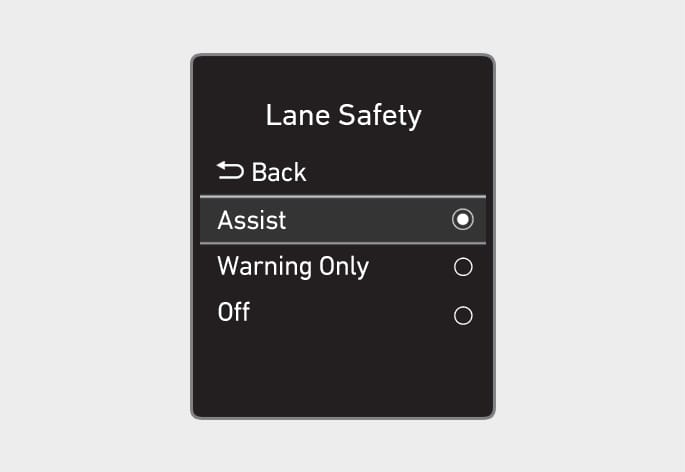
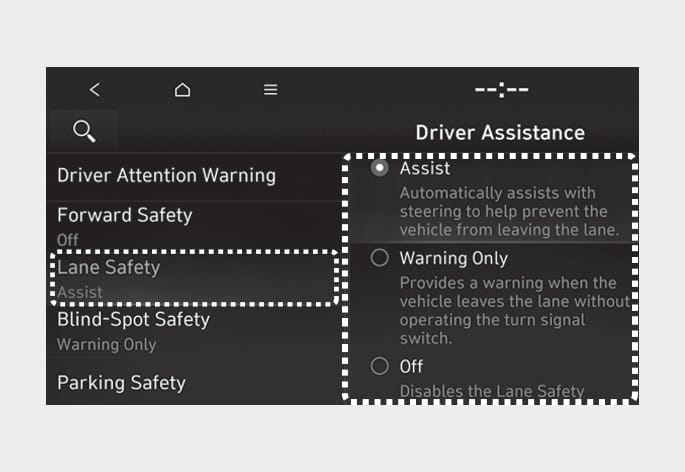
Lane Safety
With the engine on, select or deselect 'Driver Assistance > Lane Safety' from the Settings menu to set whether or not to use each function.
-
If 'Assist' is selected, Lane Keeping Assist will automatically assist you with steering when lane departure is detected to help prevent the vehicle from moving out of its lane.
-
If 'Warning Only' is selected, Lane Keeping Assist will warn you with an audible warning when lane departure is detected. You must steer the vehicle.
-
If 'Off' is selected, Lane Keeping Assist will turn off. The
 indicator light will turn off on the cluster.
-
If 'Warning Only' is selected, steering is not assisted.
-
Lane Keeping Assist does not control the steering wheel when the vehicle is driven in the middle of the lane.
-
The driver should always be aware of the surroundings and steer the vehicle if 'Off' is selected.
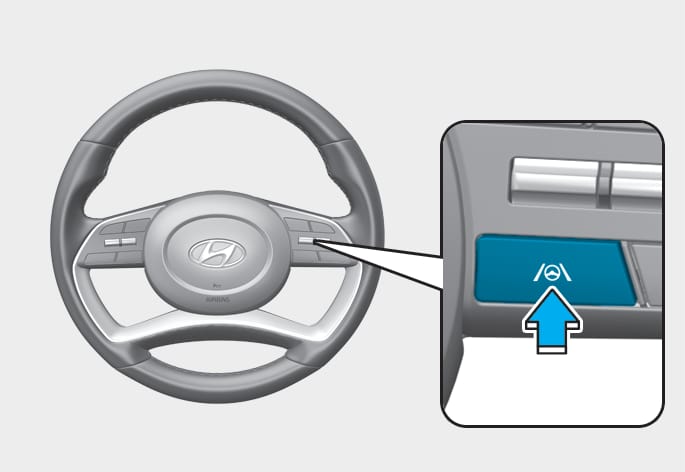
Turning Lane Keeping Assist On/Off
OUS4071122
-
Except Europe, Australia, Russia
With the engine on, press and hold the Lane Driving Assist button located on the steering wheel to turn on Lane Keeping Assist. The grey or green
indicator light will illuminate on the cluster.Press and hold the button again to turn off the function.
If the engine is restarted, Lane Keeping Assist will maintain the last setting.
-
For Europe, Australia, Russia
Whenever the engine is turned on, Lane Keeping Assist will always turn on. The grey
indicator light will illuminate on the cluster.When Lane Keeping Assist is on, press and hold the Lane Driving Assist button to turn off the function.
-
For vehicles with 11 or more seats
-
Lane Keeping Assist turns on automatically when the engine is turned off and then on again.
-
A yellow warning indicator turns on when Lane Keeping Assist is turned off.
-
When the Lane Driving Assist button is pressed shortly, Lane Following Assist will turn on and off.
When Lane Keeping Assist is turned off with the Lane Driving Assist button, the Lane Safety setting also changes to 'Off'.
OUS4071201L
ONX4073106L
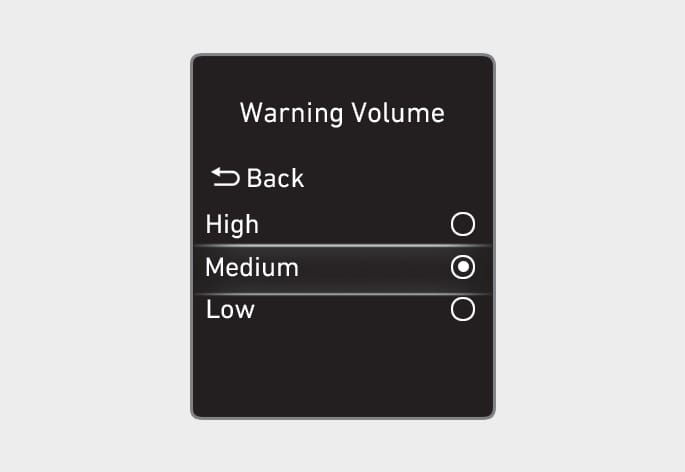
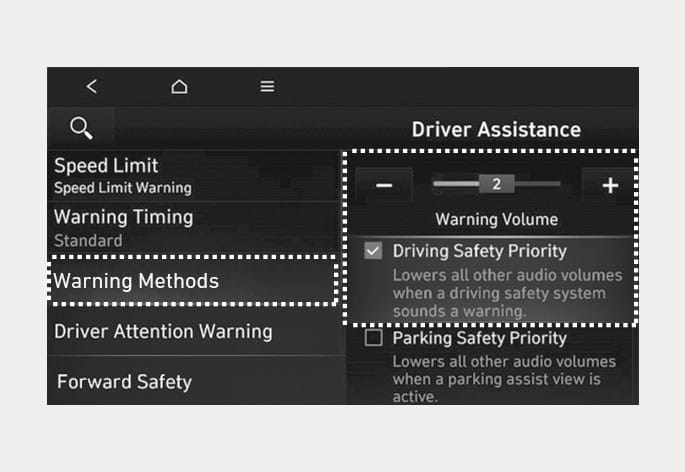
The Warning Methods can be set with the vehicle on. Select 'User Settings > Driver Assistance > Warning Methods' from the settings menu in the instrument cluster or 'Setup (Settings) > Vehicle > Driver Assistance > Warning Methods' from the settings menu in the infotainment system to change the following settings:
-
Warning Volume: Adjusts the volume of the warning sound.
-
Driving Safety Priority: Lowers all other audio volumes when the Driving Safety system sounds a warning. (for infotainment system type)
-
If you change the Warning Methods, it can be applied to each function of the driver assistance system. Please check and change it in each function.
-
If the vehicle is restarted, Warning Methods will maintain the last setting.
-
The setting menu may not exist based on vehicle specification.