Operating Door Locks from Outside the Vehicle
To lock or unlock the doors from outside the vehicle with the smart key button, refer to Smart Key.
When 'Unlock on Approach or Touch' is set (if equipped)
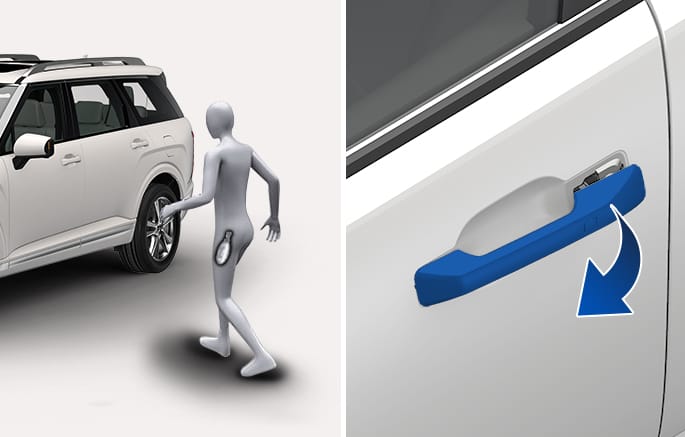
2C_OutsideDoorHandle_2
Approach within 40 in. (1 m) to the front outside door handle while carrying the smart key.
The function can be activated or deactivated from the Settings menu in the infotainment system. Select Setup > Vehicle > Door > Unlock on Approach or Touch > Unlock on Approach or Touch/Unlock Driver Door.
When 'Unlock on Approach or Touch' is not set
2C_OutsideDoorHandle_1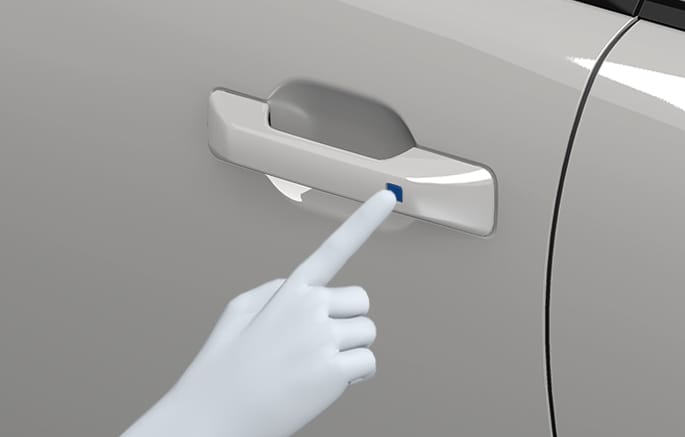
Have the smart key with you, then press the door handle button or the Door Lock button
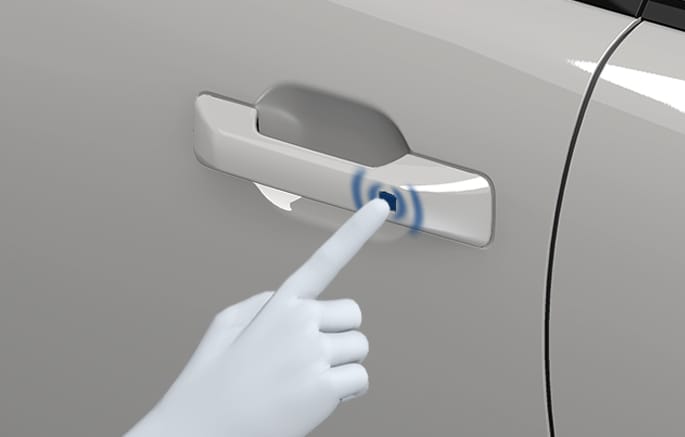
2C_OutsideDoorHandle
Have the smart key with you and either touch the door handle touch sensor to activate the door lock or press the Door Lock button
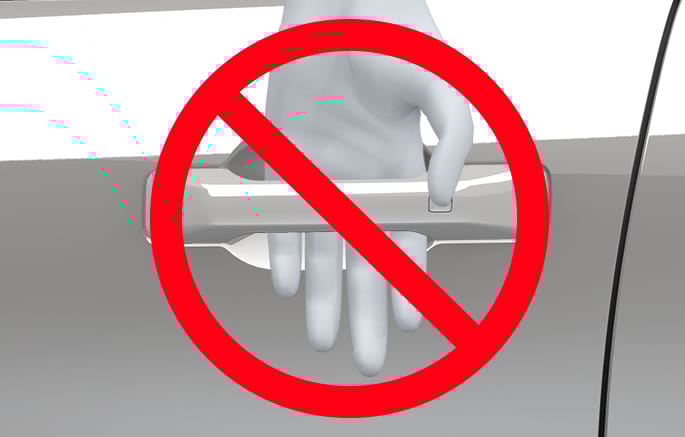
2C_OutsideDoorHandleCaution
If the handle inner sensor is covered and the outside handle is pressed at the same time, the door may not lock or unlock for about 2 seconds. Be sure to only touch the inner sensor to unlock or the outer sensor to lock, not both at once unless intentionally setting the lock/unlock prevention feature.
-
If you lock the door with the touch sensor, the doors cannot be unlocked with the touch sensor within 3 seconds.
-
If you lock the doors using the door touch sensor, the doors are not locked under the following circumstances:
-
The Smart Key is in the vehicle.
-
The Engine Start/Stop button is in ACC or ON position.
-
Any door is open (except for the liftgate).
If this occurs, a chime sounds for about 3 seconds. Check the vehicle before attempting to lock the vehicle again.
-
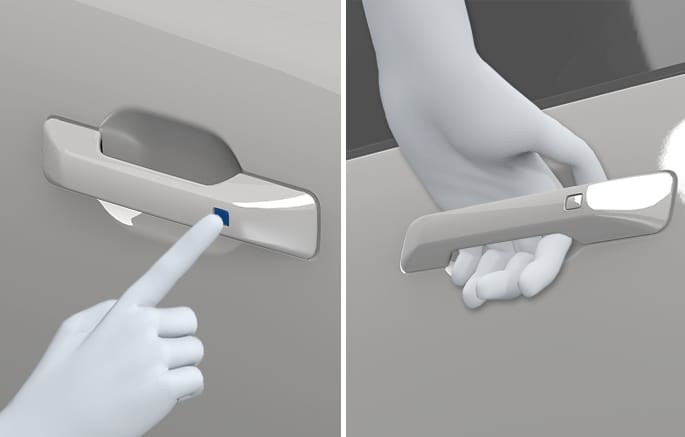
2C_OutsideDoorHandle_3
Have the smart key with you and grab the door handle to activate the door unlock touch sensor (if equipped) or press the door handle button.
-
The chime sounds and hazard warning lights blink two times.
-
If you unlock the doors using the passenger side door handle, all the doors are unlocked. If you unlock the doors using the driver side door handle, either the driver's side door is unlocked or all the doors are unlocked depending on the setting for the Two Press Unlock feature. Change the Driver Door unlock mode by referring to 'Setting the Two Press Unlock feature'.
-
The door handle button or touch sensor only operates when the smart key is within 40 in. (1 m) from the outside door handle.