DAW Settings
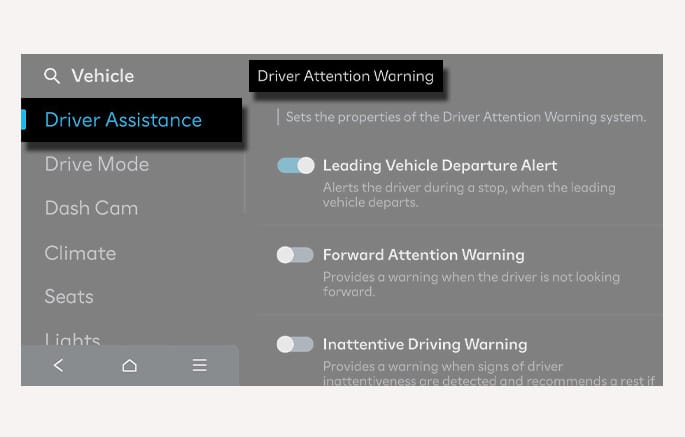
2C_LeadingVehicleDepartureSettings
With the vehicle on, select Setup > Vehicle > Driver Assistance > Driver Attention Warning and then enable Leading Vehicle Departure Alert in the infotainment system to use the function.
-
Leading Vehicle Departure Alert: The function informs the driver when a detected vehicle in front departs from a stop.
-
Forward Attention Warning: Forward Attention Warning of DAW can be turned on or off.
-
Inattentive Driving Warning : Inattentive Driving Warning of DAW can be turned on or off.
If you deselect to turn off the Inattentive Driving Warning , DAW cannot assist you. The driver should always be aware of the surroundings and drive safely
You can set the following Warning methods for DAW:
-
Warning volume
-
Driving safety priority
For more information, refer to Driver Assistance System Settings.