HDA Settings
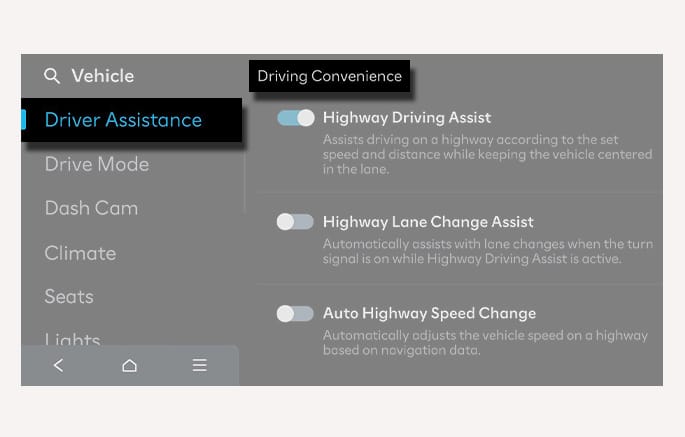
2C_HDASettings
With the vehicle on, select or deselect Setup > Vehicle > Driver Assistance > Driving Convenience > Highway Driving Assist from the infotainment system to set whether to use each function.
-
If Highway Driving Assist is selected, it helps maintain distance from the vehicle ahead, maintain the set speed, and helps center the vehicle in the lane.
-
If Highway Lane Change Assist is selected, it helps the driver change lanes. (if equipped)
-
When Highway Lane Change Assist is selected, the setting for Highway Lane Change Assist can be changed.
-
If there is a problem with the functions, the settings cannot be changed. Have your vehicle inspected by an authorized HYUNDAI dealer.
-
If the vehicle is restarted, the functions maintain the last setting.
If your vehicle is equipped with a dedicated trailer-detection component or feature, the functionality of the driver assistance system may be limited when a trailer is detected as attached. Please read the details in Driver assistance system limitations, and always drive carefully.
You can set the following Warning methods for HDA:
-
Warning volume
-
Driving safety priority
For more information, refer to Driver Assistance System Settings.