BCA Malfunction and Limitations
When BCA or a related component malfunctions, a warning message and the Master
For more information, refer to Driver Assistance System Warnings and Indicators.
Turn off BCA when a trailer, carrier, or another attachment is installed. Remove the trailer, carrier, or another attachment to use BCA.
BCA uses the following sensor:
-
Rear corner radar
For more information, refer to Sensor Information.
Turn off BCA to install or remove a trailer, carrier, or another attachment. Turn on BCA when finished.
BCA may not operate properly, or it may operate unexpectedly under the following circumstances:
-
Driving on a highway ramp
-
Driving on a road where the guardrail or wall is in double structure
-
There is inclement weather, such as heavy snow, heavy rain, etc.
-
The rear corner radar is covered with snow, rain, dirt, etc.
-
The temperature around the rear corner radar is high or low
-
The rear corner radar is blocked by other vehicles, walls or pillars
-
Driving on a highway ramp or driving through a tollbooth
-
The road pavement (or the peripheral ground) abnormally contains metallic components (for example, possibly due to subway construction)
-
There is a fixed object near the vehicle, such as sound barriers, guardrails, central dividers, entry barriers, street lamps, signs, tunnels, walls, etc. (including double structures)
-
Driving through a narrow road where trees or grass are overgrown
-
Driving in vast areas where there are few vehicles or structures (for example, desert, meadow, suburb, etc.)
-
Driving on a wet road surface, such as a puddle on the road
-
The other vehicle drives very close behind your vehicle, or the other vehicle passes by your vehicle in close proximity
-
The speed of the other vehicle is very fast that it passes by your vehicle in a short time
-
Your vehicle passes by the other vehicle
-
Your vehicle changes lane
-
Your vehicle has started at the same time as the vehicle next to you and has accelerated
-
The vehicle in the next lane moves two lanes away from you, or when the vehicle two lanes away moves to the next lane from you
-
A trailer, carrier or other attachment is installed around the rear corner radar
-
The bumper around the rear corner radar is covered with objects, such as a bumper sticker, bumper guard, bike rack, etc.
-
The bumper around the rear corner radar is impacted, damaged or the radar is out of position
-
Your vehicle is installed with a snow chain, spare tire or different size wheel.
-
Your vehicle height is low or high due to heavy loads, abnormal tire pressure, installed with tires of different specification, etc.
-
The following object is detected:
-
A small motorcycle or bicycle
-
A vehicle such as a flat trailer
-
A big vehicle such as a bus or truck
-
A moving obstacle such as a pedestrian, animal, shopping cart or a baby stroller
-
A vehicle with low height such as a sports car
-
Braking control may not work, driver's attention is required in the following circumstances:
-
The vehicle severely vibrates while driving over a bumpy road, uneven road, or concrete patch
-
Driving on a slippery surface due to snow, water puddle, ice, etc.
-
The tire pressure is low or a tire is damaged
-
The braking system has been modified
-
The vehicle makes abrupt lane changes
-
Driving on a curved road
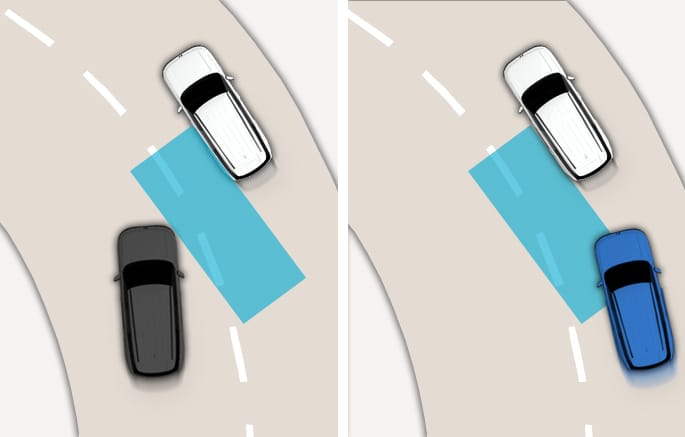
2C_BCADrivingOnCurvedRoad
BCA may not operate properly when driving on a curved road. The function may not detect the vehicle in the next lane or the function may recognize a vehicle in the same lane.
Always pay attention to road and driving conditions while driving.
-
Driving on an inclined road
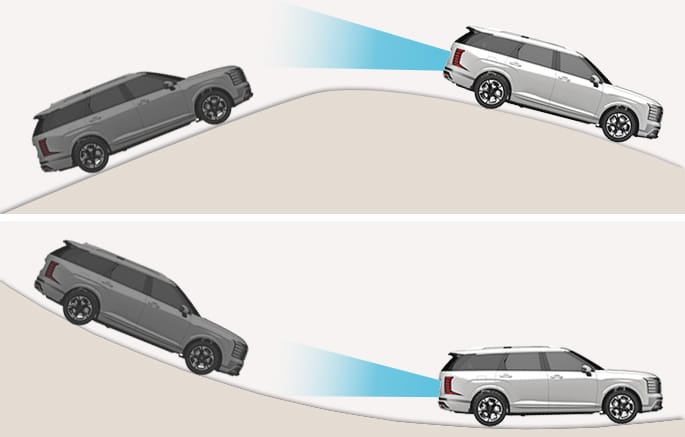
2C_BCAInclinedRoad
BCA may not operate properly when driving on a slope. The function may not detect the vehicle in the next lane or may incorrectly detect the ground or structure. Always pay attention to road and driving conditions while driving.
-
Driving where the road is merging/dividing
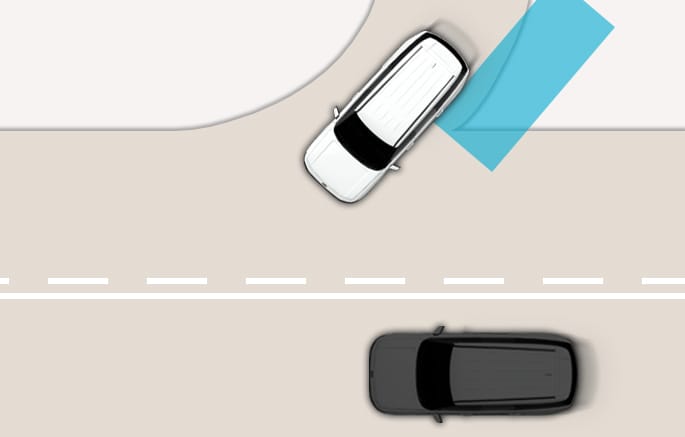
2C_BCAMergingRoad
BCA may not operate properly when driving where the road merges or divides. The function may not detect the vehicle in the next lane.
Always pay attention to road and driving conditions while driving.
-
Driving where the heights of the lanes are different
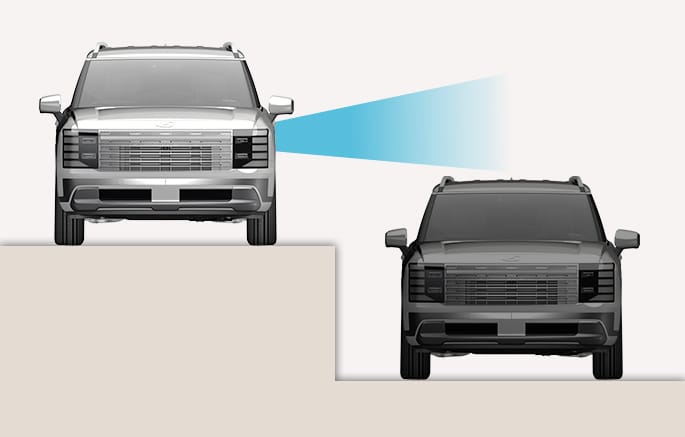
2C_BCAHeightDifference
BCA may not operate properly when driving where the heights of the lanes are different. The function may not detect the vehicle on a road with different lane heights (underpass joining section, grade separated intersections, etc.).
Always pay attention to road and driving conditions while driving.
-
When you are towing a trailer or another vehicle, make sure that you turn off BCA.
-
BCA may not operate properly if interfered by strong electromagnetic waves.
-
BCA may not operate for about 15 seconds after the vehicle is started or the rear corner radars are initialized.