Setting the Options for the AC Charger
You can set the options for the AC charger including scheduled charging and charging current.
On the Home screen from the infotainment system, select Electric Vehicle >
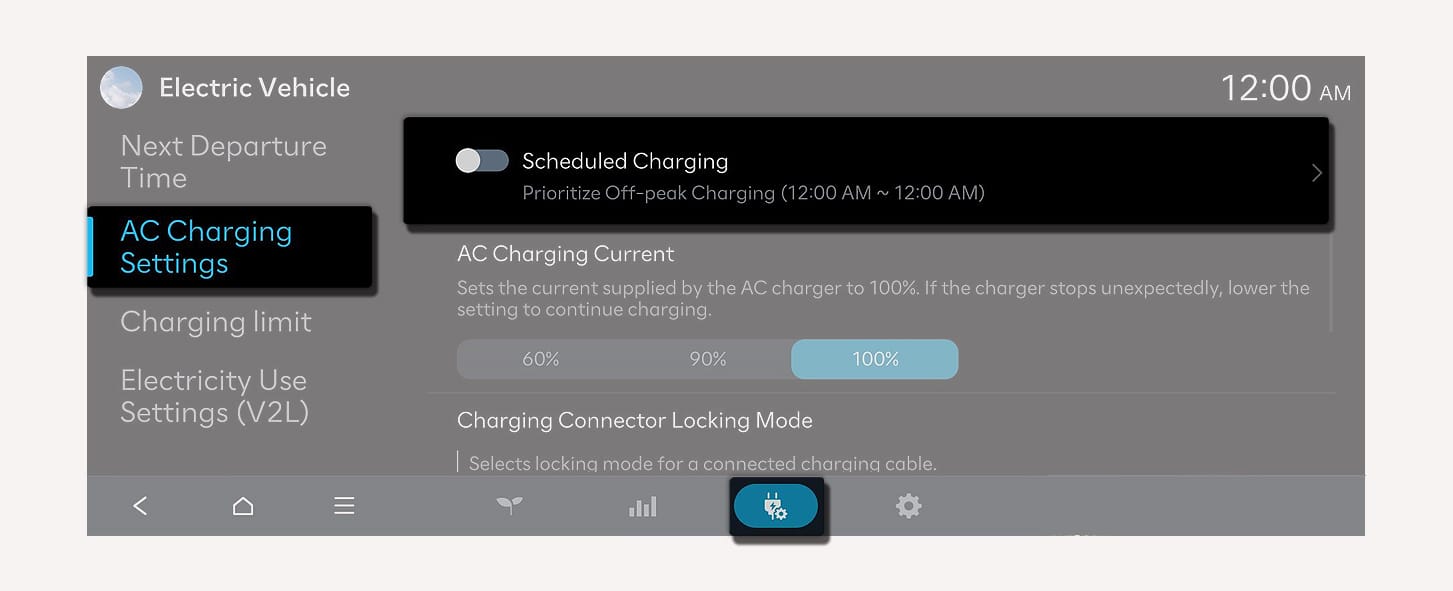
1C_ScheduledClharging
Select Scheduled Charging to turn on the function.
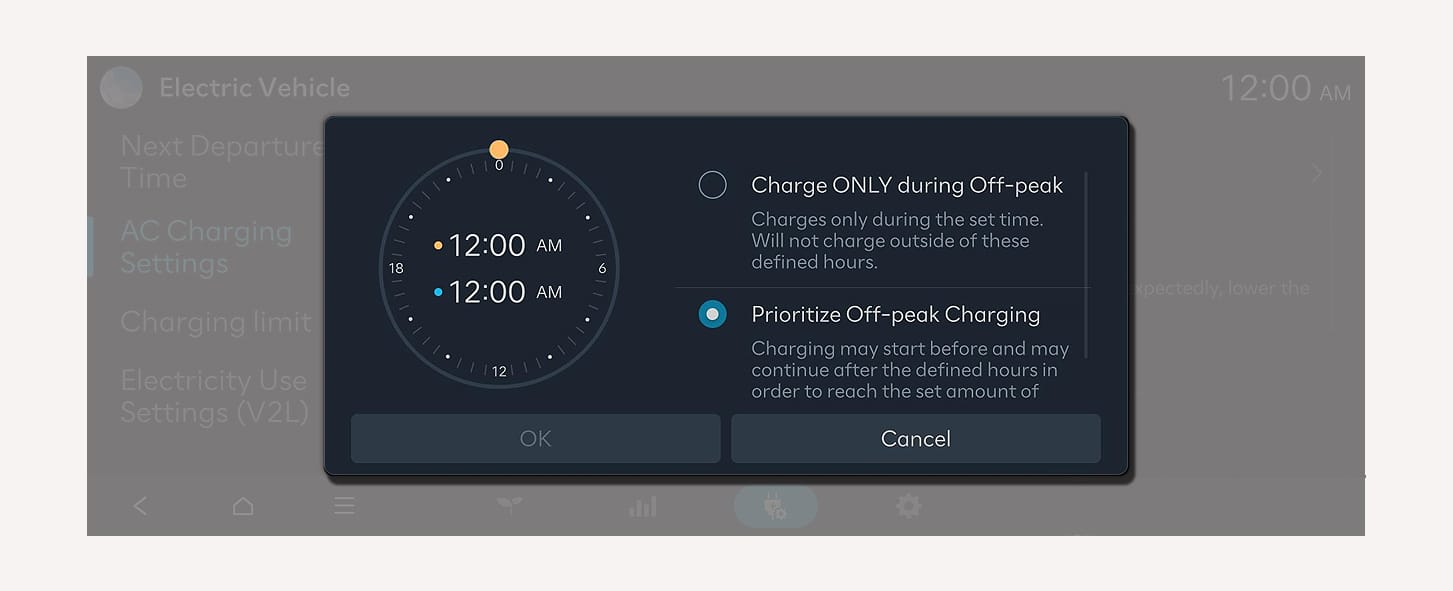
1C_ScheduledClharging_2
-
Charge ONLY during Off-peak: Charging is activated only during the off-peak time. It may not be able to reach the target battery charge level.
-
Prioritize Off-peak Charging: Charging is activated during the off-peak time. It may keep on charging pass off-peak time to reach the target battery charge level.
For more information about setting the target battery charge level, refer to the Setting the target battery charge level.
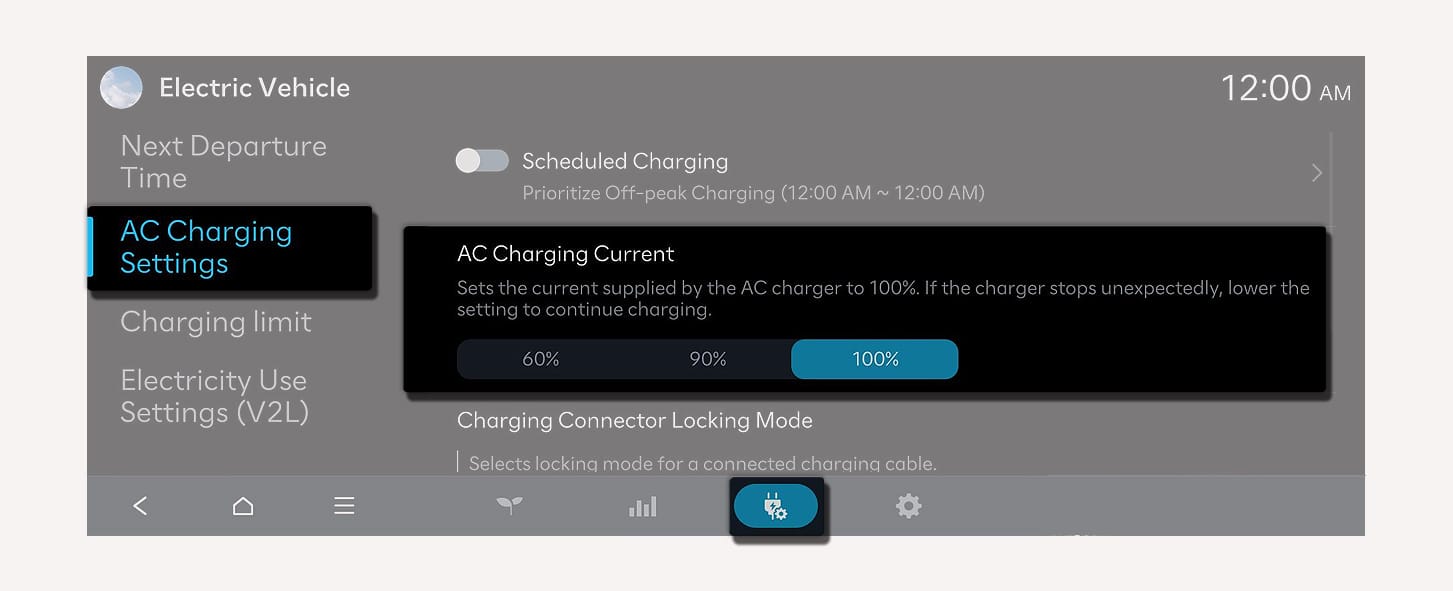
1C_ACChargingCurrent
Set the charging current when using an AC charger.
You can set the target battery charge level when charged with an AC charger or a DC charger.
-
You can check the status of high voltage battery, estimated distance to empty, and the time required for charging the target battery level.
-
The distance to empty is estimated based on the energy economy and temperatures. It may vary according to your driving style.
-
The distance to empty may vary even with the same target level according to changes of your driving style.
-
On the Home screen from the infotainment system, select Electric Vehicle >
Ĥ > Charging Limit. -
Set each of the target battery charge level for AC charger and DC charger.
-
The charging level can be changed by 10 %.
-
If the target battery charge level is lower than the current high voltage battery charge level, the battery will not be charged.
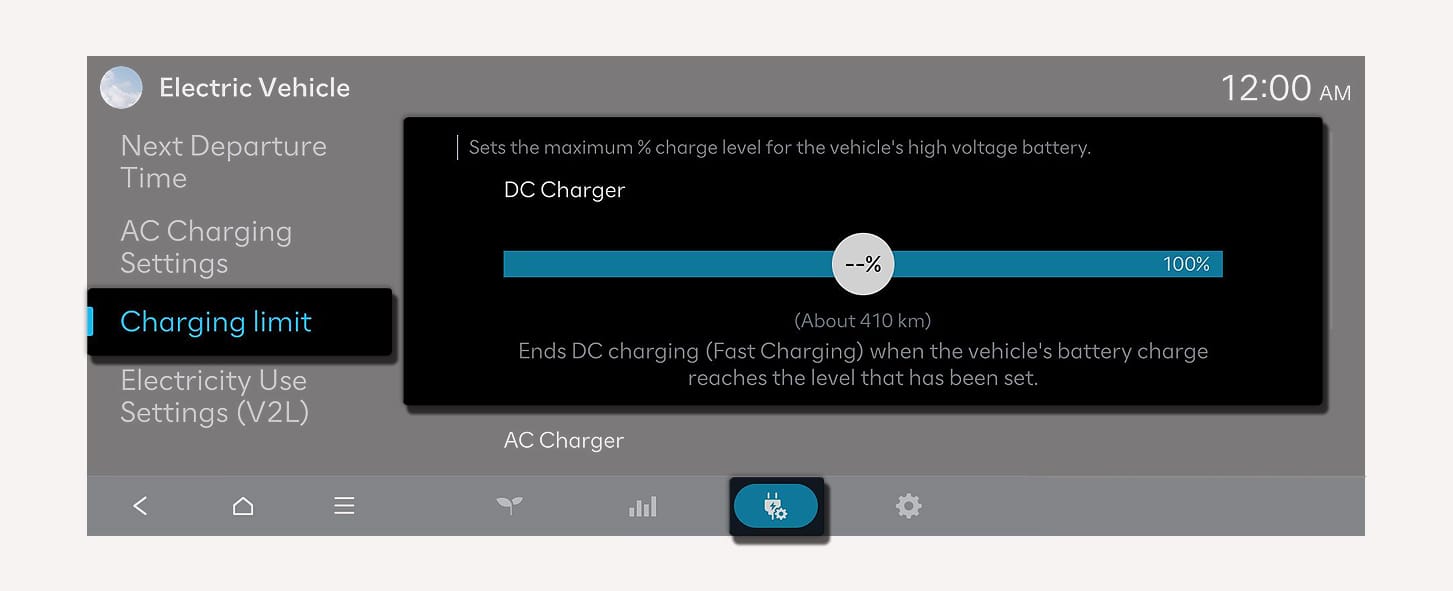
1C_ChargingLimit
-