Driver Attention Warning malfunction and limitations
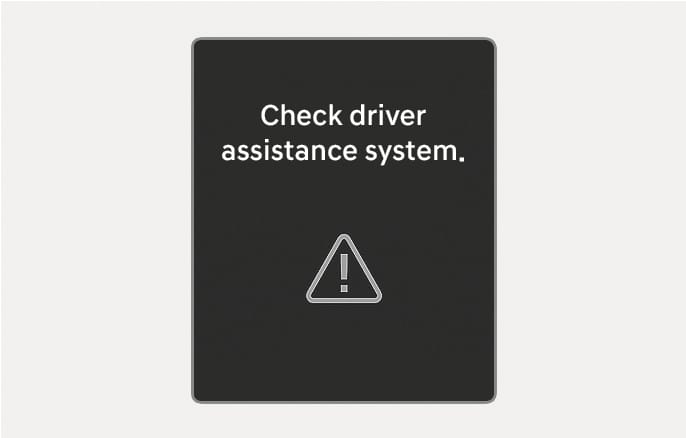
Driver Attention Warning malfunction
2025 Hyundai Tucson Driver Attention Warning malfunction warning message image. The screen displays the text 'Check driver assistance system.' and a triangle icon with an exclamation mark. This explains the warning message displayed on the instrument cluster when the system malfunctions.

2C_DriverAssistanceMalfunction

When Driver Attention Warning is not working properly, the 'Check driver assistance system' warning message will appear on the cluster for several seconds, and the master (X) warning light and the inattentive driving (W) warning light will appear on the instrument cluster. If this occurs, we recommend that your vehicle be inspected by an authorized HYUNDAI dealer.

Driver Attention Warning disabled
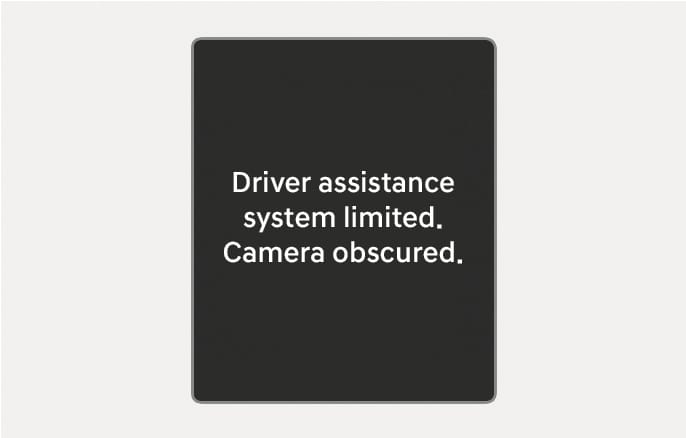
2025 Hyundai Tucson warning message image. The instrument cluster screen displays the text 'Driver assistance system limited. Camera obscured.' in white on a dark background. This alerts the driver that the Driver Attention Warning system is disabled because the front view camera is blocked.

2C_DriverAssistanceLimitedCamera

When the front windshield where the front view camera is located is covered with foreign material, such as snow or rain, it can reduce the detecting performance and temporarily limit or disable Driver Attention Warning. If this occurs, the 'Driver assistance system limited. Camera blocked' warning message, the master (X) warning light, and the inattentive driving (W) warning light will appear on the instrument cluster. Driver Attention Warning will operate properly when snow, rain or foreign material is removed. If Driver Attention Warning does not operate properly after it is removed, we recommend that your vehicle be inspected by an authorized HYUNDAI dealer.

  • Driver Attention Warning may not properly operate in an area (for example, open terrain) where any objects are not detected right after turning ON the vehicle.

  • If the vehicle is turned off and restarted while the camera is blocked or malfunctioned, the condition is maintained. Therefore, Driver Attention Warning may not operate properly.

Limitations of Driver Attention Warning

Driver Attention Warning may not work properly in the following situations:

  • The vehicle is driven violently

  • The vehicle intentionally crosses over lanes frequently

  • The vehicle is controlled by Driver Assistance system, such as Lane Keeping Assist

Leading Vehicle Departure Alert function

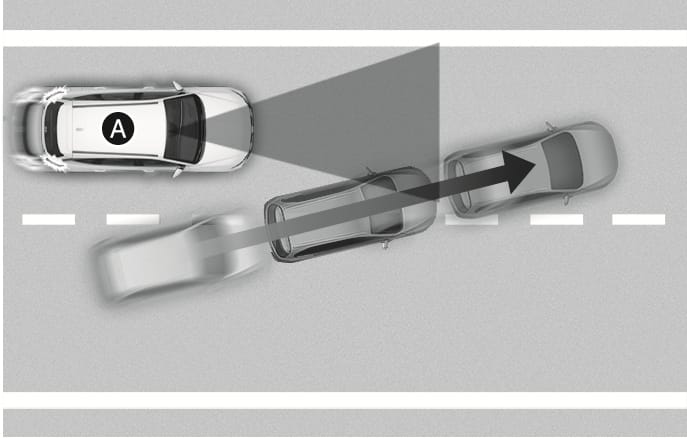
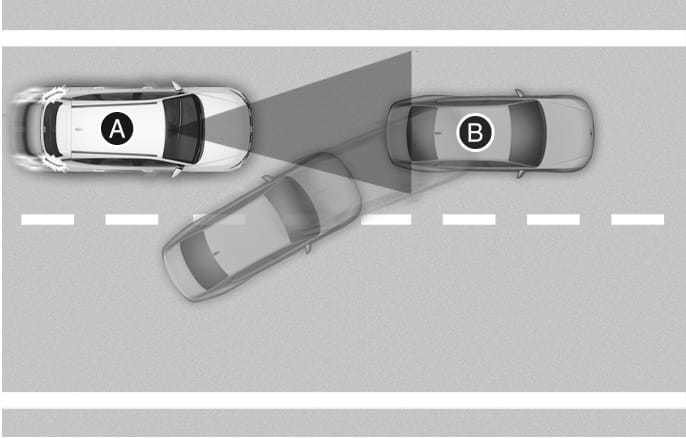
  • When the vehicle cuts in

    2025 Hyundai Tucson Leading Vehicle Departure Alert limitation image. A top-down view shows vehicle (A) and another vehicle cutting in front, indicated by a black arrow. This illustrates a situation where the system may not operate properly when a vehicle cuts in.

    2C_DAWVehicleCutsIn

    2025 Hyundai Tucson Leading Vehicle Departure Alert limitation image. A top-down view shows your vehicle (A) with a grey triangular detection zone extending forward. The front vehicle (B) is cutting into the lane from the right, entering the detection zone. Explains that the Leading Vehicle Departure Alert may not operate properly when a vehicle cuts in.

    2C_DAWVehicleCutsIn_2

    1. Your vehicle
    2. Front vehicle

    If a vehicle cuts in front of your vehicle, Leading Departure Alert may not operate properly.

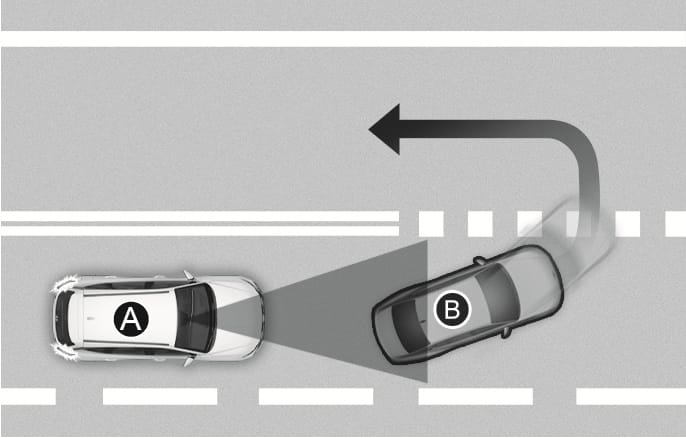
  • When the vehicle ahead sharply steers

    2025 Hyundai Tucson Leading Vehicle Departure Alert limitation image. Your vehicle (A) follows the front vehicle (B), which is making a sharp left turn indicated by a curved arrow. This describes a situation where the system may not operate properly when the vehicle ahead steers sharply.

    2C_DAWVehicleAheadSharplySteer

    1. Your vehicle
    2. Front vehicle

    If the vehicle in front makes a sharp turn, such as to turn left or right or make a U- turn, etc., Leading Vehicle Departure Alert may not operate properly.

  • When the vehicle ahead abruptly departures
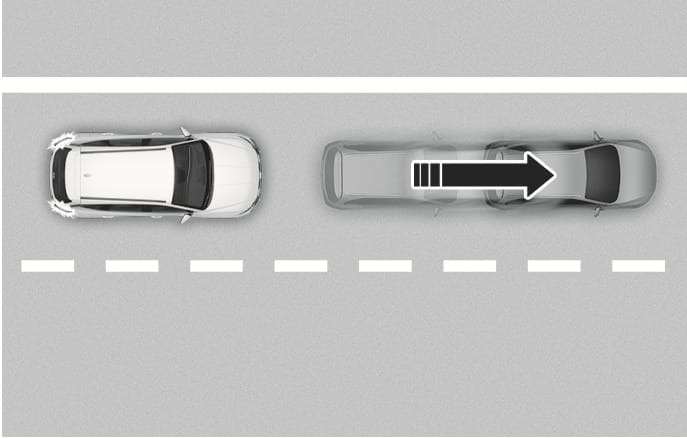
    2025 Hyundai Tucson Leading Vehicle Departure Alert limitation image. A white vehicle sits behind a grey vehicle, with a large black arrow pointing right to show the front vehicle moving away quickly. This illustrates that the system may not operate properly if the vehicle ahead departs abruptly.

    2C_DAWVehicleAheadAbruptlyDeparture

    If the vehicle in front abruptly departures, Leading Vehicle Departure Alert may not operate properly.

  • When a pedestrian or bicycle is between you and the vehicle ahead
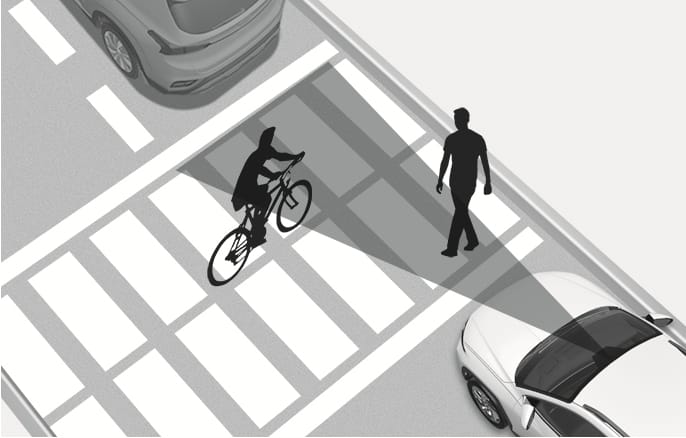
    2025 Hyundai Tucson Leading Vehicle Departure Alert limitation image. A cyclist and a pedestrian are crossing the road between the white vehicle and the vehicle ahead, obstructing the sensor's detection range shown in gray. Explains a situation where the alert may not operate properly due to obstacles between the vehicles.

    2C_DAWThereIsPedestrianBetweenVehicles

    If there is a pedestrian(s) or bicycle(s) in between you and the vehicle in front, Leading Vehicle Departure Alert may not operate properly.

  • When in a parking lot

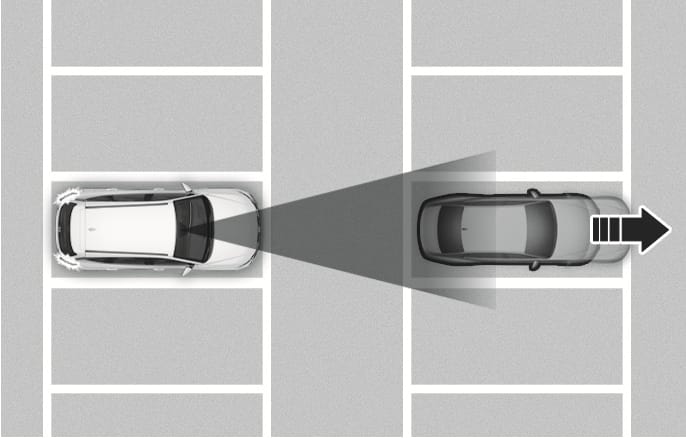
    2025 Hyundai Tucson Leading Vehicle Departure Alert in a parking lot image. A grey vehicle in front moves away to the right, indicated by a black arrow, while the white vehicle displays alert signals at the rear. Explains the situation where the system alerts the driver that a parked vehicle is driving away.

    2C_DAWInParkingLot

    If a vehicle parked in front drives away from you, Leading Vehicle Departure Alert may alert you that the parked vehicle is driving away.

  • When driving at a tollgate or intersection, etc.
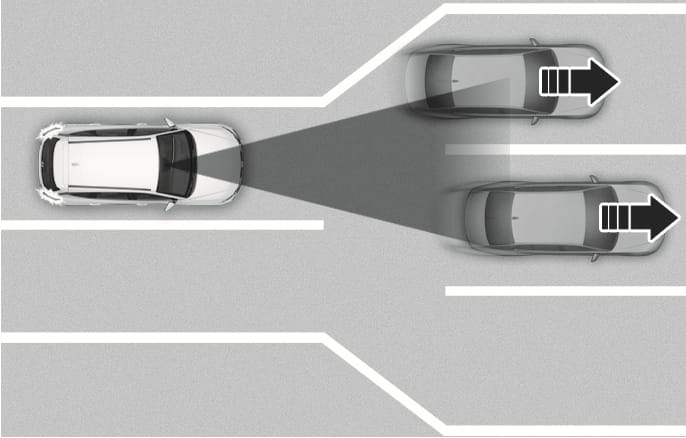
    2025 Hyundai Tucson Leading Vehicle Departure Alert limitation image. A top-down view shows the vehicle approaching a tollgate where lanes widen, with other vehicles ahead. It explains the limitation of the system in areas where lanes merge or divide frequently.

    2C_DAWInTollgate

    If you pass a tollgate or intersection with lots of vehicles or you drive where lanes are merged or divided frequently, Leading Vehicle Departure Alert may not operate properly.

Driver Attention Warning may not operate for about 15 seconds after the vehicle is started, or the front view camera is initialized.

For more information on the precautions of the front view camera, refer to the "Forward Collision-Avoidance Assist (FCA) (Front view camera only)" section in this chapter.