Setting Scheduled Charging and Climate
You can set the date and time of when to charge the battery and the climate control temperature. Also, you may select the time to start charging using the off-peak time setting.
-
Scheduled charging and climate can be activated based on the departure time.
-
To use scheduled charging and climate function, the vehicle must be connected to the charger at the scheduled time.
-
The scheduled climate function directly uses the power of the connected charger. It can maintain a pleasant environment and enhance vehicle performance by controlling the temperature of the vehicle and the battery without using the high voltage battery power.
Follow the instructions below to set the off-peak time and scheduled charging option.
-
On the infotainment system, swipe the Home screen to the left to display the All menus screen.
-
On the All menus screen, EV > Scheduled Charging and Climate > Scheduled Charging.
-
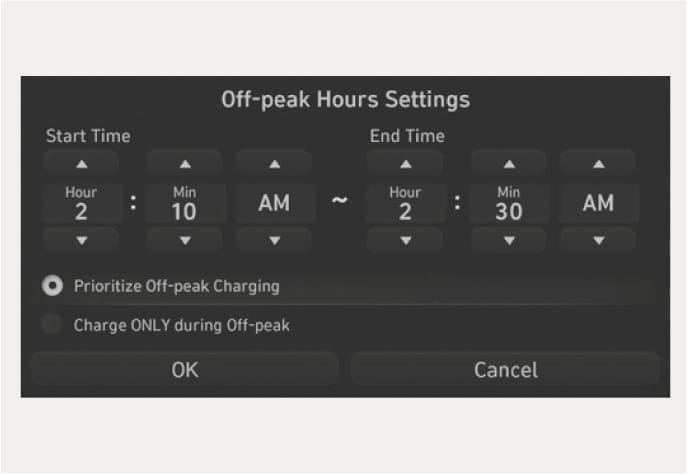
Set the off-peak hours at Start Time and End Time.
B0001901
-
Select the charging option.
-
Prioritize Off-peak Charging: Charging is activated during the off-peak time. It may keep on charging past off-peak time to reach the target battery charge level.
-
Charge ONLY during Off-peak: Charging is activated only during the off-peak time. It may not be able to reach the target battery charge level.
-
For more information about setting the target battery charge level, refer to the “Setting the target battery charge level” section in this chapter.
-
Follow the instructions below to set the scheduled climate control temperature.
-
On the infotainment system, swipe the Home screen to the left to display the All menus screen.
-
On the All menus screen, select EV > Scheduled Charging and Climate > Scheduled Charging.
-
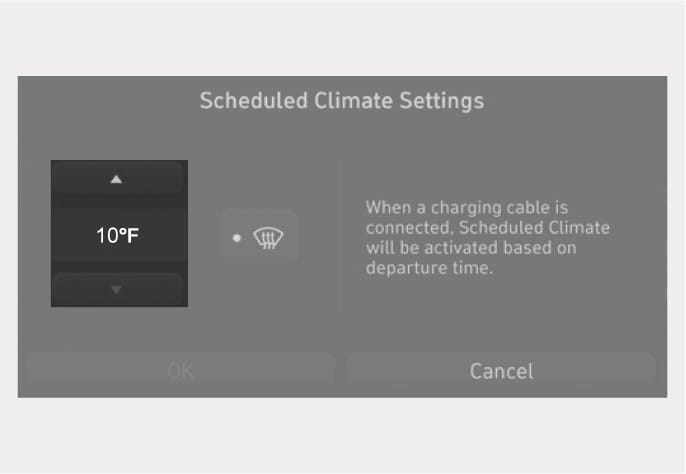
Set the desired temperature.
-
The air conditioning system is activated at the departure time.
-
For more information about setting the departure time, refer to the “Setting the Next Departure Time” section in this chapter.
B0001902
-